Key Takeaways
- You've written detailed, valuable blog posts. Your content is genuinely helpful. You've done everything the YouTube SEO tutorials told you. But your Google Search Console still shows near-zero clicks.
The Uncomfortable Truth About "Good Content"
Google does not reward good content. Google rewards content that satisfies a specific search intent better than any competing page — while meeting minimum technical standards for crawling, indexing, and user experience. "Good" is irrelevant if Google can't find your page, doesn't understand what it's about, or doesn't trust your site enough to show it.
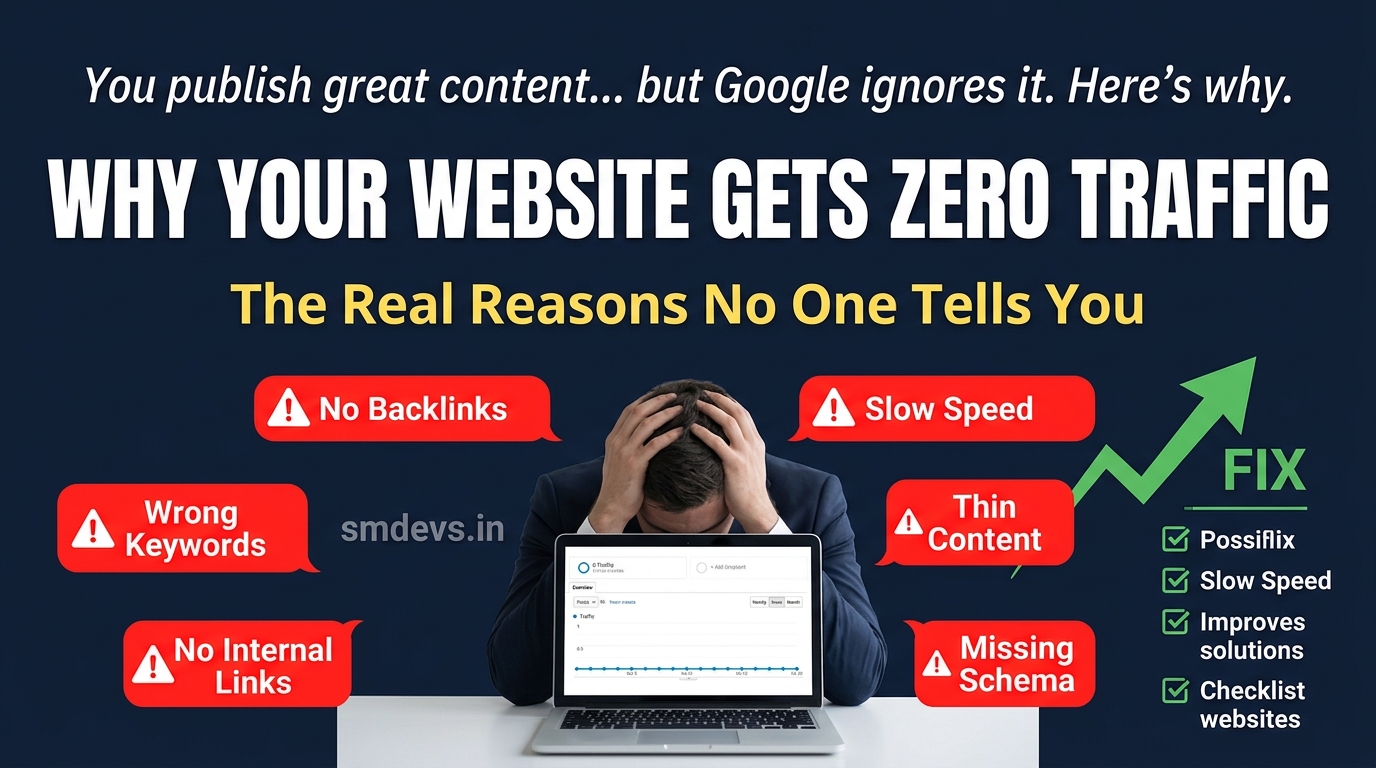
Here are the 12 most common reasons well-written content gets no traffic — and what to do about each one.
Reason 1: Targeting Keywords That Are Too Competitive
You wrote a 3,000-word guide on "digital marketing." That keyword has a KD (Keyword Difficulty) of 90+. Your domain has a DR (Domain Rating) of 15. You will not rank — not because your content is bad, but because 50 domains with DR 70–90 and thousands of backlinks are competing for that same position. No amount of content quality overcomes a massive authority gap on high-competition keywords.
Fix: Target long-tail keywords with KD below 30 and search volume 100–2,000/month while your site is new. As you build authority, progressively target harder keywords. Use Google Search Console to find queries where you appear on page 2–3 — those are your quickest wins. Also read our free keyword research guide for low-competition keyword tactics.
Reason 2: Your Site Is Not Being Indexed
If Google hasn't indexed your pages, they cannot rank — period. Check in Google Search Console → Index → Pages. Look for pages in the "Not indexed" category. Common indexing blockers include:
noindexmeta tag accidentally added to pages- Robots.txt blocking Googlebot from crawling key URLs
- New site not yet crawled (can take weeks without a submitted sitemap)
- Crawl budget issues on large sites with many low-quality pages
Fix: Submit your sitemap in GSC → Sitemaps. Use the URL Inspection tool to check individual page indexing status. Remove any accidental noindex tags. Check your robots.txt at yourdomain.com/robots.txt and ensure it's not blocking important directories.
Reason 3: Content Doesn't Match Search Intent
This is the #1 reason good content doesn't rank. Search intent is what the user actually wants when they type a query — and Google is exceptionally good at matching intent. If someone searches "best schema validator tool" and your page is a blog post explaining what schema markup is (informational) rather than a tool comparison or the tool itself (transactional/commercial) — Google will not rank your page for that query, regardless of quality.
The 4 intent types: Informational ("what is X"), Navigational ("X login"), Commercial Investigation ("best X for Y"), Transactional ("buy X" or "X tool").
Fix: Google your target keyword before writing. Look at the top 5 results — what format are they (listicle, guide, tool page, product page)? What do they cover? What questions do they answer? Your page must match that dominant intent and format to compete.
Reason 4: Zero Backlinks to Your Content
For competitive keywords, backlinks remain one of Google's strongest ranking signals. A new page with no external backlinks competing against established pages with hundreds of quality backlinks will almost always lose — even with superior content.
Fix: Build backlinks deliberately. Start with internal links from your existing high-authority pages (this alone can significantly boost rankings for new content). Then pursue external links through: guest posting on relevant blogs, being cited in listicles and "best of" articles, building free tools that naturally attract links, and reaching out to industry publications. Read our Link Building Guide for proven strategies.
Reason 5: Thin Content (Under 600 Words for Competitive Topics)
For competitive keywords, thin content rarely ranks. If the top 5 results for your target keyword are 2,000–3,000 word comprehensive guides and your post is 500 words — Google's algorithm will favour the more comprehensive pages that better satisfy the query. Content length isn't a direct ranking factor, but thoroughness and comprehensiveness signal to Google that your page fully covers the topic.
Fix: Analyse what the top-ranking pages cover. Use the People Also Ask and related searches sections of Google to identify subtopics to include. Aim to be the most comprehensive, useful resource on the topic — not necessarily the longest, but the most complete.
Reason 6: Wrong or Missing Title Tags and Meta Descriptions
Title tags are the single most important on-page SEO element. If your title tag doesn't include your primary keyword, Google doesn't know what query to rank your page for. Conversely, a compelling title dramatically improves click-through rate — which sends Google a positive engagement signal.
Fix: Place your primary keyword naturally in the H1 and title tag (ideally near the beginning). Write meta descriptions that include the keyword and a compelling reason to click — even though meta descriptions don't directly affect rankings, they drive CTR, which does. Use our Meta Tag Generator tool for optimised suggestions.
Reason 7: No Internal Linking Structure
If your new blog post has no internal links pointing to it from other pages on your site, Google finds it through your sitemap only — and it receives no PageRank "juice" from your other pages. Internal links are one of the most underutilised and powerful tools for distributing authority from established pages to newer ones.
Fix: When you publish a new post, immediately go back to your top-5 highest-traffic existing pages and add 1–2 contextual internal links to the new post. Use descriptive anchor text that includes your target keyword. Over time, build a hub-and-spoke internal linking architecture where pillar pages link to cluster pages.
Reason 8: Slow Page Load Speed
Core Web Vitals — specifically LCP (loading), INP (interactivity), and CLS (visual stability) — are Google ranking signals. A page that takes 5–8 seconds to load on mobile is at a direct ranking disadvantage. In India, where a large portion of users are on 4G connections, page speed is even more critical.
Fix: Test your pages with PageSpeed Insights (pagespeed.web.dev). Common quick wins: compress and convert images to WebP format, add lazy loading to images below the fold, minimise CSS/JS files, and use a CDN. For more detailed fixes, read our Core Web Vitals guide.
Reason 9: Missing Schema Markup
Schema markup helps Google understand your content type and can unlock rich results (star ratings, FAQs, breadcrumbs in the SERP). Pages with FAQ schema frequently appear with expandable Q&A directly in Google results — dramatically increasing CTR even from position 3–5. Pages without schema miss this visibility entirely.
Fix: Add Article schema to blog posts, FAQ schema to Q&A sections, and BreadcrumbList schema to all pages. Validate your schema using our free Schema Validator tool. For implementation guidance, read our Schema Markup implementation guide.
Reason 10: Your Domain Is Too New / Has No Authority
Google applies what's informally called a "sandbox effect" to very new domains — they often struggle to rank for competitive keywords in the first 6–12 months regardless of content quality. New sites need time to accumulate crawl data, trust signals, and backlinks before Google fully trusts them.
Fix: Be patient with a new domain, but actively accelerate trust signals: submit your sitemap immediately, post consistently (Google trusts sites that publish regular, fresh content), build even a few quality backlinks in the first 3 months, and start with low-competition keywords where new domains can still rank.
Reason 11: Duplicate or Near-Duplicate Content
If you have multiple pages targeting the same or very similar keywords (keyword cannibalization), Google doesn't know which page to rank and may rank none of them. Also, if you've inadvertently published content that is very similar to existing content on the web (common with product descriptions, auto-generated pages, or scraped content), Google may not index it at all.
Fix: Audit your content for cannibalization — check if multiple pages target the same primary keyword. Consolidate overlapping content through 301 redirects or canonical tags. Ensure every page has unique, original content that adds something not available elsewhere on the web.
Reason 12: Not Checking GSC Data to Guide Content Strategy
Many content creators publish and forget — never looking at what queries Google is already surfacing their content for, which pages are getting impressions but no clicks (position 5–20, ripe for optimisation), or which pages have high CTR that can be replicated. GSC is the most powerful free SEO tool available — and most site owners barely use it.
Fix: Review GSC weekly. Sort by Impressions descending — these are pages Google is showing but users aren't clicking (focus on improving title/meta). Sort by Position and filter to pages between 11–30 — these are your "quick win" pages that need a backlink or two and content improvements to jump to page 1. Connect your GSC data to strategy, not just vanity metrics.
FAQs: Why Website Gets No Traffic
Why does my website have content but no visitors?
The most common reasons: targeting keywords that are too competitive for your domain's current authority, pages not being indexed in Google, content that doesn't match the search intent of your target keywords, no backlinks from external sites, and slow page load speed. Start by checking Google Search Console to see if your pages are indexed and what queries (if any) they appear for.
How long does it take for a new website to get traffic?
For a brand new domain targeting low-competition keywords with consistent content publishing: 3–6 months to start seeing meaningful organic traffic. For medium-competition keywords: 6–12 months. For competitive keywords: 12–24 months minimum, depending on your link-building velocity. These timelines assume consistent publishing, proper technical SEO, and active link building — not just publishing and waiting.
Does social media help with SEO traffic?
Social media shares are not a direct Google ranking signal — Google has confirmed this. However, social media indirectly helps SEO by: (1) increasing content discovery, which can lead to backlinks from people who find your content via social and then link to it from their own sites, (2) building brand awareness, leading to direct traffic and branded search volume, and (3) driving initial traffic that generates user engagement signals. Think of social media as a content distribution channel, not a direct SEO tool.


