Key Takeaways
- Core Web Vitals are Google's standardised metrics for measuring real-world user experience on web pages. Since Google made Core Web Vitals a confirmed ranking factor in 2021 and replaced FID with INP
What Are Core Web Vitals?
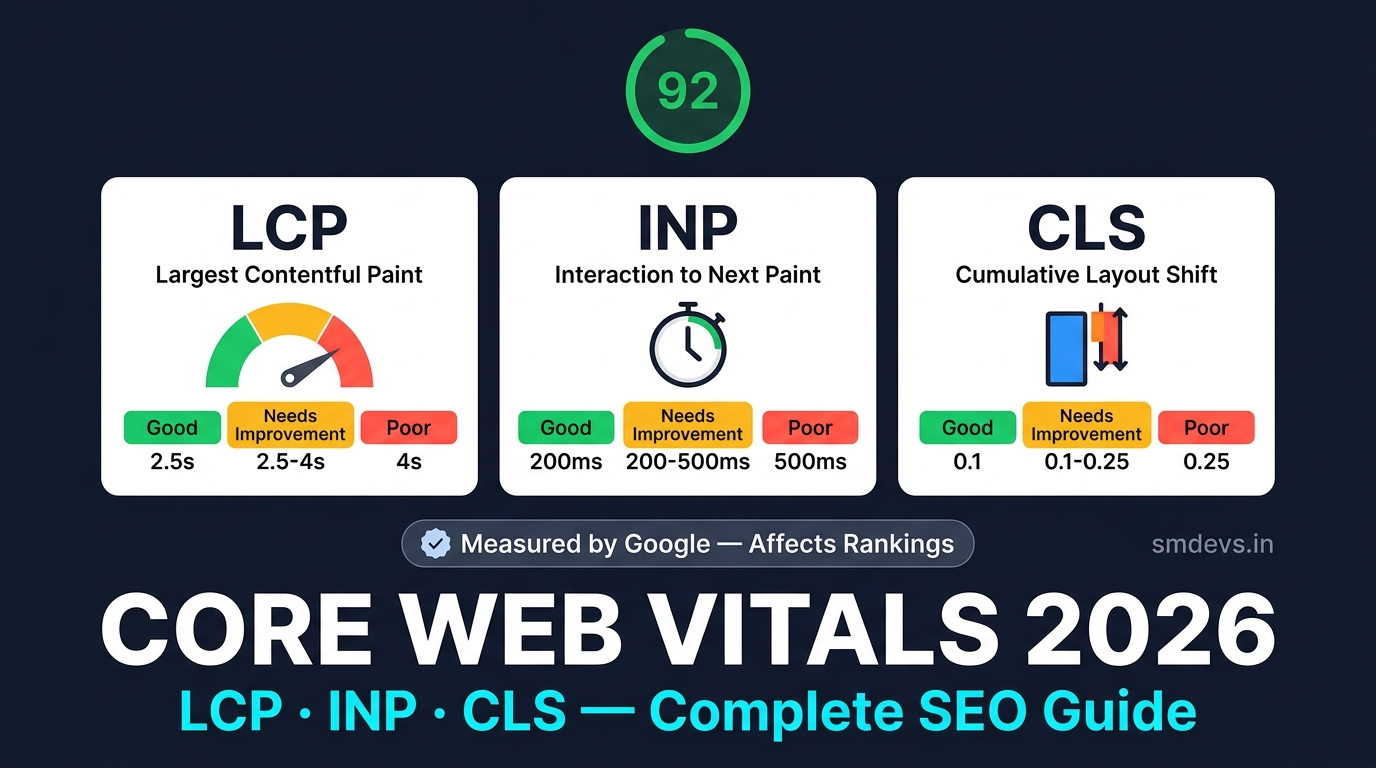
Core Web Vitals are a set of specific metrics defined by Google that measure the real-world user experience of a webpage — focusing on loading performance, visual stability, and interactivity. Google uses Core Web Vitals as a confirmed ranking signal through its Page Experience algorithm.
There are currently three Core Web Vitals:
- LCP — Largest Contentful Paint (loading performance)
- INP — Interaction to Next Paint (interactivity, replaced FID in March 2024)
- CLS — Cumulative Layout Shift (visual stability)
Google measures these using real-world data from Chrome users (via the Chrome User Experience Report / CrUX), not just lab tests. This means even if your PageSpeed Insights score is 90+, you can still fail Core Web Vitals if real users experience slow interactions on your site.
1. LCP — Largest Contentful Paint
What it measures: How long it takes for the largest visible content element on the page (hero image, H1 heading, or large text block) to fully render from the moment the user navigates to the page.
| Score | LCP Time | Status |
|---|---|---|
| 🟢 Good | ≤ 2.5 seconds | Passes Core Web Vitals |
| 🟡 Needs Improvement | 2.5 – 4.0 seconds | At risk |
| 🔴 Poor | > 4.0 seconds | Fails — ranking impact |
Most common LCP element: The hero image or featured image at the top of a blog post or homepage. If your hero image loads slowly, your LCP score suffers.
How to Fix Poor LCP
- Preload the LCP image: Add
<link rel="preload" as="image" href="/hero.jpg">in your<head>— this tells the browser to fetch the LCP image as the highest priority - Use next-gen image formats: Convert images to WebP or AVIF — typically 30–50% smaller than JPEG at equivalent quality
- Add
fetchpriority="high"to your LCP image element:<img src="hero.webp" fetchpriority="high"> - Use a CDN: Serve images from a CDN close to your users (Cloudinary, Cloudflare, AWS CloudFront) to reduce latency
- Avoid lazy-loading the LCP image:
loading="lazy"on your hero image deliberately delays it — never use this on your LCP element - Reduce server response time (TTFB): Target Time to First Byte under 800ms — use server-side caching, reduce database queries
2. INP — Interaction to Next Paint (Replaced FID in 2024)
What it measures: The delay between any user interaction (click, tap, keyboard input) and the next visual update (paint) on the screen. INP captures all interactions during a page visit and reports the worst one, not just the first.
INP replaced First Input Delay (FID) as the official Core Web Vital in March 2024 because FID only measured the first interaction. INP is a far more accurate representation of page interactivity throughout the user's session.
| Score | INP Time | Status |
|---|---|---|
| 🟢 Good | ≤ 200 milliseconds | Passes |
| 🟡 Needs Improvement | 200 – 500 ms | At risk |
| 🔴 Poor | > 500 ms | Fails |
How to Fix Poor INP
- Break up long JavaScript tasks: Tasks over 50ms block the main thread. Use
setTimeoutorscheduler.yield()to split long tasks into smaller chunks - Reduce third-party script impact: Analytics, ad scripts, chatbots, and social embeds running on the main thread are the #1 cause of poor INP. Load non-critical scripts with
deferorasync - Use a web worker: Move heavy JavaScript processing off the main thread into a web worker — keeps the UI responsive
- Optimise event handlers: Keep click/tap event handlers lightweight — avoid synchronous DOM manipulation inside handlers
- Remove unused JavaScript: Every KB of JS that needs parsing delays interactivity. Use Chrome DevTools → Coverage to find unused JS
3. CLS — Cumulative Layout Shift
What it measures: The total amount of unexpected visual movement of page elements as the page loads. When an image loads and pushes content down, or an ad pops in and shifts text — that's a layout shift. CLS quantifies how much this happens.
| Score | CLS Value | Status |
|---|---|---|
| 🟢 Good | ≤ 0.1 | Passes |
| 🟡 Needs Improvement | 0.1 – 0.25 | At risk |
| 🔴 Poor | > 0.25 | Fails |
How to Fix Poor CLS
- Always specify image dimensions: Add
widthandheightattributes to every<img>tag — this reserves space before the image loads, preventing shifts - Reserve space for ads: Set fixed dimensions on ad containers so they don't shift content when ads load
- Avoid inserting content above existing content: Cookie banners, notification bars, and dynamic content injected at the top cause large CLS scores
- Use
font-display: optionalorswap: Web fonts that load after text is already painted cause layout shifts. Preload critical fonts or usefont-display - Animate only
transformandopacity: CSS animations that changewidth,height,top, ormargincause CLS — usetransforminstead (GPU-accelerated, no layout shift)
How to Measure Your Core Web Vitals
Tool 1: Google PageSpeed Insights (Free)
Go to pagespeed.web.dev, enter your URL. You get both Lab data (simulated) and Field data (real user CrUX data). Focus on field data — that's what Google uses for rankings. Lab data is useful for debugging but isn't the ranking signal.
Tool 2: Google Search Console — Core Web Vitals Report
In GSC → Experience → Core Web Vitals, you can see which of your pages are classified as Good, Needs Improvement, or Poor based on real user data. This shows you the scale of the problem — how many URLs are affected. Fix Poor pages first, then Needs Improvement.
Tool 3: Chrome DevTools — Performance Panel
For deep debugging: open Chrome DevTools → Performance tab → record a page load. You'll see exactly which resources are delaying LCP, which JS tasks are blocking INP, and which elements are causing CLS.
Tool 4: web-vitals JavaScript Library
Add Google's web-vitals npm library to your site to capture real user Core Web Vitals data and send it to your analytics. This gives you field data even before your site has enough CrUX traffic for GSC to show data.
Core Web Vitals in 2026: What Changed
- INP replaced FID (March 2024): First Input Delay only measured the very first user interaction. INP measures all interactions throughout the session. If your site has good FID but poor INP, you may already be failing CWV.
- Stricter LCP requirements: Google's 2024–2026 ranking updates have given more weight to LCP, particularly for mobile users in emerging markets like India where connection speeds vary widely.
- CWV affects all pages: Google applies Core Web Vitals assessment at the page-group level — not just the homepage. Check your top-traffic pages individually in GSC.
Core Web Vitals vs Page Speed: What's the Difference?
Page speed (the number you see in PageSpeed Insights — e.g., 85/100) is a lab score — simulated under controlled conditions. Core Web Vitals use real-world field data from actual Chrome users. A site can have a PageSpeed score of 90 but still fail Core Web Vitals if real users are experiencing slow interactions or layout shifts.
For the technical fixes to improve your PageSpeed score alongside CWV, read our guide: Page Speed Optimization SEO Guide
FAQs: Core Web Vitals
What are Core Web Vitals in SEO?
Core Web Vitals are three Google-defined metrics — LCP (Largest Contentful Paint), INP (Interaction to Next Paint), and CLS (Cumulative Layout Shift) — that measure real-world user experience on a webpage. Google uses them as a confirmed ranking signal through its Page Experience algorithm. Sites that pass all three CWV thresholds may rank higher than equivalent sites that fail them.
How much do Core Web Vitals affect SEO rankings?
Core Web Vitals are a confirmed but modest ranking factor — Google describes them as a "tiebreaker" between pages with equivalent content quality. Relevance and content quality remain the dominant ranking factors. However, severely poor CWV (especially on mobile) can noticeably hurt rankings, and pages that pass all three CWV thresholds get a small ranking boost in competitive queries.
What replaced FID in Core Web Vitals?
INP (Interaction to Next Paint) replaced FID (First Input Delay) as the interactivity Core Web Vital in March 2024. FID only measured the delay before the first interaction was processed. INP measures the response delay for ALL interactions during a user's session and reports the worst one, giving a much more accurate picture of page interactivity.
How do I check my Core Web Vitals?
Use Google PageSpeed Insights (pagespeed.web.dev) to check lab data and field data for any URL. For site-wide data, check Google Search Console → Experience → Core Web Vitals, which shows all your pages categorised as Good, Needs Improvement, or Poor based on real Chrome user data.


