Key Takeaways
- Use a single-column .docx or clean PDF — the safest ATS-compatible format in 2026.
- Use standard section headings: Work Experience, Education, Skills, Certifications.
- Write a keyword-rich professional summary — it's the highest-weight ATS scoring zone.
- Quantify every achievement: ATS and recruiters both score metrics-rich bullets higher.
- Test your resume with SM Developers' free ATS Optimizer before every application.
You've applied to dozens of jobs and heard nothing back. Your qualifications are solid. Your experience is relevant. But your resume is being screened out before a single human reads it — and the reason is almost certainly your ATS compatibility.
This guide teaches you exactly how to write an ATS-friendly resume in 2026: the right format, the right sections, the right keywords, and the right length. Every recommendation includes the why behind it — because understanding the reasoning is what separates job seekers who apply the advice correctly from those who make well-intentioned mistakes. You can also check your current resume's ATS score right now with the free SM Developers Resume Analyzer & ATS Optimizer.
⚡ Quick Answer: What Is an ATS-Friendly Resume?
An ATS-friendly resume is a document formatted and written so Applicant Tracking Systems can accurately parse, rank, and score it. It uses a single-column layout, standard section headings, ATS-safe fonts, and strategically placed keywords that match the job description — without sacrificing readability for human recruiters.
Why ATS-Friendly Formatting Matters in 2026
Applicant Tracking Systems (ATS) are used by the vast majority of mid-to-large employers to manage the volume of job applications they receive. When you apply online, your resume enters an ATS database first. The system parses your document, extracts your information into structured fields, and calculates a relevance score against the job requirements. Recruiters then review the ranked list — not the full application pool.
This means ATS doesn't simply "reject" resumes in a binary pass/fail sense. More accurately, ATS ranks and filters applications — resumes that score higher on keyword match, section completeness, and formatting compatibility appear at the top of recruiter queues. Resumes with parsing errors or low keyword match fall to the bottom or are never surfaced at all. The practical outcome is identical to rejection, but the mechanism is ranking, not automated deletion.
To understand the full mechanics of how ATS evaluates your application, read our guide: What Is ATS in a Resume? Complete Guide.
What Makes a Resume ATS-Unfriendly?
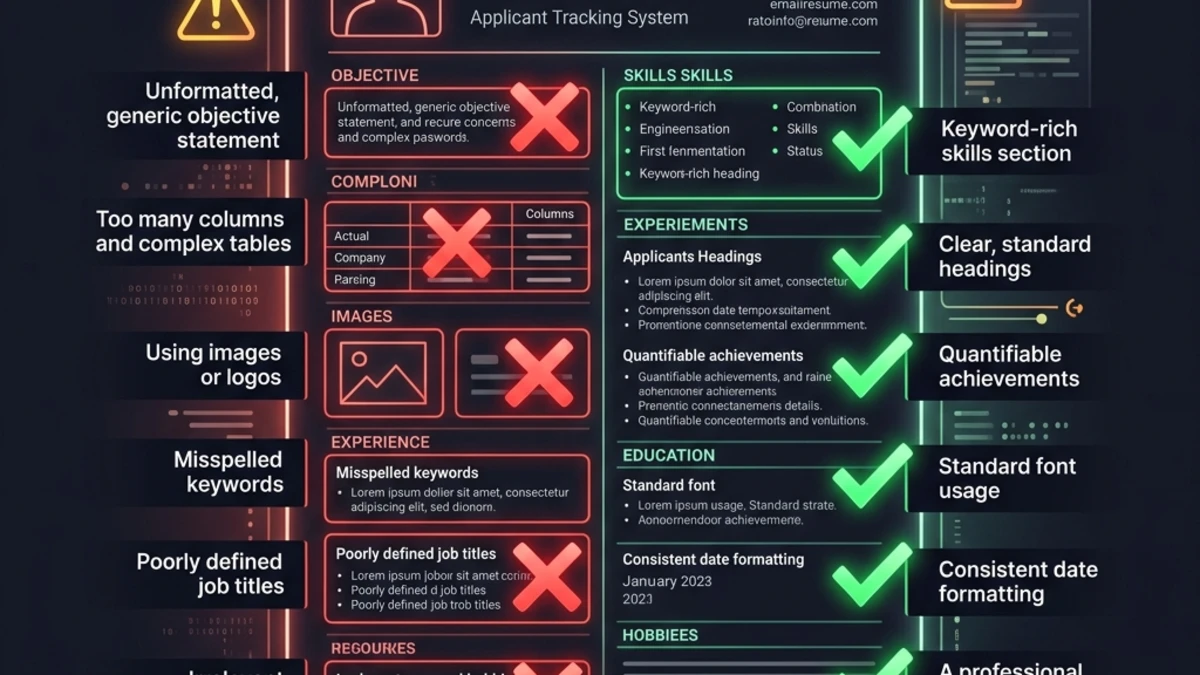
In our analysis of thousands of resumes submitted to our free tool, the top five ATS-failure causes are consistently: multi-column layouts that break linear parsing, creative section headings the ATS cannot categorize, missing or thin professional summaries, keyword mismatches with the job description, and file formats the ATS cannot extract text from. This guide addresses all five, systematically.
The Recruiter Time Constraint You Must Beat
Even after a resume clears ATS screening, research from recruitment analytics consistently shows that human recruiters spend only 6–8 seconds on an initial resume scan — focusing on the name, current title, current company, previous company, and education before deciding whether to read further. Your ATS-friendly structure must also serve this 6–8 second human scan: the professional summary and first job entry carry the heaviest human-review weight.
The Complete ATS-Friendly Resume Format: 8 Steps
Follow these eight steps in sequence. Each builds on the previous one. Skip any step and you risk the ATS failing to correctly parse that section of your resume.
Step 1: Choose the Right File Format
The safest file format for ATS compatibility in 2026 is .docx (Microsoft Word). Research by Jobscan and other resume analytics platforms consistently shows that .docx provides the widest compatibility across ATS platforms, including older Taleo and iCIMS installations that still struggle with complex PDF structures. If an employer specifically requests PDF, use a clean text-based PDF exported directly from Word or Google Docs — never a scanned document or image-based PDF, which ATS systems cannot parse.
| File Type | ATS Compatibility | When to Use |
|---|---|---|
| .docx | ✅ Maximum — universally compatible | Default choice for all applications |
| Text-based PDF | ✅ High — works on modern ATS | When employer specifically requires PDF |
| Image PDF / Scanned | ❌ None — completely unreadable | Never use for job applications |
| .pages (Apple) | ❌ Very low — limited ATS support | Never use unless specifically requested |
| Canva/Design template PDF | 🔴 Low — complex structure breaks parsers | Avoid for ATS submissions |
Step 2: Use a Single-Column Layout
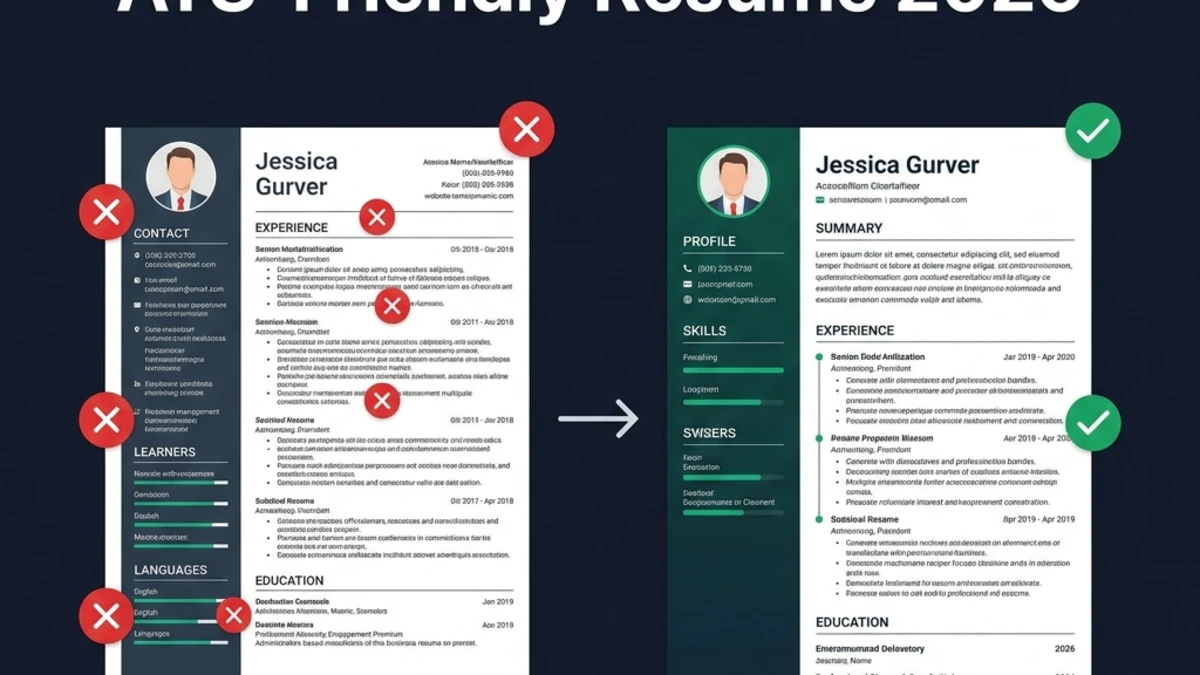
Single-column layouts are the safest structural choice for ATS parsing. ATS parsers read documents linearly — left to right, top to bottom. Two-column layouts force the parser to read across both columns simultaneously, often producing garbled, out-of-order text. A skills column on the right may be read mid-sentence from your experience column on the left, creating meaningless output that scores zero on keyword matching for that section.
Jobscan's research on ATS parsing behavior demonstrates that single-column resumes achieve significantly higher parsing accuracy than multi-column designs, regardless of ATS platform. This is not a stylistic preference — it is a technical requirement for reliable parsing.
What to eliminate from your resume layout: sidebars, two-column sections, text boxes (ATS parsers often skip content inside text boxes entirely), tables in the body of your resume, headers and footers (contact info placed here may not parse), and any graphic elements including icons, charts, progress bars, and profile photos.
Step 3: Use Standard Section Headings
ATS systems are trained to recognize specific section heading strings. When you use non-standard creative alternatives, the parser fails to categorize the information below it. Your work history may not register as "experience." Your skills list may not register as "skills." The content exists in the document but is not surfaced in the right ATS database fields — meaning it contributes zero to your score for those criteria.
| Use This Heading | Not These Creative Alternatives |
|---|---|
| Professional Summary | About Me / My Story / Who I Am / Profile |
| Work Experience | My Journey / Career Highlights / What I've Done |
| Skills | What I Bring / Superpowers / Expertise Center |
| Education | Academic Background / My Degree |
| Certifications | Badges / Credentials / Achievements |
| Projects | Portfolio / Things I've Built / Passion Projects |
Step 4: Order Your Sections Strategically
ATS systems weight content higher that appears earlier in the document. The optimal section order for both ATS ranking and recruiter readability is:
- Contact Information — Name, professional email, phone, LinkedIn URL, city/state
- Professional Summary — 3–5 sentences, keyword-dense, role-specific
- Skills — 10–18 skills, ATS keyword zone, listed clearly
- Work Experience — Reverse chronological, with dates, quantified bullets
- Education — Degree, institution, graduation year
- Certifications — With exact official names and issuing body
- Projects (optional) — Especially valuable for career changers and recent graduates
Step 5: Write a Keyword-Rich Professional Summary
Your professional summary is the single highest-weight ATS scoring zone on your resume. It appears first, it is parsed first, and it sets the semantic context for everything the ATS reads after it. Including your primary role keyword and your top 3–4 hard skills in the summary provides a measurable keyword match score increase compared to resumes that omit the summary or write a thin, generic one.
The summary must also serve the 6–8 second human scan. A recruiter who opens your resume reads the summary immediately. If it doesn't communicate your role, experience level, and key value within two sentences, they move on.
Summary formula that works: [Job Title] with [X years] of experience in [Top Hard Skill 1], [Top Hard Skill 2], and [Top Hard Skill 3]. [One sentence on your strongest achievement or specialization]. [One sentence on what you bring to the role or team].
Step 6: Write Achievement Bullets with Metrics
Every experience bullet should begin with a strong action verb and contain at least one quantifiable result. ATS systems specifically detect numeric patterns (percentages, dollar amounts, headcount numbers) and weight achievement-format bullets higher than responsibility-format ones. More importantly, metrics-rich bullets create a dramatically stronger impression with the human recruiter who reviews ATS-cleared resumes.
Recruiters consistently tell us: the single fastest way to visually upgrade a resume is to add a metric to every bullet. The number anchors your claim, provides context, and signals that you measure your own work — a quality every high-performing professional demonstrates.
Step 7: Apply the Keyword Strategy
ATS keyword strategy requires three things: using the right keywords, placing them in the right sections, and using the right form. Both the spelled-out version and the acronym version of every professional term should appear at least once. A full keyword strategy breakdown is in the dedicated section below.
Step 8: Calibrate Your Resume Length
Resume length affects both ATS scoring (information density) and recruiter impression. The correct length depends on your experience level:
| Experience Level | Ideal Length | Rationale |
|---|---|---|
| 0–4 years | 1 page | One page forces prioritization; recent grads with 2 pages signal poor judgment |
| 5–15 years | 1–2 pages | Two pages fully justified; fit all relevant roles with complete bullets |
| 15+ years | Maximum 2 pages | Focus on the most recent and most relevant 15 years; earlier roles are 1–2 bullets max |
Section-by-Section Guide with Before/After Examples
Contact Information: What to Include and Exclude
Your contact section must be in the body of the document — not in a header or footer element — for ATS parsers to reliably extract it. Include: full name (as it appears professionally), professional email address (firstname.lastname@gmail.com format), phone number, LinkedIn URL (customized to remove random numbers), and city/state or city/country. Do not include full home address (unnecessary), photo (biases hiring and often causes ATS parsing errors), or personal social media links unrelated to your profession.
Professional Summary: Before and After
❌ Before (weak, no keywords, no specifics):
"Experienced professional with a strong background in various areas of business. Looking for a challenging role that leverages my skills and helps me grow professionally."
✅ After (keyword-rich, specific, ATS-optimized):
"Senior Digital Marketing Manager with 8 years of experience in Search Engine Optimization (SEO), Pay-Per-Click (PPC) advertising, and marketing automation. Grew organic traffic by 340% for a B2B SaaS company in 14 months by implementing a content cluster strategy and technical SEO overhaul. Seeking to bring data-driven growth strategies to a product-led organization with an established digital presence."
The after version includes: the job title keyword, years of experience, three specific hard skills (with acronym expansions), a quantified achievement, and a forward-looking sentence that mirrors the language of job descriptions for senior marketing roles.
Skills Section: Structure and Coverage
The Skills section is a dedicated keyword extraction zone for ATS. List your hard skills, tools, technologies, and certifications here in a clean, comma-separated or pipe-separated format. Aim for 10–18 skills — enough for comprehensive coverage without looking like keyword stuffing.
❌ Before:
Skills: Communication, Microsoft Office, Teamwork, Hard-working, Leadership, Excel
✅ After:
Technical Skills: Python | SQL | Tableau | Power BI | Excel (Advanced) | Google Analytics 4 | BigQuery | dbt
Analytical Methods: A/B Testing | Cohort Analysis | Funnel Optimization | Statistical Modeling | KPI Dashboard Design
Soft Skills: Cross-functional Leadership | Stakeholder Communication | Agile Project Management
The after version organizes skills by category (making it easy for both ATS and recruiter to scan), uses specific tool names that ATS systems match exactly, and includes the types of analytical skills that appear in data analyst job descriptions.
Work Experience: Achievement Bullets Before and After
Each role should have the company name, job title, location, and date range in a consistent format — followed by 3–6 bullet points for the most recent roles and 1–3 for older ones.
❌ Before (responsibility-focused, no metrics):
- Responsible for managing social media accounts
- Helped with email marketing campaigns
- Worked with the sales team on lead generation
✅ After (achievement-focused, quantified, keyword-rich):
- Grew LinkedIn and Instagram following from 4,800 to 62,000 combined followers in 11 months, driving a 28% increase in inbound lead volume.
- Executed 6 automated email marketing sequences in HubSpot, achieving a 34% open rate (vs. 21% industry average) and contributing $420K in pipeline revenue.
- Partnered with the Sales team to build a lead scoring model that reduced MQL-to-SQL conversion time by 19 days, improving sales cycle efficiency by 31%.
Education and Certifications
For education, list: degree name, field of study, institution name, and graduation year (or expected date). GPA is optional — include it only if 3.5 or above. For certifications, always use the exact official name and include both the full name and acronym. For example: "Project Management Professional (PMP)" not just "PMP." Some ATS systems match on the full name; others on the acronym. Including both covers all cases.
Examples of proper certification formatting:
- Amazon Web Services Certified Solutions Architect – Associate (AWS CSA)
- Google Analytics Individual Qualification (GAIQ)
- Certified Public Accountant (CPA), State of California, 2023
- Project Management Professional (PMP), PMI, 2024
ATS-Safe Fonts, Margins, and Sizing
Font choice matters more than most job seekers realize. Decorative, script, or condensed fonts — even if they look professional — can cause character encoding errors in ATS parsers, turning letters into unrecognized characters. The following fonts are universally ATS-safe and render correctly across all platforms:
| Font | Category | ATS Safety | Best For |
|---|---|---|---|
| Calibri | Sans-serif | ✅ Maximum | Tech, finance, general |
| Arial | Sans-serif | ✅ Maximum | All industries |
| Helvetica | Sans-serif | ✅ Maximum | Design, marketing, general |
| Georgia | Serif | ✅ Maximum | Academia, law, writing |
| Times New Roman | Serif | ✅ Maximum | Traditional industries, academia |
| Garamond | Serif | ✅ High | Liberal arts, humanities |
| Cursive / Script fonts | Decorative | ❌ Avoid | Not for ATS-bound resumes |
Size and spacing guidelines:
- Body text: 10–12pt (11pt is the sweet spot — readable but compact)
- Section headings: 12–14pt, bold
- Name at top: 16–20pt, bold
- Margins: 0.5"–1" on all sides (0.75" is optimal for content density without feeling cramped)
- Line spacing: 1.0–1.15 for body text; add 6–8pt spacing before each new section heading
The Keyword Strategy That Actually Works
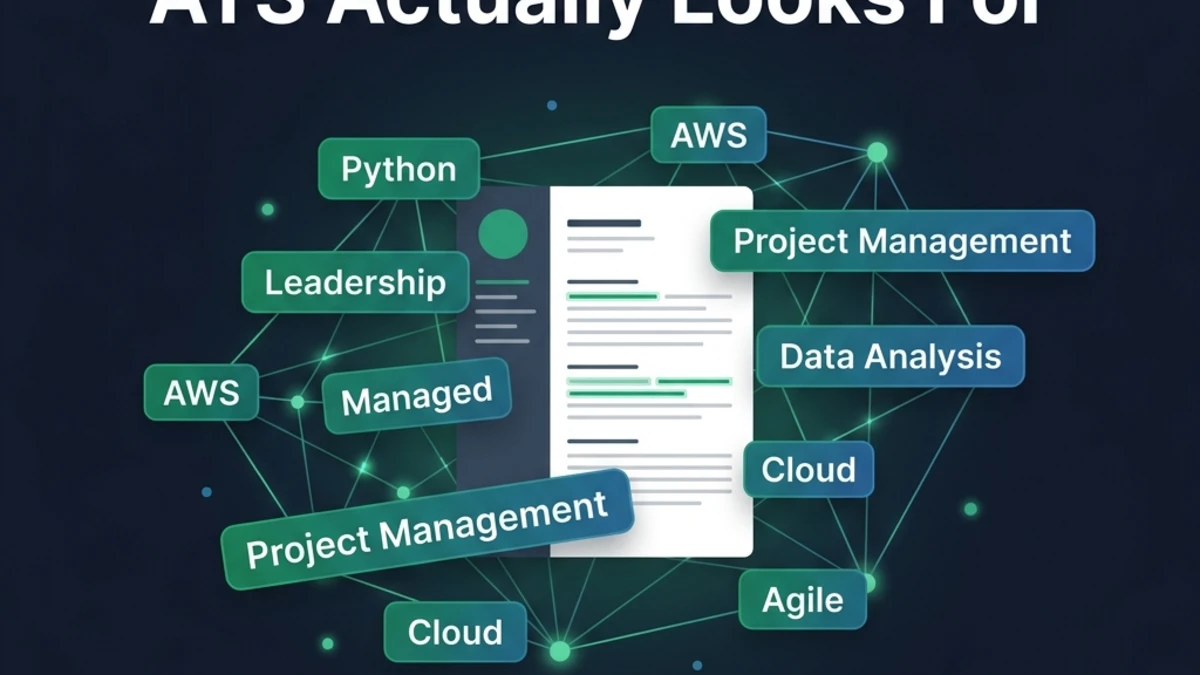
Keywords are the single most heavily weighted ATS ranking factor. But keyword strategy in 2026 is more nuanced than simply listing every skill you can think of. Modern ATS platforms — Workday, Greenhouse, iCIMS, Lever — use contextual parsing. They evaluate whether keywords appear in meaningful context, not just whether they appear at all.
For a deeper dive on exactly which keywords ATS systems prioritize, see our guide: Resume Keywords: What ATS Actually Looks For.
The Four-Category Keyword Framework
Structure your keyword strategy around four categories, in descending ATS weight order:
- Hard skills and tools (highest weight) — specific, named technologies, software, methodologies: Python, Salesforce, Six Sigma, GAAP, React.js
- Certifications and credentials (high weight) — exact names trigger ATS field-matching: AWS Certified Solutions Architect, CPA, PMP, CISSP
- Role-specific terminology (moderate weight) — industry language from the JD: "go-to-market strategy," "EHR implementation," "financial modeling"
- Soft skills in context (lower but real weight) — mentioned in your experience bullets rather than listed standalone: "led cross-functional stakeholder sessions" is more ATS-effective than "stakeholder management" alone
The Acronym Rule: Always Include Both Forms
ATS systems vary in their ability to link acronyms to their full-form equivalents. Some platforms treat "SEO" and "Search Engine Optimization" as the same entity; others match them separately. The safest approach is to include both forms at least once, using the standard convention: full name followed by acronym in parentheses on first mention.
Examples:
- Search Engine Optimization (SEO)
- Project Management Professional (PMP)
- Customer Relationship Management (CRM)
- Applicant Tracking System (ATS)
- Key Performance Indicator (KPI)
After the first mention, the acronym alone is fine. This covers both ATS parsing patterns with a single natural-reading approach.
What Keyword Stuffing Actually Looks Like — and Why It Fails
Keyword stuffing means loading your resume with keywords in unnatural ways: listing the same skill five times, hiding keywords in white text on a white background, or pasting the entire job description invisibly at the bottom of the document.
Modern ATS platforms specifically detect these patterns. White text on white background is a tactic that circulated in the early 2010s — current ATS parsers flag it as a manipulation attempt. Keyword frequency analysis within modern systems identifies repetition anomalies and can suppress or penalize the resume's score. And any resume that passes ATS through manipulation will fail spectacularly in the recruiter review that follows.
Keywords must appear in context. "Implemented Agile methodologies across a 12-person engineering team, reducing sprint velocity variance by 22%" is more effective than listing "Agile" six times in your skills section.
Before & After: A Complete Resume Transformation
To make this concrete, here is a full before/after comparison of the same candidate's work experience section — the same information, presented in two completely different ways:
❌ BEFORE: The ATS-Unfriendly Version
XYZ Corp | Sales Manager | 2020–2023
- Managed the sales team
- Responsible for hitting targets
- Helped grow the business
- Worked with marketing on campaigns
- Used Salesforce CRM for tracking
Problems: No metrics anywhere. Responsibility language instead of achievement language. "Used Salesforce" is buried in a vague bullet. No keywords in context (just "Salesforce CRM" with no action or outcome). "Hitting targets" and "grow the business" are unmeasurable and unimpressive to both ATS and recruiter.
✅ AFTER: The ATS-Optimized Version
XYZ Corp | Sales Manager | Jan 2020 – Dec 2023 | Remote
- Led a 9-person B2B sales team to 127% of annual quota in FY2022, generating $4.2M in new Annual Recurring Revenue (ARR).
- Rebuilt the outbound sales pipeline strategy in Salesforce CRM, reducing average deal close time from 74 to 51 days (31% improvement).
- Partnered with Marketing to launch a demand generation program that increased Marketing-Qualified Lead (MQL) volume by 58% in Q3 2022.
- Promoted one SDR to Account Executive and instituted a weekly coaching cadence that improved team win rate from 19% to 28%.
Improvements: Every bullet starts with an action verb. Every bullet contains at least one metric. Salesforce CRM appears in meaningful context. Industry-standard acronyms (ARR, MQL) are spelled out on first use. The career progression (promoted a team member) demonstrates leadership depth. The dates are now consistent in format.
How to Test if Your Resume Is ATS-Friendly
Writing an ATS-friendly resume without testing it is like publishing a website without checking if it loads. Your resume may have formatting issues you cannot see — a text box you didn't realize was there, a font that encodes oddly, a section heading that doesn't register. Testing is not optional; it is the final step of every resume optimization.
The SM Developers Resume Analyzer & ATS Optimizer is a free tool that runs your resume through a comprehensive ATS simulation in seconds. Here is what it checks:
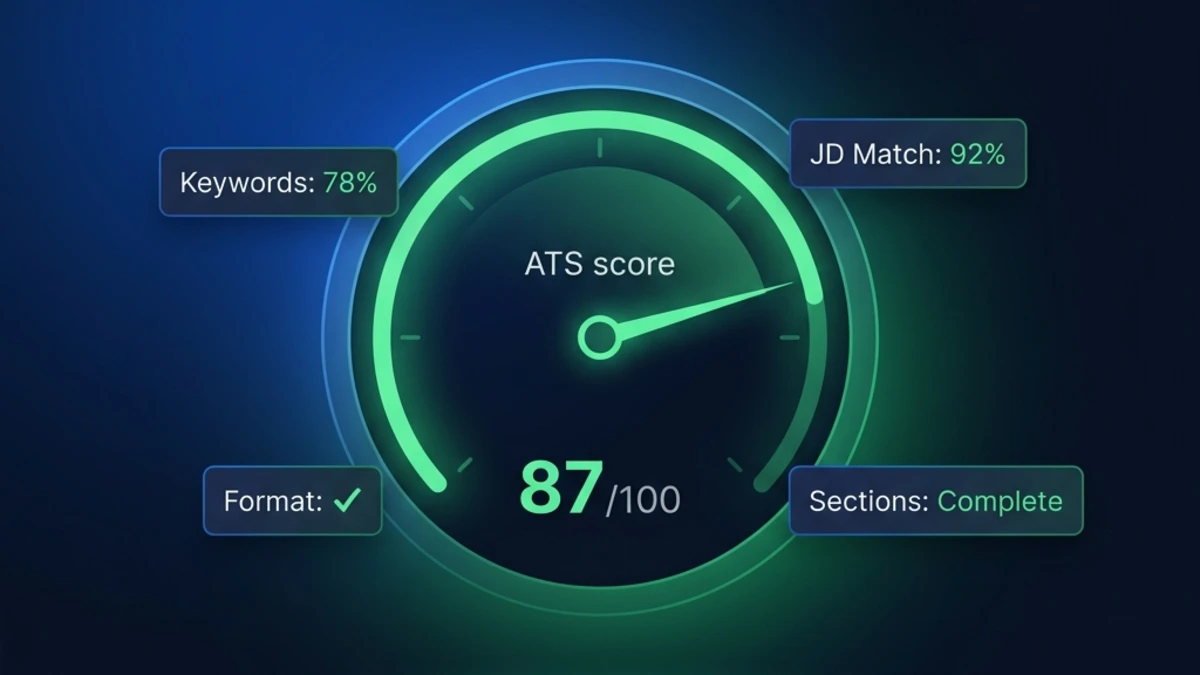
- ATS Compatibility Score (0–100) — overall parsing and formatting health
- Section Heatmap — identifies which sections are strong, adequate, or weak
- Keyword Coverage Analysis — checks your resume against an industry keyword database
- JD Match Score — paste a job description and see your keyword match percentage against that specific role
- Achievement Detector — flags experience bullets that lack quantifiable outcomes
- Priority Improvement Roadmap — tells you exactly what to fix first for maximum score impact
No account required. No data stored on servers. Your resume is processed in-browser and never transmitted. Run it before every application: Check your ATS score free →
ATS-Friendly Resume Checklist
Use this checklist before submitting any resume. Print it out or bookmark it. Every item that is not checked off is a potential ranking penalty.
| Category | Checklist Item | Done? |
|---|---|---|
| File Format | Saved as .docx or clean text-based PDF | ☐ |
| File name includes your name (e.g., Jane-Smith-Resume.docx) | ☐ | |
| Not a scanned document or image-based PDF | ☐ | |
| Layout & Design | Single-column layout (no sidebars, no two-column sections) | ☐ |
| No tables, text boxes, headers/footers for content | ☐ | |
| ATS-safe font: Calibri, Arial, Helvetica, Georgia, or Times New Roman | ☐ | |
| Font size 10–12pt body, 12–14pt headings | ☐ | |
| Sections | Standard section headings used (not creative alternatives) | ☐ |
| Professional Summary present (3–5 sentences, keyword-rich) | ☐ | |
| Skills section present with 10–18 specific skills | ☐ | |
| Work Experience in reverse chronological order with consistent date format | ☐ | |
| Education and Certifications with official names | ☐ | |
| Keywords | Primary job title keyword in Professional Summary | ☐ |
| Top 5 required hard skills from JD in Skills section | ☐ | |
| Acronyms spelled out on first use: "Search Engine Optimization (SEO)" | ☐ | |
| Keywords woven into experience bullets in natural context | ☐ | |
| No white text, no hidden text, no keyword stuffing | ☐ | |
| Content | Every experience bullet begins with a strong action verb | ☐ |
| At least 3 bullets contain quantified metrics (%, $, headcount, time) | ☐ | |
| LinkedIn URL in contact section (customized, no random numbers) | ☐ | |
| Resume is 1 page (<5 years experience) or max 2 pages | ☐ | |
| Testing | ATS score checked via SM Developers ATS Optimizer | ☐ |
Mistakes to Avoid: The ATS Killers
Even experienced job seekers make ATS mistakes that silently tank their application scores. The most common — and most damaging — mistakes are covered in our dedicated guide: 10 Resume Mistakes That Get You Rejected by ATS. But here is a quick-reference summary of the five most critical mistakes to eliminate immediately:
- Using a multi-column or Canva template. These look great as a PDF but are ATS disasters. The parser reads across columns and produces garbled text that matches zero keywords correctly.
- Omitting a professional summary. The summary is the highest-weight ATS keyword zone. Skipping it costs you significant match points before the ATS reads a single bullet point.
- Generic resumes sent to every job. ATS JD match scores vary wildly based on keyword overlap. A resume with 35% keyword match against a JD will rank far below a competitor with 78% — even if your actual qualifications are stronger.
- Putting critical content in tables or text boxes. Many ATS systems skip the text inside Word table cells and text boxes entirely. Your Skills section built inside a Word table may register as completely empty.
- Including photos, graphics, or charts. ATS parsers cannot interpret images. A skills chart (with bars or circles showing proficiency) adds zero keyword value and introduces parsing errors. Text-only skills lists always outperform visual skills representations in ATS scoring.
Frequently Asked Questions
Does every employer use ATS?
Most mid-to-large employers and the majority of companies using online application portals use some form of ATS. Small companies hiring through email or referral networks may not. However, given that you cannot always tell in advance which companies use ATS and which don't, optimizing your resume for ATS compatibility costs you nothing and protects you across all applications.
Can I use color on an ATS-friendly resume?
A small amount of color is generally safe — dark blue or dark teal for section headings is widely compatible. Avoid color for body text, avoid light text on dark backgrounds, and never use color as the sole differentiator for important information (since some ATS and printers render everything in black and white). When in doubt, black text on a white background is universally safe.
Should I use a different resume for every job application?
Yes — at minimum, you should tailor your Professional Summary and Skills section for each application, and ideally adjust 2–3 experience bullets to reflect the language of the specific JD. This is the most impactful thing you can do to increase your ATS JD match score. Our free JD Match tool automates the gap analysis — paste your resume and the JD, and it identifies exactly which keywords to add for that role.
Is a .docx file always better than PDF for ATS?
.docx is the safest default choice because it has the widest ATS compatibility, including older enterprise systems (Taleo, certain iCIMS versions) that struggle with complex PDFs. A clean text-based PDF exported directly from Word or Google Docs is also broadly compatible with modern ATS platforms. The key is "text-based" — if you can select and copy the text in your PDF reader, the ATS can read it. If you cannot, it is an image PDF and must be recreated from a word processor.
How long should my resume be for ATS optimization?
1 page for less than 5 years of experience; 1–2 pages for 5–15 years; a maximum of 2 pages for 15+ years of experience. ATS systems can technically process resumes of any length, but longer resumes tend to dilute keyword density and bury your most relevant information. Recruiters reviewing ATS-cleared resumes also spend less time on long resumes — front-load your most important content and cut anything that doesn't directly support your candidacy for the specific role.
Start With a Free ATS Score — Right Now
You now have a complete, step-by-step blueprint for how to write an ATS-friendly resume in 2026. The format principles, the section structure, the keyword strategy, the before/after examples, and the complete checklist are everything you need to transform a resume that is invisible to ATS into one that ranks at the top of recruiter queues.
The next step is to apply these principles to your actual resume and measure the result. Don't guess — test. Our free Resume Analyzer & ATS Optimizer gives you an ATS compatibility score, a section heatmap, keyword coverage analysis, and a JD match score in seconds. No signup. No data stored. 100% private.