Key Takeaways
- ATS (Applicant Tracking System) is software that collects, parses, and ranks job applications — used by 99% of Fortune 500 companies.
- ATS does NOT auto-reject most resumes — it ranks them by relevance score; only ~8% of recruiters configure automatic rejections.
- ATS scores your resume on keyword match %, section detection, experience relevance, and education match.
- Formatting pitfalls like tables, columns, text boxes, and image-based PDFs cause ATS to misread or lose your content entirely.
- Use our free Resume Analyzer & ATS Optimizer to check your exact ATS score in seconds — no signup required.
⚡ Quick Answer
ATS (Applicant Tracking System) is software used by employers to automatically collect, parse, rank, and manage job applications. When you apply online, your resume enters an ATS first — not a human inbox. The system scores your resume based on keyword relevance, formatting compatibility, and section completeness, then ranks you against other candidates.
If you've been applying to jobs online and getting no response, there's a very good chance your resume is being evaluated — and ranked — by an Applicant Tracking System before any human ever reads it. Understanding exactly what ATS is, how it works, and what it looks for in your resume is the single most impactful thing you can do to improve your job search results in 2026.
This is the complete guide. Not the 500-word overview you'll find on most career sites, but a deep, practical breakdown of how ATS parsing actually works internally, what the scoring algorithm prioritizes, which companies use which platforms, and exactly what you should do about it. By the end, you'll understand ATS better than most professional recruiters — and you can verify everything against your own resume using our free Resume Analyzer & ATS Optimizer.
What Is ATS? The Full Definition and History
An Applicant Tracking System (ATS) is a category of recruitment software that automates the process of receiving, organizing, parsing, scoring, and managing job applications. When a company posts a job opening and you click "Apply," your resume and application data flow directly into that company's ATS — not into a recruiter's email inbox.
The term "ATS" covers a broad range of capabilities depending on the platform. At the basic level, ATS acts as a structured database for candidate information. At the sophisticated end, modern ATS platforms use natural language processing (NLP) and machine learning to understand resume context, identify semantic keyword relationships, and generate ranked candidate lists that recruiters review in order — from highest-scoring to lowest.
A Brief History: How ATS Became the Hiring Standard
Applicant Tracking Systems emerged in the early 1990s as companies shifted from paper-based application management to digital databases. The earliest systems were little more than digital filing cabinets — they stored resumes but offered minimal automated analysis.
The pivotal shift occurred in the early 2000s when online job boards (Monster, CareerBuilder, Indeed) exploded in popularity. Application volumes multiplied by 10x–50x almost overnight. A job posting that once received 20–50 paper applications was suddenly receiving 500–2,000 online submissions. Human review of every application became impossible. ATS became a necessity, not a luxury.
By the 2010s, cloud-based ATS platforms made enterprise-grade applicant tracking accessible to mid-size companies. Today, according to research by Jobscan, 99% of Fortune 500 companies use ATS to manage their hiring pipeline, and over 70% of mid-size companies have adopted some form of automated applicant management. ATS is no longer an enterprise tool — it's the universal standard for any company receiving significant application volume.
How Does ATS Work? The Step-by-Step Parsing Process
ATS does not simply read your resume the way a human does. It parses, extracts, structures, and scores your resume through a multi-stage process. Understanding each stage tells you exactly where resumes succeed or fail.
Stage 1: File Ingestion and Format Detection
When you submit your application, the ATS receives your resume file. It first determines the file type and selects the appropriate parsing engine. Most modern ATS platforms support .docx, .pdf, .txt, and .rtf. The ATS then extracts the raw text content from the file. This is the first potential failure point: if your resume is an image-based PDF, a scanned document, or uses complex embedded objects, the text extraction produces garbage or nothing at all.
Stage 2: Document Structure Analysis
Once raw text is extracted, the ATS analyzes the document's structure. It uses a combination of pattern recognition and trained models to identify section boundaries. It looks for signals like heading-level formatting, capitalized labels, white space patterns, and keyword anchors to locate your:
- Contact information block (name, email, phone, location, LinkedIn)
- Professional Summary or Objective section
- Work Experience section (job titles, company names, dates)
- Education section (degrees, institutions, graduation dates)
- Skills section (technical and soft skills)
- Certifications, Awards, Projects (optional sections)
If the ATS cannot confidently identify a section, that content is either misclassified or discarded entirely. This is why non-standard section headings — creative labels like "My Professional Journey" or "What I Bring" — cause ATS failures. The system is looking for recognized anchor terms: "Experience," "Education," "Skills," "Certifications."
Stage 3: Data Extraction and Field Population
With sections identified, the ATS extracts structured data into a standardized candidate profile. For each work experience entry, it attempts to extract: job title, employer name, start date, end date, location, and the body of your responsibilities/achievements. For education, it extracts: degree level, field of study, institution name, and graduation year.
This extracted data populates a structured candidate record in the ATS database — essentially converting your resume into a standardized form that can be searched, filtered, and compared against all other candidates for the same role.
Stage 4: Keyword Analysis and Match Scoring
This is the stage most candidates don't understand — and the most consequential. The ATS compares the extracted content from your resume against the requirements in the job posting. It calculates a relevance score based on keyword presence, frequency, placement, and context.
Modern ATS platforms use several keyword matching techniques simultaneously:
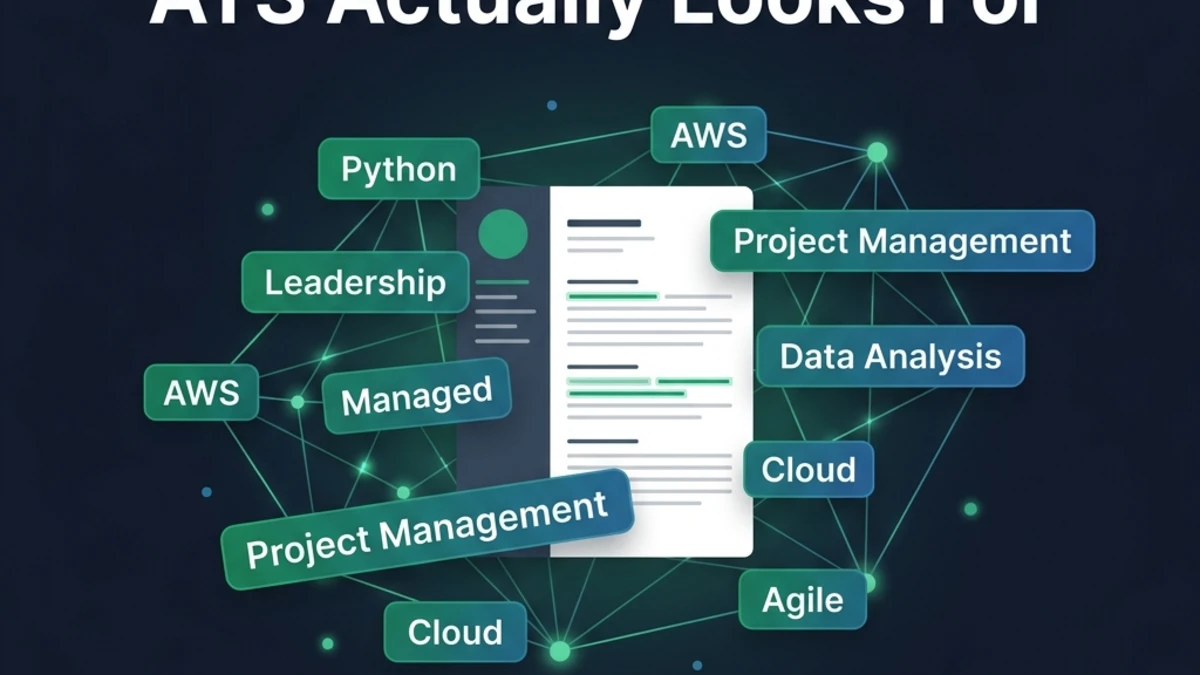
- Exact string matching: Searches for the precise phrase from the job description (e.g., "project management," "Python," "Google Analytics")
- Semantic matching: Uses NLP to recognize synonyms and related terms (e.g., "managed" recognized as equivalent to "led" for "leadership")
- Proximity weighting: Keywords appearing in high-priority sections (Summary, Skills) receive more weight than the same keyword buried in an older role.
- Frequency analysis: Keywords mentioned multiple times in the job description are flagged as high-priority requirements and weighted accordingly in scoring.
Stage 5: Ranking and Recruiter Delivery
After scoring every applicant, the ATS presents recruiters with a ranked list — highest scoring candidates first. The recruiter typically reviews the top 10–20 candidates on the list. Candidates below a certain rank threshold may never be viewed at all — not because they were "rejected" by an algorithm, but because a recruiter working through 400 applications in priority order simply runs out of time.
This is a critical distinction: ATS does not auto-reject most resumes. According to an Enhancv 2025 study, only about 8% of employers configure their ATS to automatically reject candidates below a threshold. In most cases, ATS ranks your application — and the lower your rank, the less likely a human ever sees it.
How ATS Scores Your Resume: The Four Scoring Factors
ATS scoring algorithms vary by platform, but our analysis of major systems (Workday, Taleo, Greenhouse, iCIMS, Lever) consistently identifies four core scoring dimensions.
| Scoring Factor | Typical Weight | What It Measures | Primary Optimization Action |
|---|---|---|---|
| Keyword Match % | 45–55% | Overlap between your resume terms and the job description's required & preferred skills | Mirror JD language in Skills section and Summary |
| Section Detection | 20–25% | Whether required sections are present and correctly identified | Use standard section headings |
| Experience Relevance | 15–20% | Job title alignment, years of experience, and recency of relevant roles | Mirror target job title language; front-load recent experience |
| Education Match | 10–15% | Whether degree level and field match stated requirements | Include degree, field, institution, and graduation year clearly |
The dominant factor — keyword match — accounts for nearly half of your total score in most ATS systems. This is why keyword optimization is the highest-leverage action you can take.
The Keyword Match Calculation: Inside the Algorithm
Here's an insight that most ATS guides never explain: keyword match percentage is not calculated as a simple "present/absent" binary. It's a weighted relevance score where keywords from different parts of the job description carry different point values.
Keywords in the "Required Qualifications" section of a job posting carry the most weight — missing even one required keyword can dramatically drop your score. Keywords in "Preferred Qualifications" carry secondary weight. Keywords mentioned multiple times are treated as high-priority signals.
You can check your exact keyword match percentage against any job description using our free Resume Analyzer & ATS Optimizer.
Which Companies Use ATS? Named Platforms and Who Uses Them
Not all ATS platforms are identical. The major platforms differ in parsing sophistication, keyword matching approach, and the types of companies that use them.
| ATS Platform | Typical Company Profile | Parsing Sophistication | Key Notes for Applicants |
|---|---|---|---|
| Workday | Fortune 500, large enterprises (Apple, Amazon, Walmart) | High — uses NLP and semantic matching | Strict keyword matching; prefers .docx; handles multi-column layouts poorly |
| Taleo (Oracle) | Large corporations, government contractors | Medium — primarily exact-match keyword scanning | One of the strictest parsers; plain text resumes perform best; penalizes special characters |
| Greenhouse | Tech startups and scale-ups (Airbnb, Dropbox, Slack) | High — sophisticated parsing with good PDF support | More flexible with modern formatting; still strongly rewards keyword alignment |
| iCIMS | Healthcare systems, universities, mid-large enterprises | Medium — section-header dependent | Standard section headings are critical; tables cause parsing issues |
| Lever | Fast-growing tech companies, Series B+ startups | High — good semantic understanding | Better PDF parsing than most; strong at detecting job title relevance |
| BambooHR | SMBs (50–500 employees) | Medium — basic keyword and section detection | Simpler system; clean formatting matters more than semantic optimization |
What ATS Cannot Read: The Formatting Pitfalls That Destroy Your Score
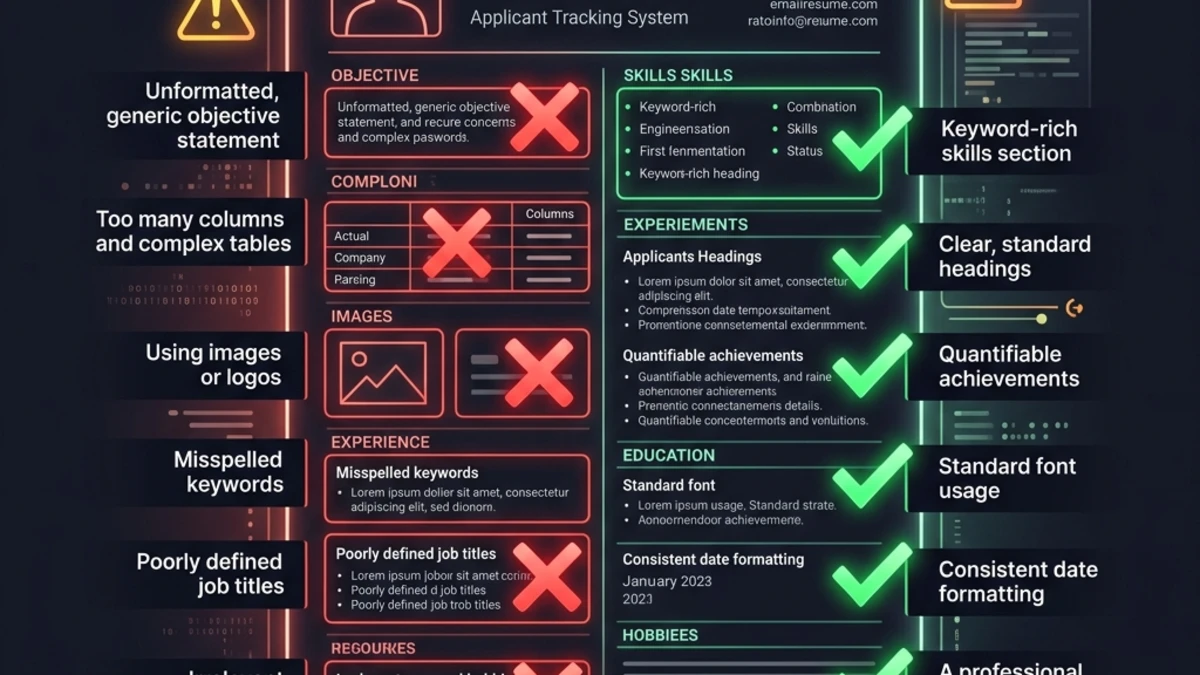
ATS parsing has real limitations. These formatting elements reliably cause ATS to misread, skip, or corrupt your resume content.
1. Multi-Column Layouts
Two-column resume templates are visually appealing but structurally disastrous for ATS parsing. ATS reads documents linearly. In a two-column layout, the parser reads across both columns simultaneously, producing nonsensical interleaved text.
2. Text Boxes and Shapes
Text placed inside Word text boxes, shapes, or drawing objects is frequently invisible to ATS parsers.
3. Tables
While some modern ATS platforms handle simple tables, many still struggle. A skills table with two columns may be parsed as a single string of jumbled words.
4. Image-Based and Scanned PDFs
If your resume was designed in Canva, photographed, or saved as an image, the ATS cannot extract any text. The file appears as a blank document.
5. Special Characters, Icons, and Emoji
Decorative bullets (✦ ◆ ▸), icons used as section dividers, and emoji in resume text confuse ATS parsers.
Want to know exactly what your resume looks like to an ATS parser? Paste it into our Resume Analyzer & ATS Optimizer.
ATS vs. Human Recruiter: What's the Difference?
A common misconception is that beating ATS means gaming the system with unnatural keyword stuffing. The truth is more nuanced: ATS and human recruiters actually look for many of the same things, but prioritize them differently.
| Evaluation Dimension | ATS System | Human Recruiter |
|---|---|---|
| Time spent | Milliseconds — instant algorithmic scoring | 6–8 seconds for initial scan |
| Primary focus | Keyword presence, section structure, format | Job title progression, company names, quantified achievements |
| Formatting preference | Plain, single-column, no images or complex elements | Clean, readable, visually scannable with clear hierarchy |
How to Check Your ATS Score (Step-by-Step)
Knowing ATS theory is valuable. Knowing your actual ATS score — with specific gaps identified — is actionable.
Step 1: Prepare Your Resume
Ensure your resume is saved as a .docx or text-based PDF.
Step 2: Get the Job Description
Copy the complete job description from the posting.
Step 3: Run the ATS Analysis
Go to our free Resume Analyzer & ATS Optimizer. Upload or paste your resume text, then paste the job description.
Step 4: Review Your Detailed Report
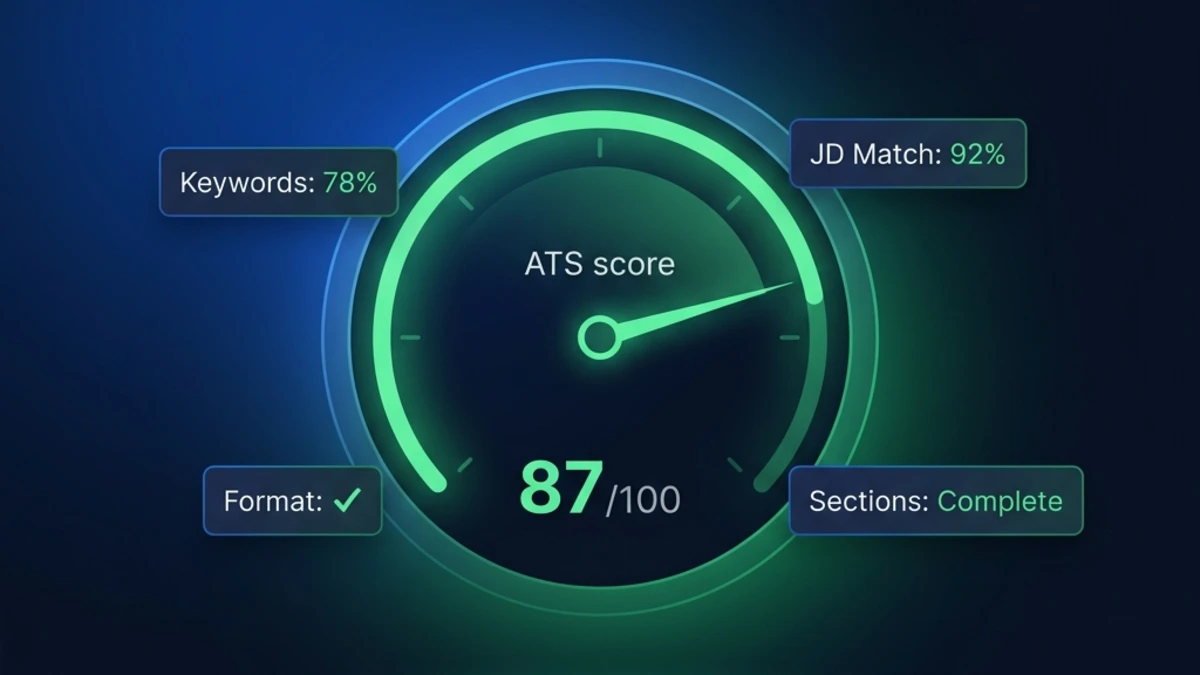
The analyzer produces a full breakdown showing your ATS score, JD match percentage, missing keywords, and section completeness.
Step 5: Implement and Re-Score
Use the missing keywords list to add relevant terms naturally. Re-run the analysis after edits. Most candidates can improve their score by 15–25 points in a single focused editing session.
ATS Score Benchmarks: What Do the Numbers Mean?
ATS scores vary by platform and job, but these benchmark ranges consistently hold true:
- 85–100 (Excellent): Very High likelihood of recruiter review — consistently in top queue.
- 70–84 (Good): High likelihood — likely reviewed for competitive roles.
- 55–69 (Fair): Moderate likelihood — reviewed only for lower-competition roles. Keyword overhaul needed.
- 40–54 (Poor): Low likelihood — ranked below most applicants. Major keyword mismatch or missing sections.
- Below 40 (Critical): Very Low likelihood — effectively invisible. Parsing failures or no keyword match.
What "ATS-Friendly Resume" Actually Means
The term "ATS-friendly resume" means a resume that is formatted and written to be correctly parsed and highly ranked by Applicant Tracking System software. It encompasses two distinct dimensions that are both necessary: parsing compatibility and relevance scoring.
ATS Myths Debunked
Myth 1: "ATS automatically rejects 75% of resumes"
ATS systems primarily rank candidates, not auto-reject them. The danger is invisibility, not automatic rejection.
Myth 2: "Keyword stuffing helps your ATS score"
Modern ATS platforms with NLP capabilities detect unnatural keyword density. Human recruiters immediately spot keyword-stuffed text as unprofessional.
Frequently Asked Questions
What does ATS stand for in the context of job applications?
ATS stands for Applicant Tracking System. It refers to the software platform employers use to receive, parse, store, score, and manage job applications.
Does ATS automatically reject resumes, or does it just rank them?
In the vast majority of cases, ATS ranks resumes rather than automatically rejecting them. Recruiters review this list from the top.
What is a good ATS score, and how do I check mine?
A score of 70 or above is generally considered good. A score of 85+ is excellent. You can check your exact ATS score instantly using our free Resume Analyzer & ATS Optimizer.
Which resume format is best for ATS compatibility?
The best resume format for ATS is a single-column, reverse-chronological layout saved as a .docx or text-based PDF. Avoid two-column templates, tables, text boxes, headers/footers containing contact information, and image elements.
Do I need a different resume for every job application?
Yes — for competitive roles, a tailored resume for each job description significantly improves your ATS score. Because ATS scoring is calculated against the specific job description for each role, the same generic resume will score differently against different JDs.
The Bottom Line: ATS Is a Ranking System, and Your Resume Is a Signal
Understanding what ATS is in a resume context fundamentally changes how you approach every job application. ATS is not a malicious gatekeeper designed to filter out good candidates — it's a relevance ranking tool designed to surface the most qualified applicants efficiently.
🎯 Check Your ATS Score Free — No Signup Required →
Your resume is processed entirely in your browser. No data is stored or sent to our servers.