Key Takeaways
- Most ATS checkers limit you to a few scans or charge fees. The SM Developers Resume Analyzer is 100% free and unlimited.
- An ATS checker simulates how real recruiting software parses and scores your resume against a specific job description.
- Tailoring your resume to match the exact wording of a job description significantly increases your chance of passing the ATS filter.
- Fix critical formatting errors like multi-column layouts, image-based PDFs, and non-standard section headings before worrying about keywords.
- Our tool processes your resume securely in your browser—your data is never saved or shared.
⚡ Quick Answer
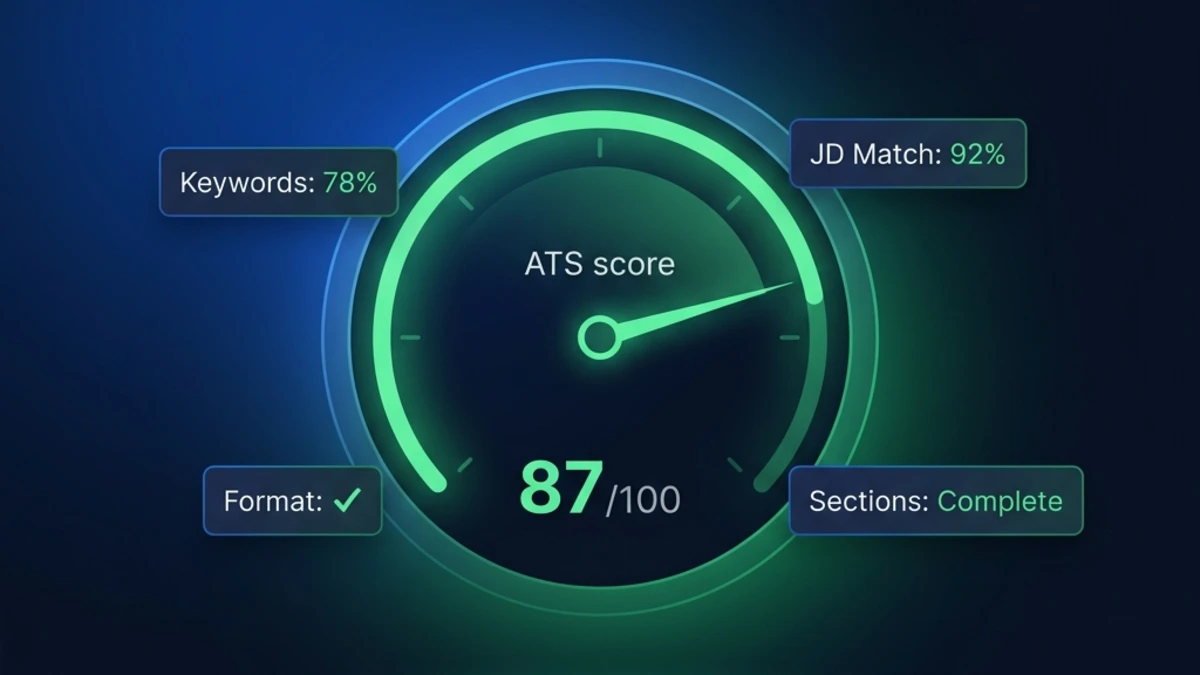
An ATS Resume Checker is a software tool that simulates how an Applicant Tracking System (ATS) reads and scores your resume. It analyzes your formatting, keyword match against a specific job description, and section completeness to give you a relevance score. You can use our 100% free, private ATS checker at SM Developers to instantly identify missing keywords and formatting errors before you submit your application.
Applying for jobs online without checking your ATS score is like trying to hit a target while blindfolded. Your resume might be beautifully written and full of impressive achievements, but if it's not structured correctly or lacks the specific keywords the employer's Applicant Tracking System (ATS) is looking for, it will be ranked at the bottom of the recruiter's queue — or ignored entirely.
The solution is an ATS resume checker. These tools parse your resume exactly the way corporate ATS software does, scoring it against a job description and flagging errors before you apply.
But there's a catch: most "free" ATS checkers on the market aren't actually free. They lock your results behind a paywall, require you to create an account, or limit you to 2–3 scans per month. In this comprehensive guide, we'll explain how ATS checkers work, compare the top platforms, and show you exactly how to use our 100% free ATS resume checker to optimize your resume for any job description in 2026.
Why You Need an ATS Resume Checker in 2026
In 2026, 99% of Fortune 500 companies and over 70% of mid-sized companies use an Applicant Tracking System. When you click "Apply," your resume does not go to a human's email inbox; it goes to a database.
The ATS parses your resume, extracts your text, categorizes it into fields (Experience, Education, Skills), and then scores your profile against the job description. Recruiters typically only look at the top 10% or 20% of the ranked list. If your resume scores poorly, you are effectively invisible.
An ATS resume checker acts as a diagnostic tool. It simulates the parsing and scoring process, revealing exactly what the ATS will see — and what it will miss. Using a checker allows you to:
- Verify Parsing Compatibility: Ensure your layout, fonts, and file type don't result in garbled text.
- Identify Missing Keywords: Discover the crucial hard skills from the job description that you forgot to include.
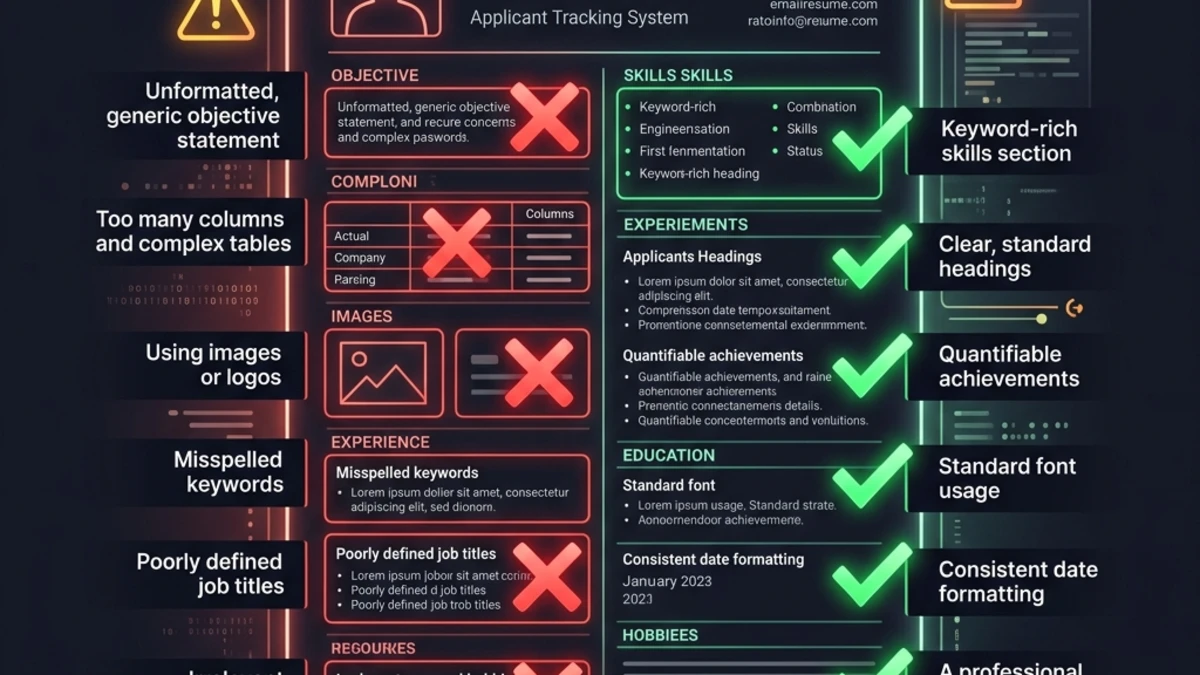
- Fix Formatting Errors: Catch issues like multi-column layouts or unrecognized section headings.
- Boost Confidence: Know that your resume is optimized before you hit submit.
How ATS Resume Checkers Work: The Analysis Process
When you upload your resume to a high-quality ATS checker, the tool performs a series of operations that mimic enterprise ATS platforms like Workday, Greenhouse, or Taleo. Here is exactly what it analyzes:
1. Text Extraction
The first step is attempting to extract the raw text from your PDF or Word document. If your resume uses a heavily designed Canva template, text boxes, or is saved as an image-based PDF, the text extraction will fail. A good ATS checker will immediately flag this as a critical error.
2. Section Identification
Once the text is extracted, the checker looks for standard anchor words to identify your sections (e.g., "Work Experience," "Education," "Skills"). If you used a creative heading like "My Professional Journey," the checker (and a real ATS) may fail to categorize your experience correctly.
3. Keyword Matching (JD Match)
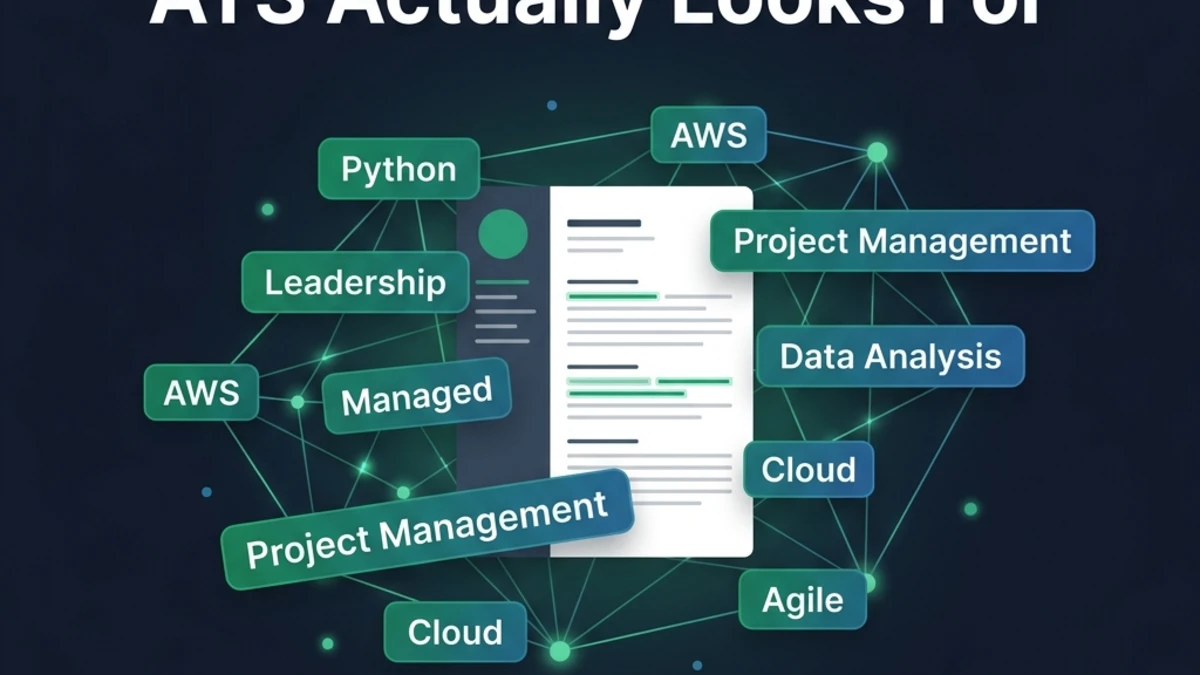
This is the most critical function. You paste the job description (JD) into the checker alongside your resume. The checker uses Natural Language Processing (NLP) to extract the required skills, preferred qualifications, and core competencies from the JD. It then cross-references this list against your resume, calculating a JD Match Percentage.
4. Achievement Detection
Modern ATS checkers also evaluate the quality of your content. They scan your experience bullet points for action verbs and quantified metrics (numbers, percentages, dollar amounts). A resume with metrics ("Grew sales by 15%") scores higher than one with vague responsibilities ("Responsible for sales").
Free vs. Paid ATS Checkers: An Honest Comparison
If you search for an "ATS resume checker free," you'll find dozens of options. However, the business models behind these tools vary wildly. Here is a breakdown of the major players in the market and what you actually get.
| Tool | Is it truly free? | Key Limitations | Best Feature |
|---|---|---|---|
| Jobscan | No (Freemium) | Limited to a few free scans per month; paywall blocks detailed keyword insights. | Highly sophisticated, platform-specific parsing (e.g., simulates Workday vs. Taleo). |
| Resume Worded | No (Freemium) | Free version only gives a high-level score; requires paid upgrade for line-by-line feedback. | Excellent feedback on bullet point impact and action verbs. |
| Zety / TopResume | No (Lead Gen) | Forces you to hand over your email; score is often artificially low to sell you resume writing services. | Provides a human review option (for a fee). |
| SM Developers | Yes (100% Free) | No premium human review option. | Unlimited scans, instant JD matching, processes locally in-browser for complete privacy. |
The problem with freemium tools is that to truly optimize your resume, you need to run it through the checker multiple times for every job application. If you're limited to 3 scans a month, the tool is essentially useless for an active job search. That's why we built our tool at SM Developers to be completely free and unlimited.
How to Use Our Free ATS Resume Checker (Step-by-Step)
Our Resume Analyzer & ATS Optimizer is designed to be the fastest, most private tool on the web. Because it processes your document entirely in your browser, your personal data never touches our servers. Here is how to use it effectively:
Step 1: Paste Your Resume Text
Navigate to the tool and paste the text of your resume into the input field. (We recommend copying directly from your Word doc or PDF to ensure the raw text is readable).
Step 2: Paste the Job Description (Crucial)
Do not skip this step. An ATS score is relatively meaningless in a vacuum; it only matters in relation to a specific job. Paste the full job description, including the "Requirements" and "Nice to Haves" sections, into the JD Match field.
Step 3: Run the Scan
Click the analyze button. The tool will instantly process your text and generate your report.
Step 4: Review Your Overall Score and Heatmap
You will see an overall score out of 100. Below that, a heatmap will show you exactly which sections passed and which need work. Pay immediate attention to any "Critical" errors, such as missing contact info or a missing Professional Summary.
Step 5: Analyze the Missing Keywords
This is the goldmine. The tool will list the exact keywords found in the job description that are missing from your resume. This forms your immediate to-do list for optimization.
How to Interpret Your ATS Score
What makes a "good" ATS score? Context matters, but here are the benchmark ranges you should aim for before submitting an application:
- 80 - 100 (Excellent): Your resume is highly optimized. It contains the vast majority of the required keywords, has a clear structure, and includes quantified achievements. You are ready to apply.
- 65 - 79 (Good): Your resume is solid but has gaps. You likely need to add 3–5 specific hard skills from the job description or strengthen your Professional Summary.
- 50 - 64 (Fair): Your resume is likely to be filtered out for competitive roles. You are missing core requirements or have formatting issues that are confusing the parser.
- Below 50 (Poor): Do not apply yet. Your resume requires a fundamental rewrite or a switch to an ATS-friendly resume format.
Note: Do not obsess over getting a perfect 100%. Natural language matters. If you force keywords into sentences where they don't make sense just to hit 100%, the human recruiter who eventually reads it will immediately discard it. Aim for 80+ while maintaining readability.
What to Do After You Get Your Score: The Action Plan
Getting your score is only the first half of the process. The real value is in how you use that data to improve. Follow this iterative action plan:
1. Fix Structural and Parsing Errors First
If the checker failed to identify your "Skills" section, adding more keywords to it won't help. Fix the foundation first. Ensure you are using standard headings and a single-column layout. Remove all tables and text boxes.
2. Integrate Missing Keywords Naturally
Look at the list of missing keywords. Do you actually possess those skills? If yes, weave them into your resume. The best places to add missing keywords are:
- The Professional Summary: Add core hard skills here, as ATS systems weight keywords at the top of the document more heavily.
- The Skills Section: Add specific tool names and methodologies.
- Experience Bullets: Rewrite a bullet point to show how you used the missing skill. (e.g., Instead of "Managed databases," write "Managed SQL databases using MySQL").
3. Expand Acronyms
If the job description asks for "Search Engine Optimization" and your resume only says "SEO," some older ATS platforms might miss the match. Use both: "Search Engine Optimization (SEO)."
4. Re-Scan and Verify
After making your edits, paste your new resume text back into the checker. You should see your score jump by 15–20 points. Once you cross the 80% threshold, stop tweaking and submit the application.
JD Match: The Most Powerful Feature
We cannot stress this enough: a generic resume sent to 100 jobs will fail in an ATS environment.
Why? Because Company A might call it "Client Relations," while Company B calls it "Customer Success," and Company C calls it "Account Management." If you use the wrong synonym, the ATS assigns you a lower score.
The JD Match feature in our ATS checker forces you to tailor your resume. Tailoring doesn't mean rewriting your entire work history for every job. It means taking 5 minutes to run the checker, identifying the 3–4 specific terminology differences, and tweaking your phrasing to mirror the employer's language.
This 5-minute step is the difference between an immediate rejection email and a recruiter interview.
Common ATS Score Mistakes People Make
As you optimize your resume, beware of these common pitfalls that candidates fall into when trying to "beat" an ATS checker:
1. The "White Text" Keyword Stuffing Trick
In the past, candidates would copy the entire job description, paste it at the bottom of their resume in 1pt white text, and easily pass the ATS filter. Do not do this in 2026. Modern ATS platforms detect hidden text, strip the formatting, and display the stuffed keywords in plain sight to the recruiter, instantly destroying your credibility.
2. Over-Optimizing for Keywords at the Expense of Impact
A resume that says "I used Python, SQL, Tableau, and Excel to do Data Analysis for the Marketing Team" is packed with keywords, but it's a terrible bullet point. It lacks context and results. An ATS might score it highly, but a human will reject it. Balance keywords with quantifiable impact: "Analyzed marketing campaign data using Python and SQL, identifying inefficiencies that saved the department $45,000."
3. Ignoring Soft Skills
While hard skills and software tools carry the most weight in ATS scoring, soft skills (leadership, communication, problem-solving) are increasingly programmed into the parsing algorithms. Look for soft skill keywords in the job description and weave them into your experience bullets.
Frequently Asked Questions
Is there a truly free ATS resume checker?
Yes. While most popular tools like Jobscan and Resume Worded use a freemium model with strict limits, the SM Developers ATS Optimizer is 100% free, offers unlimited scans, and requires no account creation.
How accurate are ATS resume checkers?
High-quality ATS checkers are highly accurate at simulating the core mechanics of enterprise ATS platforms: text extraction, section identification, and keyword frequency matching. However, because every company configures their specific ATS (like Workday or Greenhouse) slightly differently, a checker provides a highly educated simulation, not a 100% exact replica of the employer's proprietary algorithm.
Can a PDF pass an ATS?
Yes, provided it is a "text-based PDF" exported directly from Microsoft Word or Google Docs. If you can highlight and copy the text in your PDF reader, an ATS can read it. However, image-based PDFs, scanned documents, and heavily formatted Canva PDFs will fail ATS parsing.
What is a good ATS match rate?
A match rate of 75% to 80% against a specific job description is generally considered strong enough to get your resume in front of a human recruiter. Anything above 85% is excellent. Aiming for 100% often results in unnatural keyword stuffing.
Does an ATS checker save my resume data?
It depends on the tool. Many commercial ATS checkers store your data for marketing or training purposes. The SM Developers ATS checker uses a privacy-first architecture: the parsing and scoring happen entirely in your local browser via JavaScript. No resume data is ever sent to or stored on our servers.
Conclusion: Stop Guessing and Start Testing
Your resume is the most important financial document you own. Sending it into the black hole of an online application portal without testing it first is a massive missed opportunity.
By using a free ATS resume checker, you remove the guesswork from your job search. You know exactly how the software will read your document, you know exactly which keywords you are missing, and you know exactly how to fix it before the recruiter ever sees it.
Take 5 minutes right now to see how your current resume performs. Grab a job description you want to apply for, and run it through our privacy-first tool.
🚀 Scan Your Resume for Free Now →
100% Free. No Sign-Up Required. Processed securely in your browser.