Key Takeaways
- Page speed is a confirmed Google ranking factor — and with Core Web Vitals now part of the ranking algorithm, slow websites are directly penalised in search results. This complete guide explains how t
Why Page Speed Matters for SEO
Page speed directly affects both your Google rankings and your user experience. Google has confirmed page speed as a ranking signal since 2010 for desktop and since 2018 for mobile. The introduction of Core Web Vitals as a ranking factor in 2021 further cemented page experience as a core part of the algorithm.
The business case is equally clear:
- Amazon found that every 100ms of load time costs them 1% in sales
- Google found that 53% of mobile users abandon pages that take longer than 3 seconds to load
- Pages that load in 1 second have 3x higher conversion rates than pages loading in 5 seconds
Source: web.dev — Google's Performance Documentation
How to Measure Page Speed
Free Tools
- PageSpeed Insights: Google's official tool. Shows field data (from real Chrome users), lab data, and specific recommendations. Use this first.
- Google Search Console → Core Web Vitals: Shows aggregate real-world performance across all your pages, split by mobile and desktop
- WebPageTest: Advanced diagnostics — waterfall charts, filmstrip view, connection simulation
- Chrome DevTools → Lighthouse: Run locally in your browser for development testing
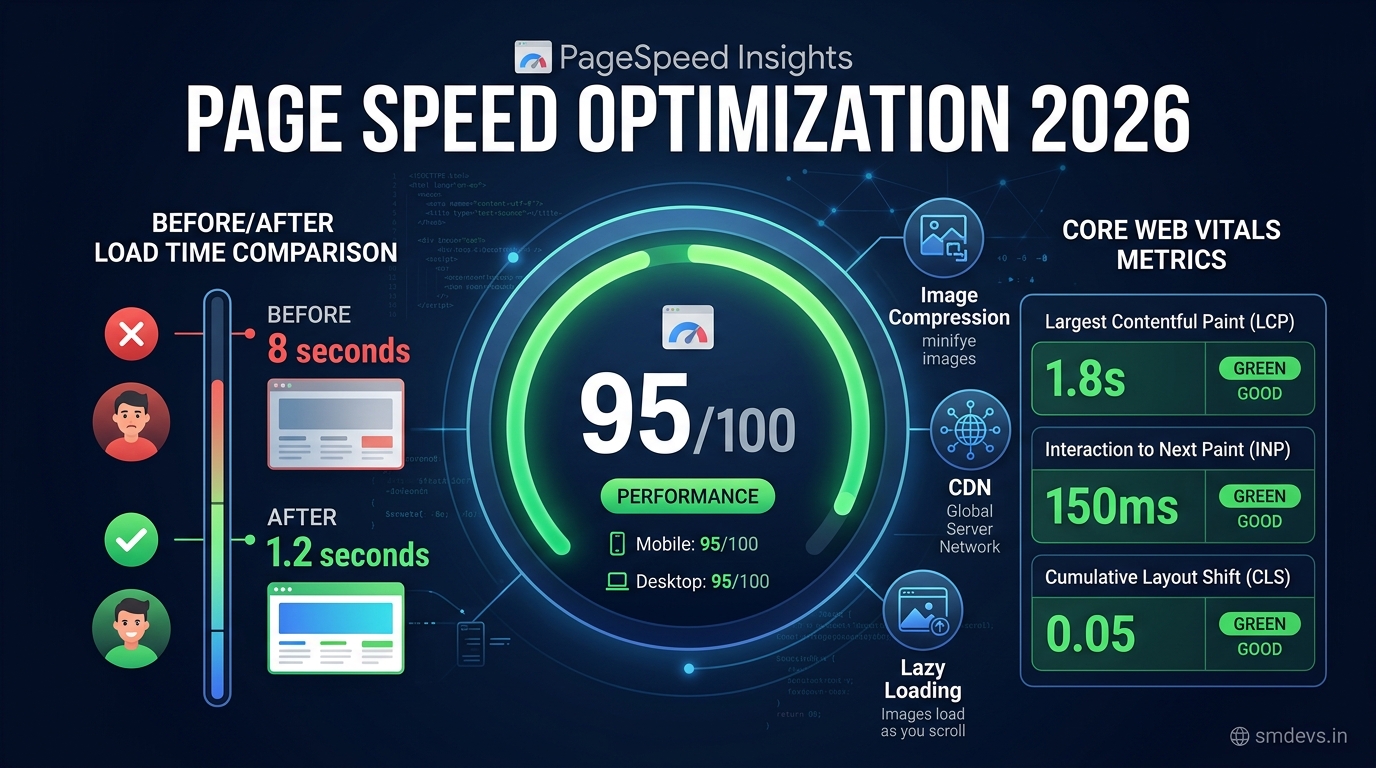
Core Web Vitals: The Three Critical Metrics
Google's Core Web Vitals are the specific page experience signals that directly affect rankings:
| Metric | What It Measures | Good | Needs Improvement | Poor |
|---|---|---|---|---|
| LCP (Largest Contentful Paint) | How fast the main content loads | < 2.5s | 2.5–4.0s | > 4.0s |
| INP (Interaction to Next Paint) | How fast page responds to user input | < 200ms | 200–500ms | > 500ms |
| CLS (Cumulative Layout Shift) | How stable the page layout is | < 0.1 | 0.1–0.25 | > 0.25 |
All three must be in the "Good" range for a page to pass the Core Web Vitals assessment. Failing even one means the page has a ranking disadvantage.
Fixing LCP (Largest Contentful Paint)
LCP is usually caused by a slow-loading hero image, H1 heading, or large text block. The most common culprits and fixes:
1. Optimise Your Hero Image (Most Impactful)
- Convert images to WebP or AVIF format (30–50% smaller than JPEG with same quality)
- Compress using Squoosh or TinyPNG
- Use responsive images with srcset — don't serve a 2000px image to a 375px mobile screen
- Add
fetchpriority="high"to the LCP image to signal it's critical
2. Preload the LCP Resource
<link rel="preload" as="image" href="/hero.webp" fetchpriority="high">3. Use a CDN
Serve assets from servers geographically closer to users. Cloudinary (which we use at SM Developers) automatically serves images from the nearest CDN edge node. Vercel's Edge Network handles this for Next.js deployments automatically.
4. Eliminate Render-Blocking Resources
- Defer non-critical JavaScript:
<script defer src="..."> - Move CSS that's not needed for above-the-fold content to load asynchronously
- Inline critical CSS for above-the-fold content
5. Improve Server Response Time (TTFB)
- TTFB (Time to First Byte) should be under 800ms
- Use server-side rendering (SSR) or static generation (SSG) — not client-side only rendering
- Enable HTTP/2 or HTTP/3 on your server
- Use edge caching for dynamic pages where possible
Fixing INP (Interaction to Next Paint)
INP replaced FID (First Input Delay) in March 2024 as a Core Web Vital. It measures the time between any user interaction (click, tap, key press) and the next visual update.
Common Causes and Fixes
- Long JavaScript tasks: Break up tasks longer than 50ms into smaller chunks using
setTimeoutorscheduler.postTask() - Heavy third-party scripts: Google Tag Manager, chat widgets, ad scripts all add interaction latency. Audit and remove unnecessary third-party scripts.
- Unoptimised event handlers: Avoid synchronous operations inside click handlers. Use debouncing and throttling for expensive operations.
- Excessive DOM size: DOM with 1,400+ elements causes slow style calculations. Review and simplify complex HTML structures.
Fixing CLS (Cumulative Layout Shift)
CLS happens when elements move unexpectedly as the page loads — causing users to click the wrong thing. Common causes:
1. Images Without Dimensions (Most Common)
<!-- Wrong: browser doesn't know size before image loads -->
<img src="hero.webp" alt="hero">

<!-- Correct: browser reserves space -->
<img src="hero.webp" alt="hero" width="1200" height="630">
2. Ads and Embeds Without Reserved Space
Always set a minimum height for ad slots and iframe containers so they don't push content down when they load.
3. Web Fonts Causing FOUT/FOIT
- Use
font-display: swapto prevent invisible text during font load - Preload critical fonts:
<link rel="preload" as="font" crossorigin> - Use
size-adjustCSS property to match fallback font metrics
4. Dynamically Injected Content
Never insert content above existing content dynamically (banners, cookie notices) without reserving space. Always use position: fixed or position: sticky for banners so they don't cause layout shifts.
Next.js Specific Optimisations
For Next.js sites (like smdevs.in), these built-in features should always be used:
- next/image: Automatic WebP conversion, lazy loading, size optimisation, CLS prevention via width/height
- next/font: Automatic font optimisation, eliminates layout shift from font loading
- next/script strategy="lazyOnload": Defer non-critical scripts
- Static Generation (SSG/ISR): Pre-rendered HTML = instant TTFB = better LCP
- Vercel Edge Network: Automatic global CDN for all static assets
Page Speed Optimisation Checklist
- ✅ Compress and convert all images to WebP/AVIF
- ✅ Add width and height to all img tags
- ✅ Lazy load images below the fold
- ✅ Preload LCP image with fetchpriority="high"
- ✅ Minify CSS, JS, and HTML
- ✅ Enable GZIP or Brotli compression on server
- ✅ Use a CDN for static assets
- ✅ Eliminate render-blocking scripts (defer/async)
- ✅ Reduce unused JavaScript (tree-shaking)
- ✅ Use system fonts or preload web fonts
- ✅ Enable browser caching (Cache-Control headers)
- ✅ Reduce third-party scripts to essentials only
- ✅ Target TTFB under 800ms (use SSG/SSR)
FAQs: Page Speed and SEO
Does page speed directly affect Google rankings?
Yes — page speed is a confirmed ranking factor since 2010 for desktop and 2018 for mobile. Core Web Vitals (LCP, INP, CLS) are a specific "page experience" ranking signal. Pages with Poor Core Web Vitals have a measurable ranking disadvantage compared to otherwise equal pages with Good scores.
What is a good PageSpeed Insights score?
Scores above 90 are considered "Good" (green). 50–89 is "Needs Improvement" (orange). Below 50 is "Poor" (red). Aim for 90+ on both mobile and desktop. Mobile is more important since Google uses mobile-first indexing.
How long does it take for page speed improvements to affect rankings?
Google recrawls pages periodically and measures Core Web Vitals from real-world Chrome user data over a 28-day rolling window. Speed improvements typically take 4–8 weeks to be reflected in GSC Core Web Vitals reports and potentially influence rankings.


