Key Takeaways
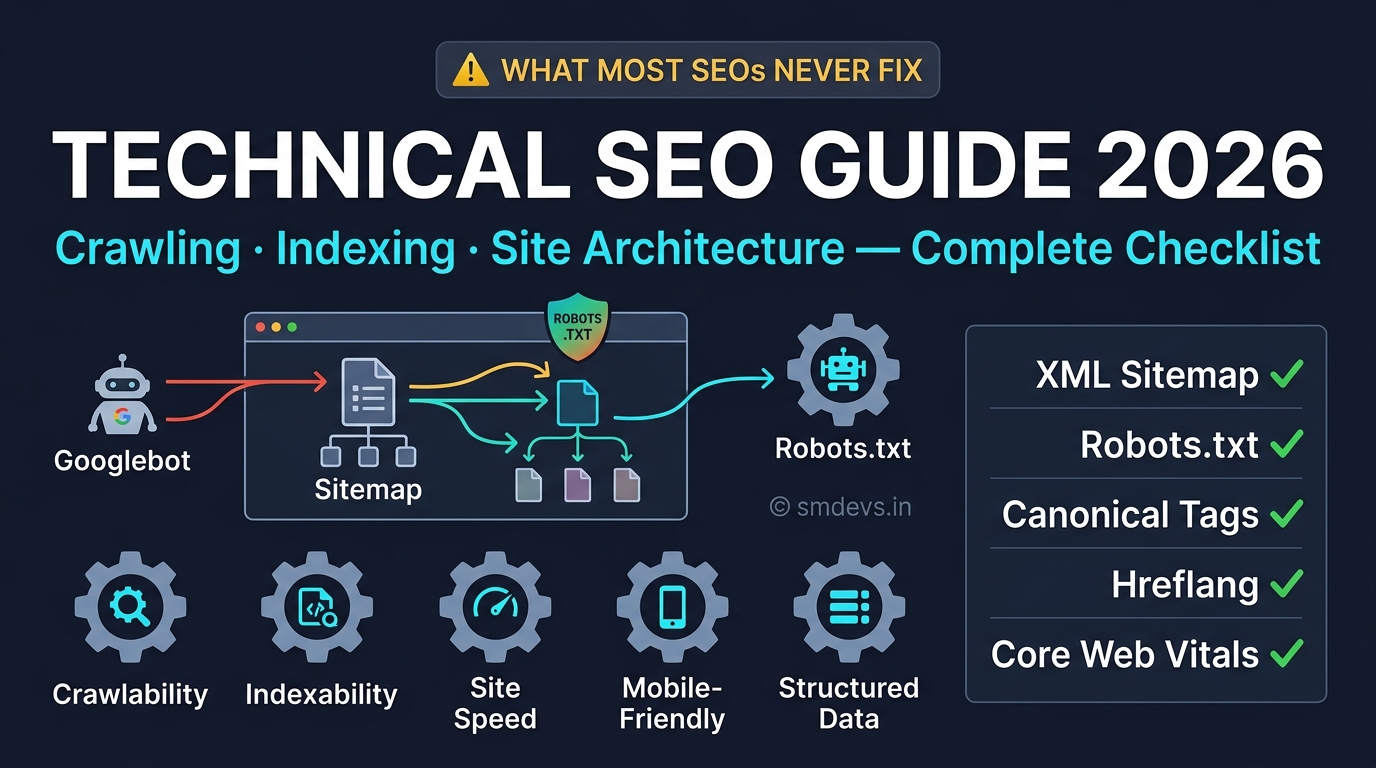
- Technical SEO is the foundation that everything else — content quality, backlinks, on-page optimisation — is built upon. Even the best content cannot rank if Google cannot crawl it, understand it, or
What is Technical SEO?
Technical SEO refers to optimising a website's technical infrastructure so search engine crawlers can efficiently discover, crawl, render, and index your content — and so users get a fast, stable, secure browsing experience. It is distinct from on-page SEO (content optimisation) and off-page SEO (link building).
Think of it this way: On-page SEO is what you say. Off-page SEO is what others say about you. Technical SEO is whether Google can even find, read, and understand what you're saying.
The 5 Pillars of Technical SEO
Pillar 1: Crawlability — Can Google Find Your Pages?
Crawlability refers to Google's ability to discover and access your pages via its crawler (Googlebot). Crawlability problems prevent Google from ever finding your content.
Key crawlability elements:
- robots.txt: Located at yourdomain.com/robots.txt — this file tells Googlebot which paths to crawl and which to avoid. A misconfigured robots.txt (e.g.,
Disallow: /) can block your entire site from Google. Check: Site:yourdomain.com in Google — if zero results, check robots.txt first. - XML Sitemap: A file (yourdomain.com/sitemap.xml) listing all your important URLs. Submit it in Google Search Console → Sitemaps. This tells Google what to crawl and prioritises important pages. Your sitemap should only include indexable, canonical, non-redirected URLs.
- Internal linking: Every important page should be reachable within 3 clicks from your homepage. Orphan pages (no internal links pointing to them) get crawled infrequently and rank poorly.
- Crawl depth: Pages more than 4 clicks deep from the homepage receive significantly less crawl frequency. Flatten your site architecture where possible.
Quick audit: In GSC → Settings → Crawl stats — check how many pages Google crawls daily and if there are any crawl errors. A drop in crawl rate often precedes a ranking drop.
Pillar 2: Indexability — Will Google Index Your Pages?
A page can be crawlable but not indexable if it has signals telling Google not to include it in the search index.
Common indexability issues:
- noindex meta tag:
<meta name="robots" content="noindex">prevents Google from indexing the page. Check for accidental noindex tags on important pages using Screaming Frog or GSC → Index → Pages → "Excluded" category. - Canonical tags:
<link rel="canonical" href="...">tells Google which version of a page is the "official" one. Self-referencing canonicals on every page prevent duplicate content issues. Wrong canonicals (pointing to a different URL) tell Google to index a different page. - Noindex in HTTP headers: Some CMS/hosting configurations add X-Robots-Tag: noindex in HTTP headers, which overrides page-level tags. Check headers with:
curl -I https://yoururl.com - Duplicate content: Multiple URLs serving identical content without canonical tags split your ranking signals. Common sources: www vs non-www, HTTP vs HTTPS, trailing slash vs no trailing slash, session IDs in URLs.
Pillar 3: Site Structure & Architecture
A logical site architecture helps Google understand the relative importance of pages and helps users navigate. The best structure is a flat hierarchy:
- Homepage → Category pages → Individual posts/pages
- No page should be more than 3 clicks from the homepage for SEO priority
- URL structure should mirror content hierarchy:
/blog/seo/technical-seo/ - Use breadcrumbs (and BreadcrumbList schema) to show Google the page hierarchy
Hub-and-spoke model: Pillar pages (broad topic) link to cluster pages (specific subtopics) which link back to the pillar. Google understands this structure and rewards topical authority.
Pillar 4: Site Speed & Core Web Vitals
Page speed is both a ranking factor and a user experience factor. Google's Core Web Vitals (LCP, INP, CLS) are the specific speed metrics that affect rankings. For the full guide, read: Core Web Vitals Complete Guide.
Key speed fixes:
- Compress and serve images in WebP/AVIF format
- Use a CDN (Cloudflare, Cloudinary, AWS CloudFront)
- Minimise render-blocking CSS and JavaScript
- Enable browser caching with appropriate Cache-Control headers
- Use HTTP/2 or HTTP/3 for multiplexed connection efficiency
- Reduce Time to First Byte (TTFB) — target under 800ms
Pillar 5: Structured Data (Schema Markup)
Schema markup helps Google understand the content type of your pages and can trigger rich results (FAQ dropdowns, star ratings, breadcrumbs in SERPs). This increases CTR even from lower positions.
Key schema types for a content site: Article, FAQPage, BreadcrumbList, HowTo, Organisation, WebSite (with SearchAction). Validate all schema using our free Schema Validator tool.
HTTPS & Security
HTTPS is a confirmed (if small) Google ranking factor since 2014. More importantly, Chrome marks non-HTTPS sites as "Not Secure," which kills user trust and increases bounce rate. Ensure:
- Valid SSL certificate with auto-renewal
- All HTTP URLs redirect to HTTPS (301 redirect)
- No mixed content (HTTP resources loaded on HTTPS pages)
- HSTS header enabled (HTTP Strict Transport Security)
Mobile-Friendliness
Google uses mobile-first indexing — it crawls and indexes your site as a mobile user, not a desktop user. Your mobile site IS your site in Google's eyes. Test with: Google's Mobile-Friendly Test.
Critical mobile requirements:
- Responsive design (CSS adapts to viewport width)
- Touch targets minimum 44×44px
- No horizontal scrolling
- Text readable without zooming (minimum 16px body font)
- No content hidden behind "tap to reveal" on mobile that's visible on desktop
30-Point Technical SEO Audit Checklist
Crawling & Indexing
- ☐ robots.txt is accessible and correctly configured
- ☐ XML sitemap submitted in GSC and auto-updated
- ☐ No important pages blocked by robots.txt
- ☐ No accidental noindex tags on key pages
- ☐ No orphan pages (every page has at least one internal link)
- ☐ Canonical tags on every page (self-referencing or pointing to correct URL)
- ☐ No duplicate content issues (www/non-www, HTTP/HTTPS, trailing slash)
- ☐ GSC shows no critical crawl errors
Site Architecture
- ☐ No page more than 3 clicks from homepage
- ☐ URL structure is logical and descriptive (no ?id=123 URLs)
- ☐ Breadcrumbs implemented and working
- ☐ Internal linking connects all important pages
- ☐ No broken internal links (check with Screaming Frog or Ahrefs)
- ☐ 301 redirects in place for deleted or moved pages (no 404s for important content)
Speed & Core Web Vitals
- ☐ LCP under 2.5 seconds (mobile)
- ☐ INP under 200ms
- ☐ CLS under 0.1
- ☐ TTFB under 800ms
- ☐ Images compressed and served in WebP/AVIF
- ☐ LCP image has fetchpriority="high" and no lazy loading
- ☐ Render-blocking resources deferred or minified
Security & Technical Basics
- ☐ Valid HTTPS with auto-renewing SSL certificate
- ☐ All HTTP pages 301-redirect to HTTPS
- ☐ No mixed content warnings
- ☐ Mobile-friendly (passes Google's mobile test)
- ☐ No interstitials blocking content on mobile
Structured Data
- ☐ Article schema on all blog posts
- ☐ FAQPage schema on FAQ sections
- ☐ BreadcrumbList schema sitewide
- ☐ Organization schema on homepage
- ☐ Schema validated (no errors in Google Rich Results Test)
FAQs: Technical SEO
What is technical SEO in simple terms?
Technical SEO is making sure search engines can find, access, understand, and index your website properly — and that users have a fast, secure browsing experience. It's the behind-the-scenes foundation of SEO: setting up sitemaps, fixing crawl errors, ensuring pages load quickly, implementing schema markup, and making sure Google can index your pages correctly.
What is the difference between technical SEO and on-page SEO?
On-page SEO focuses on the content of individual pages — keyword placement, title tags, headings, internal links, and content quality. Technical SEO focuses on the website's infrastructure — crawling, indexing, site speed, URL structure, sitemaps, and structured data. Both are required; technical SEO is the foundation on which on-page SEO performance is built.
What is a canonical tag in SEO?
A canonical tag (<link rel="canonical" href="URL">) is an HTML element in a page's <head> that tells Google which URL is the "official" or "preferred" version of that page. It prevents duplicate content issues when the same content is accessible via multiple URLs (e.g., with and without trailing slash, with UTM parameters, etc.). Every page should have a canonical tag pointing to its own URL unless it's a duplicate that should consolidate to a primary URL.


