Key Takeaways
- Most websites have a traffic problem that more content won't fix — they have existing content that is actively hurting their SEO. Thin pages, duplicate content, outdated articles ranking for wrong key
What is a Content Audit?
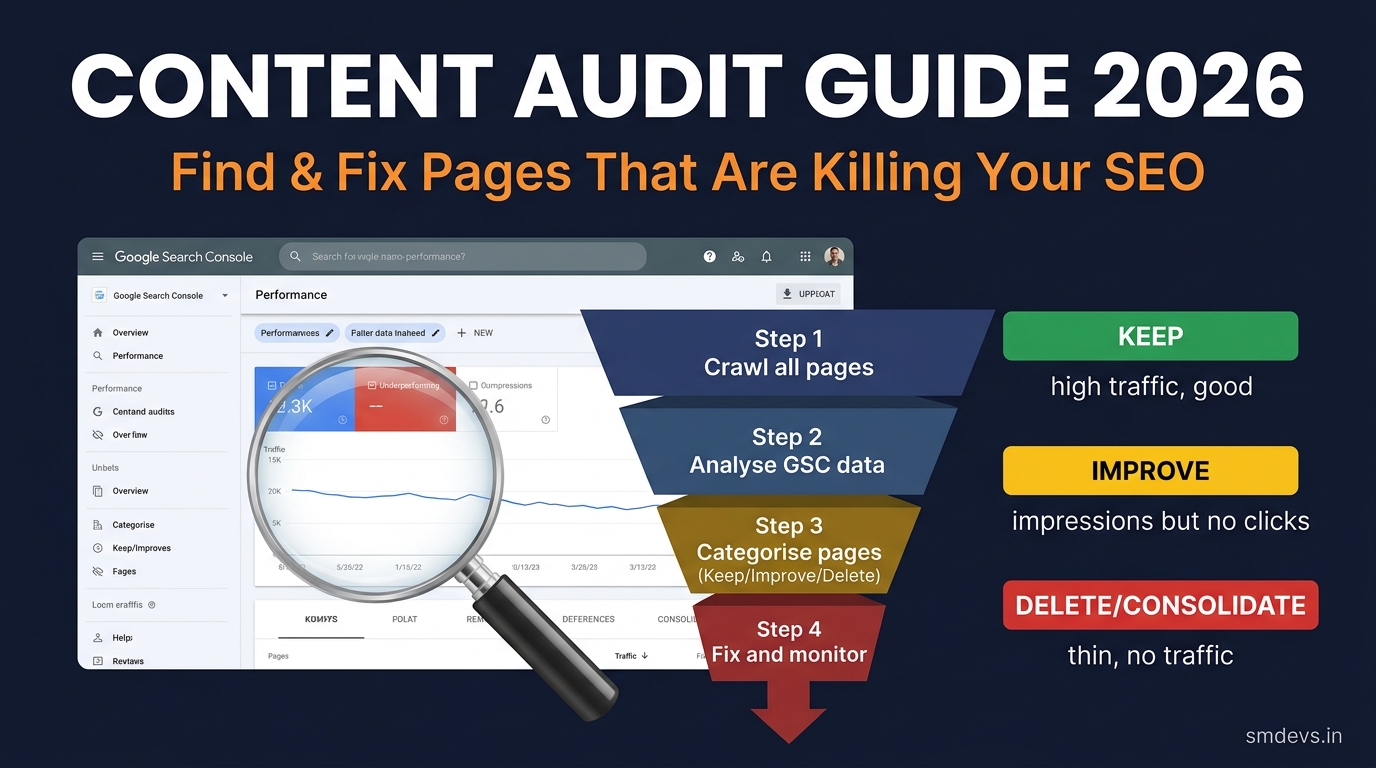
A content audit is a systematic review of all content on your website — analysing each page's SEO performance, user value, and alignment with your current content strategy. The goal is to identify which pages are helping your SEO, which are neutral, and which are actively hurting it.
A content audit typically results in three categories of action:
- KEEP: Performing well — no action needed, or minor updates
- IMPROVE: Underperforming but worth investing in — update, expand, or optimise
- DELETE or CONSOLIDATE: Thin, outdated, duplicate, or off-topic — remove or merge with better content
When Should You Do a Content Audit?
- Your organic traffic has declined over the past 6–12 months without a clear algorithmic cause
- You've been publishing for 1+ years and have 50+ pages of content
- After a Google Core Update that hit your site
- Before a major site redesign or migration
- When you notice keyword cannibalization (multiple pages fighting for the same keyword)
- Annually as part of a regular SEO maintenance routine
Step-by-Step Content Audit Process
Step 1: Crawl Your Entire Website
Use a website crawler to get a complete list of all URLs on your site:
- Free: Screaming Frog SEO Spider (free up to 500 URLs), Sitebulb free trial
- Paid: Screaming Frog (full version), Ahrefs Site Audit, SEMrush Site Audit
Your crawl export should include: URL, page title, meta description, H1, word count, HTTP status code, canonical URL, and indexability status. For Next.js sites like smdevs.in, your sitemap.xml provides a clean starting URL list — but also crawl to catch any pages not in the sitemap.
Step 2: Pull Google Search Console Data
In GSC → Performance → Pages, export data for the last 12 months. For each URL, collect:
- Clicks (organic visits from Google)
- Impressions (how many times shown in search results)
- Average Position (average ranking position)
- CTR (click-through rate)
Export as CSV. Merge with your crawl data using the URL as the key column (Excel VLOOKUP, Google Sheets, or Python pandas).
Step 3: Pull Google Analytics Data
In GA4 → Reports → Engagement → Pages and Screens, collect for the same 12-month period:
- Total users / sessions
- Engagement rate (inverse of bounce rate)
- Average engagement time
- Conversions (if applicable)
Step 4: Categorise Each Page
With all data combined in a spreadsheet, apply a simple decision framework:
| Criteria | Action | Priority |
|---|---|---|
| High clicks + high impressions + good CTR | KEEP — protect and strengthen | Monitor only |
| High impressions, low clicks, position 5–20 | IMPROVE — optimise title/meta, add content, get links | High priority |
| High impressions, position 20–50 | IMPROVE — substantial content update + link building needed | Medium priority |
| Low impressions, low clicks, good content | IMPROVE — keyword targeting or internal linking issue | Medium priority |
| Near-zero impressions, near-zero clicks, thin content | DELETE or CONSOLIDATE | High priority |
| Near-zero everything, off-topic or outdated | DELETE (301 redirect to most relevant page) | Immediate |
Step 5: Identify Keyword Cannibalization
Sort your GSC data by top query for each page. Look for patterns where multiple pages rank for the same primary keyword. Cannibalization symptoms:
- Two pages alternating in rankings for the same query
- Two pages with very similar focus keyphrases appearing in your audit
- A page that was ranking but has mysteriously dropped despite no changes
Fix: Canonicalize the weaker page to the stronger one, or consolidate both pages' content into one definitive page with a 301 redirect from the removed URL. Read our detailed guide on how we structured our topic clusters to prevent cannibalization.
Step 6: Execute the Fixes
For IMPROVE pages:
- Rewrite or expand the introduction — outdated intros kill user engagement immediately
- Update all statistics, dates, and references
- Add new sections covering subtopics Google ranks competitors for (use GSC query data to find what queries bring impressions but no clicks)
- Improve title tag and meta description — better CTR = more ranking signals
- Add internal links from high-traffic pages to this page
- Add schema markup (Article, FAQ) if missing — use our Schema Validator
For DELETE pages:
- Check for any backlinks first (Ahrefs or GSC Links report) — if the page has valuable backlinks, consolidate rather than delete
- Set up 301 redirects from deleted URLs to the most relevant remaining page
- Remove from sitemap.xml after deletion
- Monitor GSC for crawl errors after deletion — fix any remaining 404s
Step 7: Measure Impact and Iterate
Content audit improvements typically take 4–12 weeks to show in Google rankings (depending on crawl frequency and competition). Track in GSC:
- Weekly: improved pages' clicks and impressions
- Monthly: overall site impressions and clicks vs pre-audit baseline
- Set a reminder to re-audit every 12 months
Content Audit Red Flags to Fix First
If you see any of these, prioritise them above all else:
- Pages with
noindexthat should be indexed — check GSC → Index → Pages → Excluded → "Crawled — currently not indexed" or "Page with redirect" - Duplicate title tags across multiple pages
- Pages missing H1 tags
- More than 10% of your pages returning 404 errors
- Redirect chains (A → B → C) — consolidate to direct 301s
- Pages with 0 internal links pointing to them (orphan pages)
FAQs: Content Audit
How often should you do a content audit?
At minimum, once per year. For actively growing sites publishing 3+ pieces per week, a quarterly light audit (using GSC data only) helps catch underperforming pages before they accumulate. For smaller sites, an annual comprehensive audit is sufficient. Trigger an audit immediately after any significant Google algorithm update that hits your traffic.
Should I delete thin content?
It depends. Thin content with no backlinks and no traffic: delete or consolidate. Thin content with valuable backlinks: improve the content to match the link's authority rather than delete. Thin content that satisfies user intent efficiently (some topics genuinely need only 300 words): keep if the user experience is good. The question isn't word count — it's whether the page satisfies the user's query completely.
Will deleting pages hurt my SEO?
Deleting genuinely low-quality, thin, or duplicate pages typically improves overall site quality and can positively impact your site's rankings — especially after Google's Helpful Content updates. The key is to set up 301 redirects for deleted pages that had backlinks or significant traffic. Deleting a page without a redirect creates a 404, which wastes any link equity that page had accumulated.


