Key Takeaways
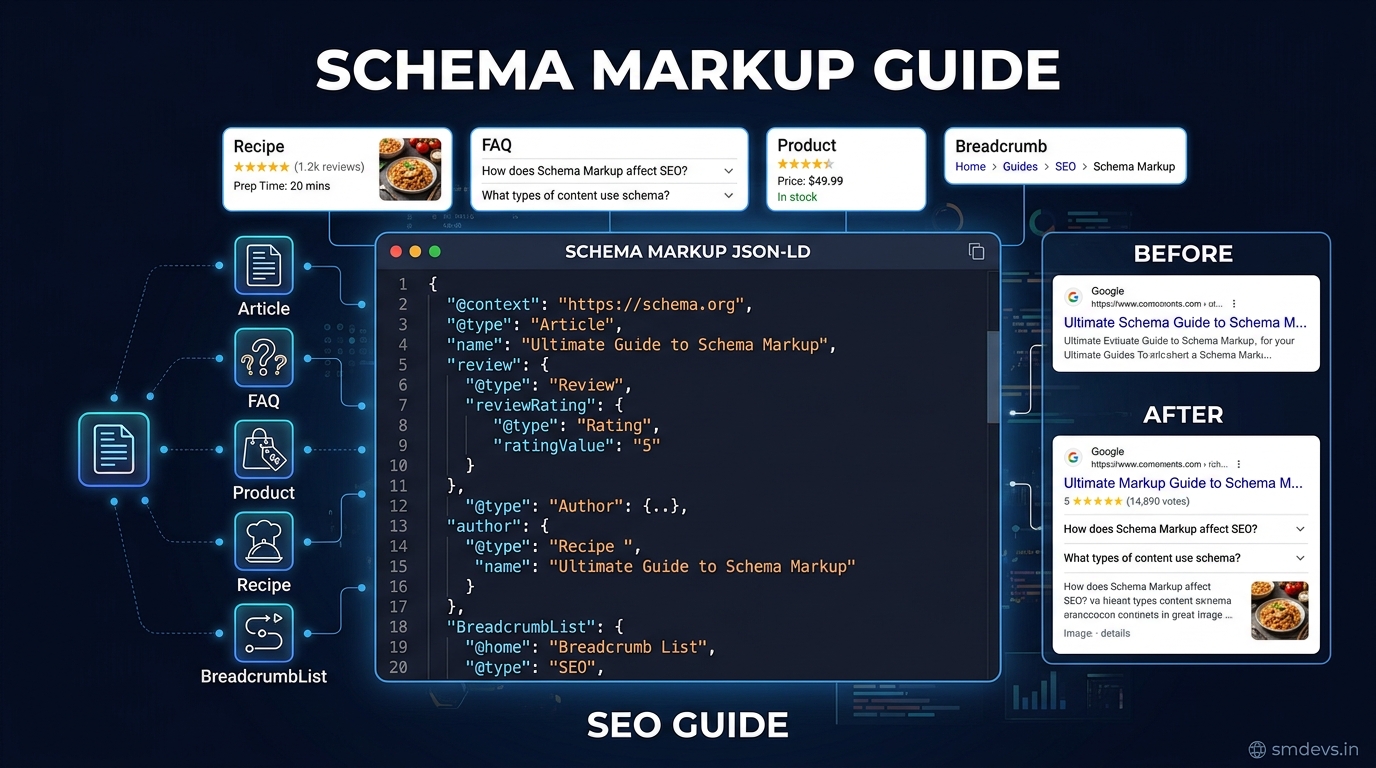
- Schema markup (structured data) is code added to your webpage that helps Google understand your content better — enabling rich results like star ratings, FAQ dropdowns, breadcrumbs, and more in search
What is Schema Markup?
Schema markup (also called structured data) is a standardised format of code — implemented as JSON-LD, Microdata, or RDFa — that you add to your HTML to help search engines understand the context and meaning of your content. It's based on the vocabulary defined at Schema.org, a collaborative project started by Google, Microsoft, Yahoo, and Yandex in 2011.
Schema markup doesn't just describe your content for Google — it can unlock rich results (also called rich snippets) in search results: visual enhancements like star ratings, FAQ dropdowns, product prices, event dates, and more that make your listing stand out from competitors.
Why Schema Markup Matters for SEO in 2026
- Higher CTR: Rich results consistently achieve 20–30% higher click-through rates than standard blue-link results
- AI Overviews (SGE): Google's AI-generated answers preferentially cite pages with well-structured, schema-marked content
- Featured snippets: Properly structured FAQ and HowTo schema increases eligibility for position 0
- E-E-A-T signals: Author schema, Article schema, and organisation schema reinforce expertise and trust signals
- Voice search: Voice assistants prefer structured, schema-enhanced content for direct answers
JSON-LD: The Recommended Format
Google recommends JSON-LD (JavaScript Object Notation for Linked Data) as the preferred format for structured data. It's placed in a <script> tag in the page's <head> or <body> and doesn't interfere with your HTML structure.
Example of Article schema in JSON-LD:
<script type="application/ld+json">
{
  "@context": "https://schema.org",
  "@type": "Article",
  "headline": "What is Schema Markup?",
  "author": {
    "@type": "Organization",
    "name": "SM Developers"
  },
  "datePublished": "2026-08-16",
  "dateModified": "2026-08-16"
}
</script>
The 8 Most Important Schema Types for Blogs and Finance Sites
1. Article Schema
The baseline for all blog posts and news articles. Signals content type, author, and publication date to Google.
Key properties: headline, author, datePublished, dateModified, image, publisher
Benefit: Eligible for Google News carousel; improves E-E-A-T trust signals.
2. FAQ Schema
The highest-impact schema for content marketers. Pages with FAQ schema can display accordion-style Q&A directly in search results, dramatically increasing SERP real estate.
{
  "@context": "https://schema.org",
  "@type": "FAQPage",
  "mainEntity": [{
    "@type": "Question",
    "name": "What is schema markup in SEO?",
    "acceptedAnswer": {
      "@type": "Answer",
      "text": "Schema markup is structured data code that helps Google understand page content..."
    }
  }]
}Tip: Add FAQ schema to any page that already has a Q&A section. The FAQ dropdowns in search results can double your SERP listing size, crowding out competitors.
3. BreadcrumbList Schema
Displays the navigation path in search results (e.g., Home › SEO › Schema Markup). Helps users understand site structure and improves CTR by adding visual hierarchy to your listing.
4. HowTo Schema
For step-by-step tutorial content. Can display steps directly in search results on desktop (with images for each step). Perfect for "how to" queries.
5. Product Schema
For e-commerce and product pages. Can display price, availability, and star ratings directly in search results. The most impactful schema for e-commerce CTR.
6. Organization Schema
Added to your homepage or About page. Tells Google your organisation's name, URL, logo, social profiles, and contact information. Critical for Knowledge Panel eligibility.
7. SoftwareApplication Schema
For web tools and apps. Properties: applicationCategory, operatingSystem, offers (price). Used by SM Developers for all our free trading and SEO tools.
8. Person Schema
For author pages or personal sites. Properties: name, jobTitle, affiliation, sameAs (social profiles). Strengthens author E-E-A-T signals on individual article pages.
How to Implement Schema in Next.js
In Next.js App Router, add JSON-LD schema using a script tag in your page or layout:
// In your page.tsx
export default function BlogPost({ post }) {
  const schema = {
    "@context": "https://schema.org",
    "@type": "Article",
    "headline": post.title,
    "author": { "@type": "Organization", "name": "SM Developers" },
    "datePublished": post.publishDate,
    "dateModified": post.updatedAt,
    "image": post.featuredImage,
  };

  return (
    <>
      <script
        type="application/ld+json"
        dangerouslySetInnerHTML={{ __html: JSON.stringify(schema) }}
      />
      {/* page content */}
    </>
  );
}
How to Validate Schema Markup
- Google's Rich Results Test: search.google.com/test/rich-results — enter your URL or paste code to check for errors and see which rich results you're eligible for
- Schema Markup Validator: validator.schema.org — checks for schema.org vocabulary compliance
- Google Search Console → Enhancements: Shows your live schema performance, errors, and warnings across your entire site
Common Schema Mistakes to Avoid
| Mistake | Why It's a Problem | Fix |
|---|---|---|
| Marking up content not visible to users | Google considers this spam — schema must match on-page content | Only mark up content present on the page |
| Using Microdata instead of JSON-LD | Harder to maintain; mixed into HTML | Migrate to JSON-LD |
| Missing required properties | Schema invalid; no rich result eligibility | Use Rich Results Test to check required fields |
| Wrong @type for content | Misleads Google about content type | Refer to Schema.org documentation for correct types |
| Not updating dateModified | Google may think content is stale | Update dateModified whenever making significant changes |
FAQs: Schema Markup
Does schema markup directly improve Google rankings?
Schema markup is not a direct ranking factor — Google has confirmed this. However, it indirectly improves SEO through higher CTR from rich results, which is a positive user signal, and through better content understanding which may improve relevance scoring for certain queries.
Which schema type should I add first?
Start with: (1) Article schema on all blog posts, (2) FAQ schema on any page with Q&A content, (3) BreadcrumbList for navigation. These three have the highest impact-to-effort ratio for most content sites.
Can I have multiple schema types on one page?
Yes — you can and should add multiple schema types where applicable. A blog post can simultaneously have Article, FAQ, BreadcrumbList, and Author schema on the same page. Use multiple <script type="application/ld+json"> blocks or combine them in an array.


