Key Takeaways
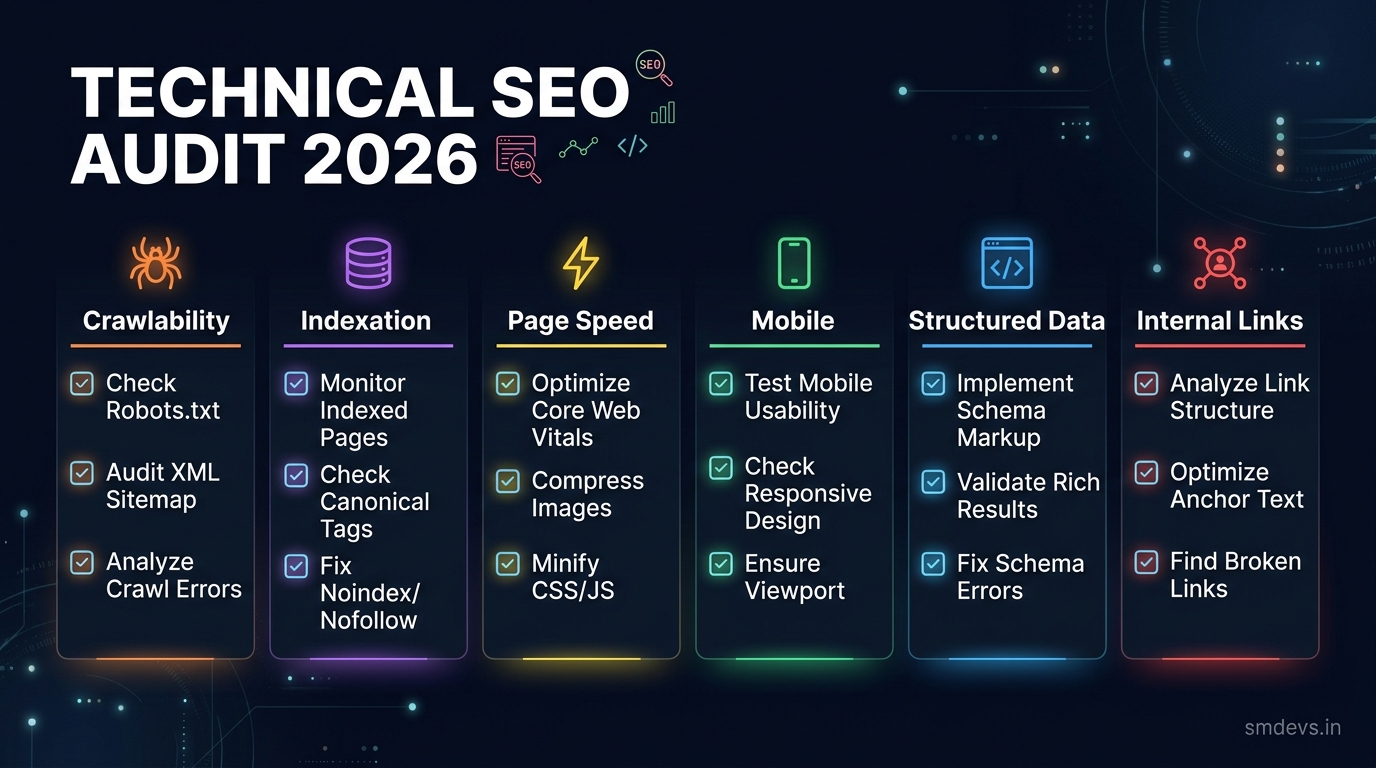
- A technical SEO audit identifies and fixes the hidden issues that prevent your site from ranking. This 2026 checklist covers crawlability, indexation, page speed, Core Web Vitals, mobile, structured data, and more.
What is a Technical SEO Audit?
A technical SEO audit is a systematic review of your website's technical infrastructure to identify issues that prevent search engines from properly crawling, indexing, and ranking your pages. Unlike content SEO, technical SEO focuses on the backend — site structure, speed, code, and server configuration.
Phase 1: Crawlability
Check robots.txt
- Visit yoursite.com/robots.txt
- Ensure important pages are not accidentally blocked
- Check that Googlebot is allowed to crawl all key directories
- Ensure your sitemap URL is listed in robots.txt
Check XML Sitemap
- Visit yoursite.com/sitemap.xml
- Ensure it includes all important pages
- Submit to Google Search Console
- Check for 404 URLs in the sitemap
- Ensure sitemap has correct priority and changefreq
Fix Crawl Errors
- Check Google Search Console → Pages report for crawl errors
- Fix all 404 pages with 301 redirects or canonical tags
- Fix redirect chains (A→B→C should be A→C directly)
Phase 2: Indexation
- Check Google Search Console Pages report for "Not indexed" issues
- Ensure important pages are not marked noindex accidentally
- Check for duplicate content issues — use canonical tags
- Verify pagination is handled correctly (rel="next/prev" or canonical)
- Check hreflang if you have multilingual content
Phase 3: Page Speed and Core Web Vitals
Google uses Core Web Vitals as a ranking signal. Check with Google PageSpeed Insights:
- LCP (Largest Contentful Paint): Should be under 2.5 seconds. Fix: Compress images, use CDN, optimise server response time
- INP (Interaction to Next Paint): Should be under 200ms. Fix: Reduce JavaScript execution, remove unused JS
- CLS (Cumulative Layout Shift): Should be under 0.1. Fix: Set explicit dimensions on images and iframes, avoid inserting content above the fold
Phase 4: Mobile Optimisation
- Test with Google's Mobile-Friendly Test tool
- Ensure viewport meta tag is present
- Check that tap targets are appropriately sized (48×48px minimum)
- Ensure font sizes are readable without zooming (min 16px body)
- Test actual mobile UX manually on different devices
Phase 5: HTTPS and Security
- Ensure entire site uses HTTPS (SSL certificate valid)
- Check for mixed content warnings (HTTP resources on HTTPS pages)
- Ensure HTTP → HTTPS redirects are in place
- Verify HSTS header is set
Phase 6: Structured Data
- Check all pages have appropriate schema markup
- Test with Google's Rich Results Test tool
- Fix any "Invalid" fields flagged by Google Search Console
- Add Article schema to blog posts
- Add SoftwareApplication schema to tool pages
- Add FAQPage schema to FAQ sections
Phase 7: Internal Linking
- Use tools like Screaming Frog to audit internal links
- Fix all broken internal links (404s)
- Ensure important pages have multiple internal links pointing to them
- Use descriptive, keyword-rich anchor text for internal links
- Eliminate orphan pages (pages with no internal links)
Technical SEO Audit Tools
- Google Search Console: Free, authoritative source of truth
- Screaming Frog: Desktop crawler, free up to 500 URLs
- SEMrush Site Audit: Comprehensive automated audit
- Google PageSpeed Insights: Core Web Vitals testing
- SM Developers SEO Structure Analyzer: Free on-page analysis
Share This Story
"Fascinating read. Great insights on SEO!"


