Key Takeaways
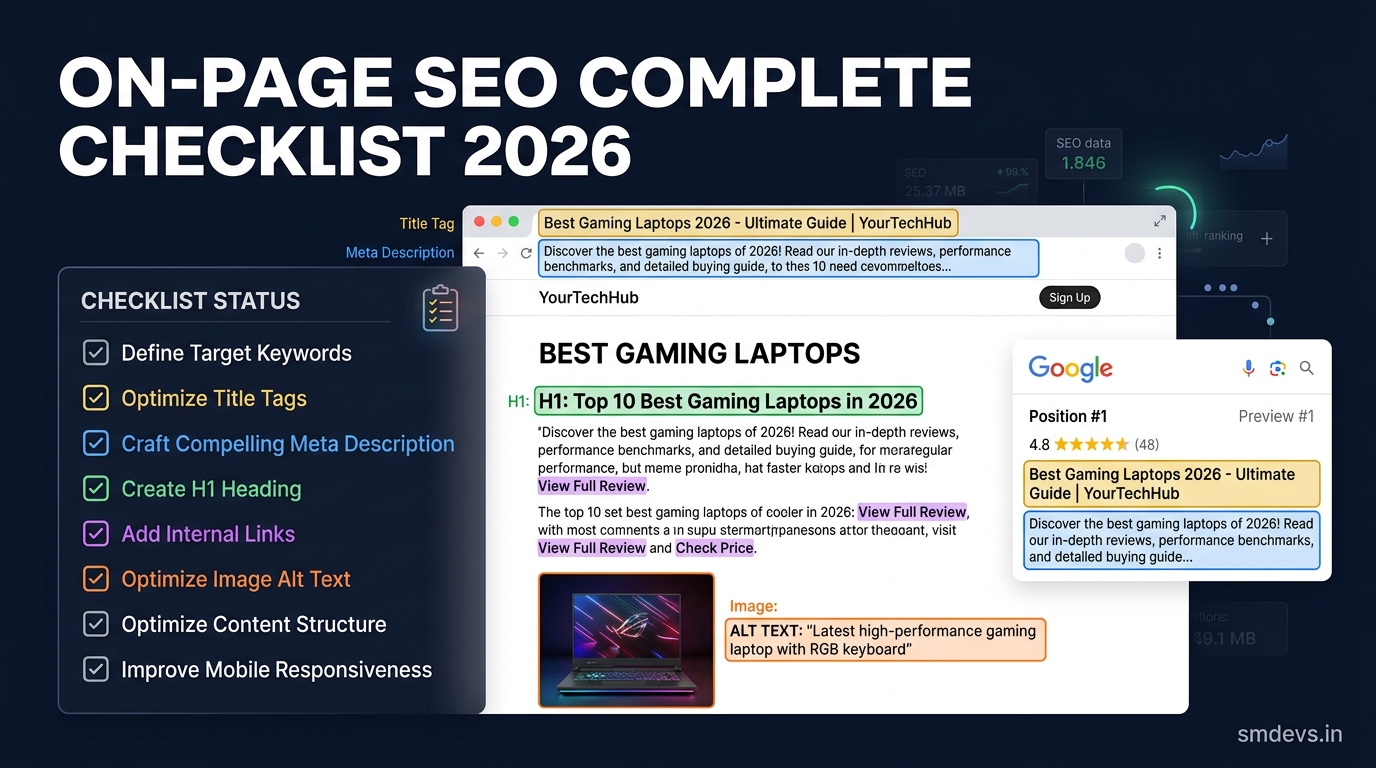
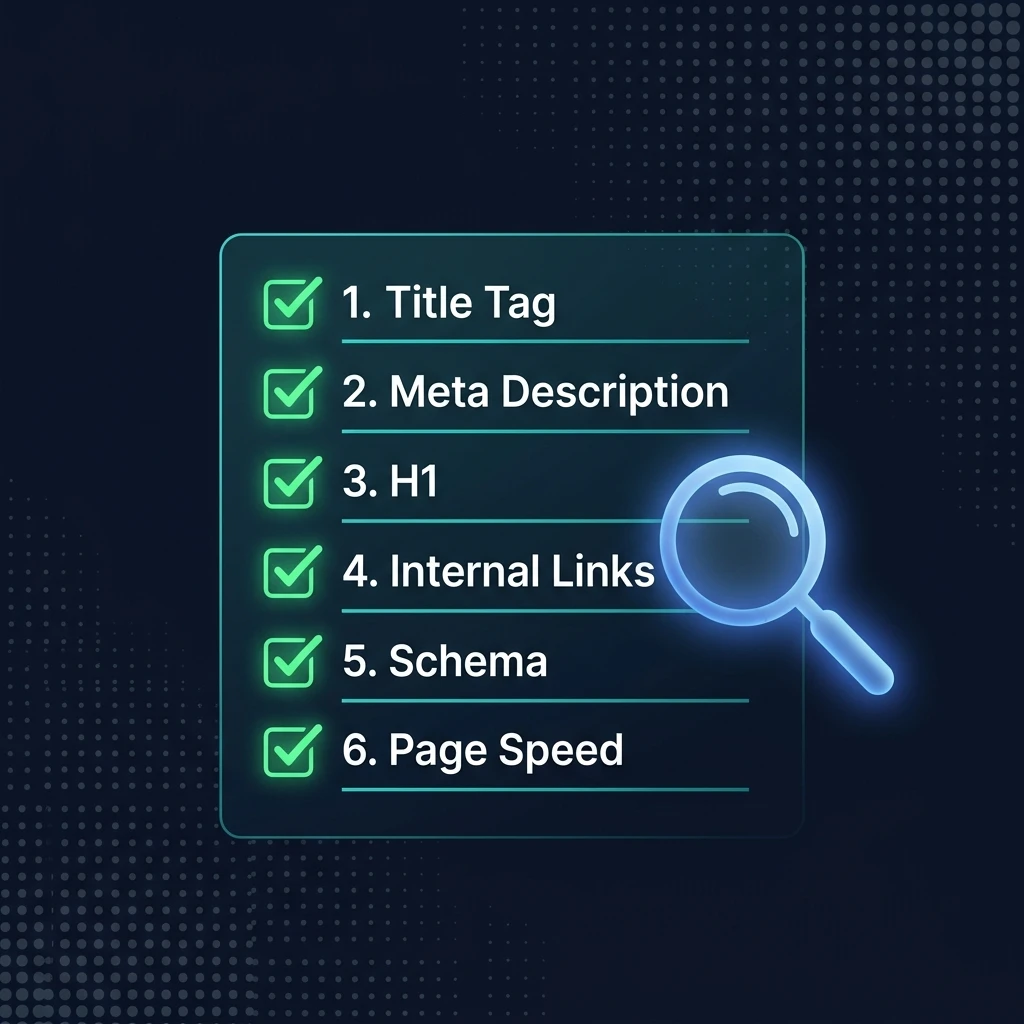
- On-page SEO covers everything you control directly on a page to help it rank — title tags, headings, content, schema, internal links, and page speed.
- The single most impactful on-page element is your meta title tag — get this right first.
- Google's Helpful Content System evaluates pages for E-E-A-T: Experience, Expertise, Authoritativeness, and Trustworthiness.
- Schema markup (especially FAQ and HowTo) can unlock rich results that dramatically boost CTR even without moving up in rankings.
- Run every page through our free On-Page SEO Checker before publishing to catch missing elements automatically.
What Is On-Page SEO?
On-page SEO (also called on-site SEO) refers to all the optimization practices applied directly to a webpage's content and HTML source code to improve its visibility in search engine results. Unlike off-page SEO (which involves external factors like backlinks), on-page SEO is entirely within your control.
A thorough on-page SEO audit covers your title tags, meta descriptions, heading structure, content quality, keyword placement, internal linking, schema markup, image optimization, URL structure, and page speed. Getting all of these right before you publish is far more efficient than retroactively fixing them after a page has been indexed with problems.
On-Page SEO Checklist: 20 Must-Check Items
Title & Meta Tags (Critical)
1. ✅ Unique, Keyword-Focused Title Tag (50–60 Characters)
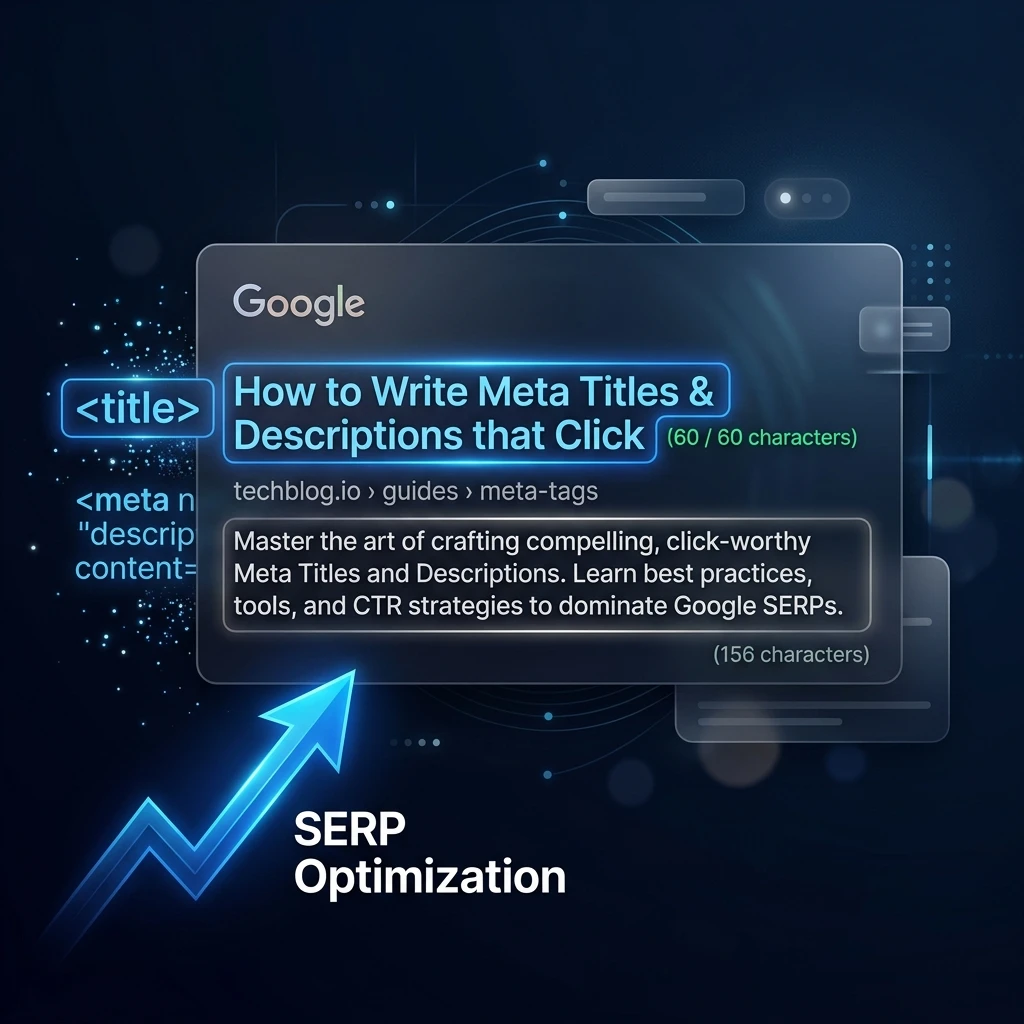
Your meta title is the single most important on-page SEO element. Place your primary target keyword as close to the beginning as possible. Keep it under 60 characters to avoid truncation in Google results. Every page on your site must have a completely unique title — duplicate titles are one of the most common and costly SEO mistakes.
Use our free SERP Preview Tool to see exactly how your title will appear in Google before publishing.
2. ✅ Meta Description (145–155 Characters)
Write a compelling meta description that includes your primary keyword naturally and gives users a specific reason to click. While Google doesn't rank based on meta descriptions, a well-written description significantly increases click-through rate (CTR) from the same ranking position.
3. ✅ Open Graph Tags (og:title, og:description, og:image)
Add OG tags so your page looks great when shared on LinkedIn, Facebook, WhatsApp, and Twitter. The og:image should be 1200×630px. Use our Open Graph Generator to build them in seconds.
Heading Structure (High Impact)
4. ✅ Single H1 That Matches Search Intent
Every page should have exactly one H1 tag containing your primary keyword. The H1 should directly answer what the user is searching for — if someone searches "on-page SEO checklist," your H1 should make it immediately obvious they've found the right page.
5. ✅ Logical H2/H3 Hierarchy
Use H2s for main sections and H3s for subsections. This structure helps both readers skim content and Googlebot understand your page's topic hierarchy. Include keyword variations and related terms in your subheadings — this is how you rank for semantic variations of your target keyword.
6. ✅ Question-Format Headings for "What Is" Queries
For any informational content targeting "what is X" or "how to X" queries, include the exact question as an H2 with a direct, concise answer in the first sentence below it. Google's AI Overviews and People Also Ask boxes heavily feature this format.
Content Quality (E-E-A-T)
7. ✅ Primary Keyword in First 100 Words
Include your primary target keyword naturally within the first paragraph of body content. This early signal confirms to Googlebot that your page is relevant to the query before it reads further.
8. ✅ Semantic Keywords and LSI Terms Throughout
Don't repeat the same keyword phrase over and over. Instead, use semantic variations and related terms. For an article about "on-page SEO," also use phrases like "on-site optimization," "page-level SEO," "title tag optimization," and "meta tag best practices." Use our Keyword Density Checker to audit your content balance before publishing.
9. ✅ Content Depth Matches Keyword Intent
Match your content length and format to what's already ranking for your target keyword. Check the SERP: if page one is dominated by 2,000+ word guides, a 400-word post won't rank. If page one shows tool pages, a blog post won't rank. Run the query through our Keyword Intent Analyzer to confirm the correct format before writing.
10. ✅ Author Byline and Publication Date
Google's E-E-A-T guidelines (Experience, Expertise, Authoritativeness, Trustworthiness) reward content that demonstrates credible authorship. Add a clear author name and publication date. For YMYL (Your Money, Your Life) topics — health, finance, trading — E-E-A-T signals are especially critical.
URL and Technical Structure
11. ✅ Short, Keyword-Rich URL Slug
Your URL should be short, descriptive, and include your primary keyword. Use hyphens to separate words (not underscores). Avoid stop words (a, the, of, and) in URLs. Example: /on-page-seo-checklist not /blog/the-complete-guide-to-on-page-seo-checklist-2025.
12. ✅ Canonical Tag Set Correctly
Every page should have a self-referencing canonical tag in the <head> to prevent duplicate content issues from URL variations (trailing slashes, query parameters, HTTP vs HTTPS). This is especially important for e-commerce and paginated content.
Internal and External Linking
13. ✅ 3–5 Internal Links to Related Content
Internal links distribute PageRank throughout your site, help Googlebot discover and understand related content, and keep users engaged longer. Every new piece of content should link to 3–5 related pages already on your site. Use descriptive anchor text (not "click here") that includes keywords.
14. ✅ Link to 1–2 High-Authority External Sources
Citing reputable external sources (Google's official documentation, academic research, established industry references) signals to Google that your content is well-researched and trustworthy. Don't be afraid of linking out — Google doesn't penalize external links, and it builds reader trust.
15. ✅ Check for Broken Links Before Publishing
Broken outbound links damage user experience and signal poor content maintenance to Google. Use our free Broken Link Checker to scan your page before it goes live.
Schema Markup
16. ✅ FAQ Schema for Informational Content
If your page includes a Q&A section, add FAQPage schema markup. When valid, this generates FAQ accordion dropdowns directly in the Google SERP, sometimes doubling the visual space your result occupies and significantly increasing CTR. Validate your schema with our free Schema Validator.
17. ✅ Article or SoftwareApplication Schema
For blog posts, add Article schema to help Google understand the content type, author, and publication date. For tool pages, SoftwareApplication schema helps Google classify your tool and can enable star ratings in search results. Use our Schema Generator to create the correct markup for any content type.
Images and Media
18. ✅ Descriptive File Names and Alt Text for All Images
Rename images before uploading: on-page-seo-checklist-2025.webp not IMG_0042.png. Add descriptive alt text that describes the image for screen readers and provides keyword context for Google Images. Never stuff keywords into alt text — describe the image accurately.
19. ✅ Images Compressed to Under 150KB (WebP Format)
Large uncompressed images are one of the most common causes of poor Core Web Vitals scores (particularly Largest Contentful Paint). Convert to WebP format and compress before uploading. This alone can cut page load time by 30–50% on image-heavy pages.
Page Experience
20. ✅ Run a Full On-Page SEO Audit
Before clicking publish, run your URL through our free On-Page SEO Checker. It automatically scans your page for missing title tags, duplicate meta, broken links, schema errors, heading structure issues, and Core Web Vitals warnings — catching problems you might have missed manually.
On-Page SEO Checklist Summary Table
| # | Element | Priority | Tool |
|---|---|---|---|
| 1 | Unique title tag (50–60 chars, keyword near start) | 🔴 Critical | SERP Preview |
| 2 | Meta description (145–155 chars, includes keyword) | 🔴 Critical | Meta Tag Generator |
| 3 | Open Graph tags (title, description, 1200×630 image) | 🟠 High | OG Generator |
| 4 | Single H1 with primary keyword | 🔴 Critical | On-Page Checker |
| 5 | Logical H2/H3 heading hierarchy | 🟠 High | On-Page Checker |
| 6 | Question H2s for "what is / how to" queries | 🟡 Medium | Manual |
| 7 | Primary keyword in first 100 words | 🟠 High | Keyword Density |
| 8 | Semantic/LSI keyword variety throughout | 🟠 High | Keyword Density |
| 9 | Content depth matches SERP intent | 🔴 Critical | Intent Analyzer |
| 10 | Author byline and publication date | 🟡 Medium | Manual |
| 11 | Short keyword-rich URL slug | 🟠 High | Manual |
| 12 | Canonical tag set correctly | 🟠 High | On-Page Checker |
| 13 | 3–5 internal links to related pages | 🟠 High | Manual |
| 14 | 1–2 external links to authority sources | 🟡 Medium | Manual |
| 15 | No broken links on the page | 🟠 High | Broken Link Checker |
| 16 | FAQ schema (for Q&A content) | 🟠 High | Schema Validator |
| 17 | Article or SoftwareApp schema | 🟡 Medium | Schema Generator |
| 18 | Alt text and descriptive filenames for images | 🟠 High | Manual |
| 19 | Images compressed (WebP, under 150KB) | 🟠 High | Manual |
| 20 | Full on-page audit before publishing | 🔴 Critical | On-Page Checker |
What is the most important on-page SEO factor?
The meta title tag (title tag) is consistently ranked as the single most important on-page SEO factor. It's the primary signal Google uses to understand what a page is about, it appears as the blue clickable headline in search results, and it directly influences both ranking position and click-through rate. Every page must have a unique, keyword-focused title tag of 50–60 characters with the primary keyword near the beginning.
How long should on-page SEO content be?
Content length should match the dominant format of what's already ranking for your target keyword — check the SERP before writing. Informational guides and how-to posts typically perform best at 1,500–3,000 words when competitors are ranking with similar depth. However, length alone doesn't rank — comprehensiveness and relevance to search intent matter far more than hitting a word count target. A focused 800-word post that perfectly satisfies a query can outrank a padded 4,000-word article.
What is E-E-A-T in SEO?
E-E-A-T stands for Experience, Expertise, Authoritativeness, and Trustworthiness — a framework used in Google's Search Quality Rater Guidelines to evaluate content quality. Experience refers to first-hand knowledge of the topic. Expertise means demonstrated knowledge in the field. Authoritativeness is the reputation of the site and author. Trustworthiness covers accuracy, transparency, and site security. E-E-A-T signals include author bylines, external citations, factual accuracy, HTTPS, and clear editorial standards.
Does on-page SEO still matter in 2025?
Yes — on-page SEO is more important than ever in 2025. Google's Helpful Content System and AI Overviews have raised the bar for content quality and intent-matching. Basic on-page elements (title tags, meta descriptions, schema markup, heading structure) remain ranking signals. Meanwhile, newer factors like E-E-A-T signals, Core Web Vitals, and semantic keyword coverage have become increasingly decisive. A well-optimized page with strong on-page SEO now outcompetes poorly-optimized pages with even better backlinks.