Key Takeaways
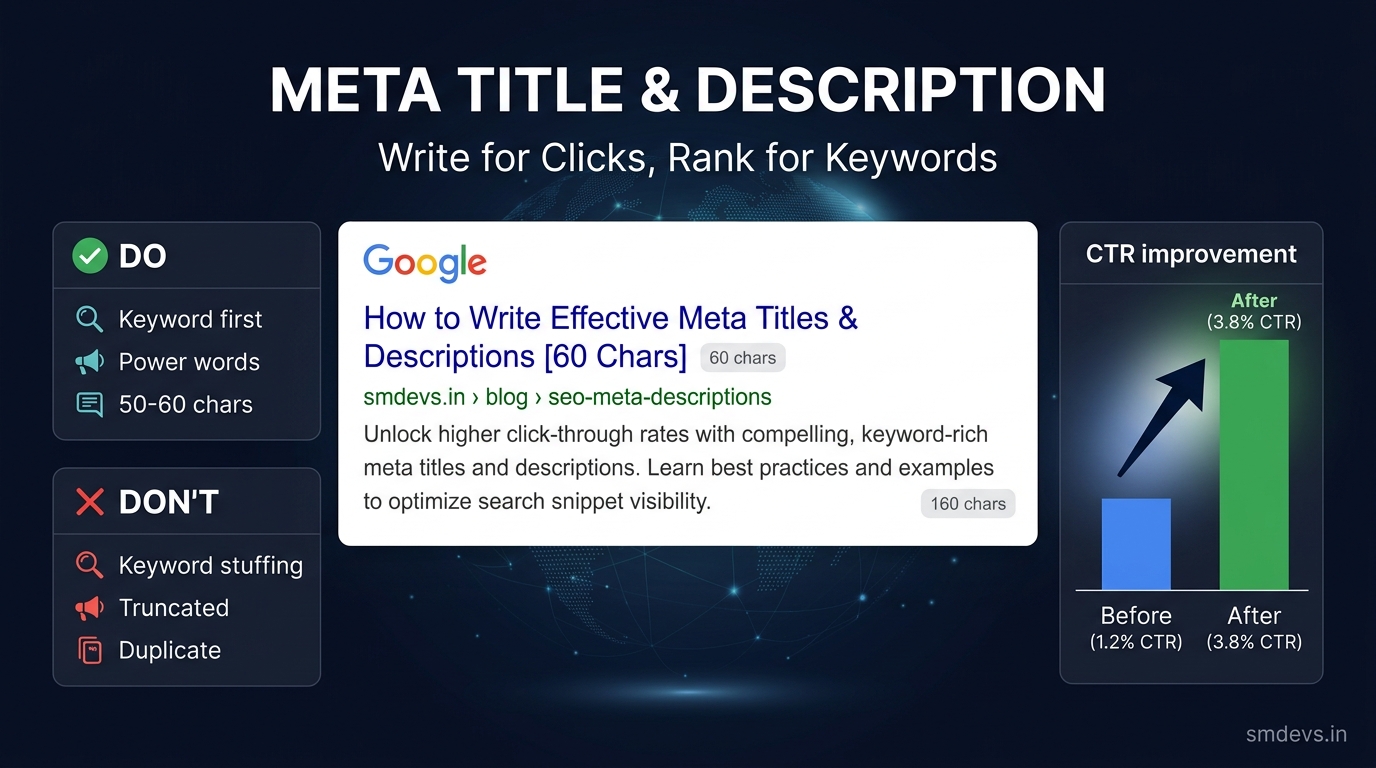
- Your meta title and meta description are your advertisement in Google search results. They determine whether someone clicks on your result or your competitor's. A well-written title with the right key
What is a Meta Title and Meta Description?
The meta title (also called the title tag) is the clickable blue headline that appears in Google search results. It is the single most important on-page SEO element — telling both Google and users what your page is about.
The meta description is the short paragraph of text below the title in search results. It is not a direct ranking factor — but it directly affects your click-through rate (CTR), which sends positive engagement signals to Google.
Together, they form your "search result advertisement" — the only thing a potential visitor sees before deciding whether to click you or your competitor.
Meta Title: Exact Rules for 2026
| Rule | Specification | Why |
|---|---|---|
| Length | 50–60 characters (max ~580px width) | Google truncates longer titles with "…" in SERPs |
| Primary keyword | Include in first 3–5 words | Google bolds the keyword match; users see it first |
| Uniqueness | Every page must have a unique title | Duplicate titles cause Google to rewrite them |
| Brand | Add " | Brand Name" at the end (optional) | Builds brand recognition; uses remaining character budget |
| Numbers & power words | e.g., "Complete", "2026", "Free", "Step-by-Step" | Increase CTR by 36% on average (Backlinko study) |
Meta Title Formula That Ranks AND Gets Clicks
The most reliable title formula for SEO:
[Primary Keyword]: [Compelling Benefit or Number] | [Brand]
Examples:
- ❌ Bad: "Schema Markup — Schema Markup Guide — Schema Tools"
- ✅ Good: "Schema Markup Guide 2026: Add Rich Results in 5 Steps | SM Devs"
- ❌ Bad: "Pivot Point Trading Information Page"
- ✅ Good: "Pivot Point Calculator: Free Tool + Complete Trading Guide"
- ❌ Bad: "How to Write Meta Title and Meta Description for Your Website and Blog Posts"
- ✅ Good: "How to Write Meta Title & Description for SEO (2026)"
Power Words That Boost Click-Through Rate
Certain words in titles consistently increase CTR:
| Category | Power Words |
|---|---|
| Urgency | Now, Today, 2026, This Week |
| Value | Free, Complete, Ultimate, Proven, Exact |
| Ease | Step-by-Step, Simple, Easy, Quick, Guide |
| Trust | Tested, Expert, Official, Verified, Real |
| Numbers | 5 Ways, 10 Tips, 7-Step, Top 3 |
When Does Google Rewrite Your Title?
Google rewrites meta titles approximately 58% of the time (Zyppy study, 2026). Common triggers:
- Title too long (>60 characters) — Google truncates and may rewrite
- Keyword stuffing — repeating the same keyword multiple times
- Title doesn't match page content — Google uses H1 or first paragraph instead
- All caps titles — Google often converts to sentence case
- Title is the same as H1 — sometimes Google uses the description or other text
Fix: Keep titles under 60 characters, make them descriptive and natural, and ensure they accurately represent the page content. Google is less likely to rewrite accurate, well-optimised titles.
Meta Description: Exact Rules for 2026
| Rule | Specification | Why |
|---|---|---|
| Length | 140–160 characters | Shorter = wasted opportunity; longer = truncated with "…" |
| Include keyword | Primary keyword naturally in description | Google bolds matching words — increases visual prominence |
| Action-oriented | Start with a verb or value proposition | Tells users what they'll get if they click |
| Unique per page | Never duplicate descriptions across pages | Duplicate descriptions are a common SEO error flagged by audit tools |
| No keyword stuffing | Write naturally for humans | Descriptions are for CTR, not ranking — unnatural text hurts both |
Meta Description Formula for High CTR
[What the page does] + [Primary keyword] + [Specific benefit/proof] + [Call to action]
Examples:
- ✅ "Learn how to write meta title and meta description with our complete 2026 guide — includes formulas, power words, real examples, and mistakes to avoid. Improve your CTR today."
- ✅ "Validate your schema markup instantly with our free schema validator tool — check JSON-LD for errors, missing fields, and rich result eligibility. No sign-up required."
- ✅ "Calculate pivot points in seconds with our free pivot point calculator — get R1, R2, R3, S1, S2, S3 levels for any NSE/BSE stock or index. Used by 10,000+ traders."
How to Check Your Current Meta Title & Description
Use these free methods:
- Search your brand/URL in Google: See exactly how your result appears
- GSC Performance → Pages: Click any page URL → "Search appearance" to see what Google is showing
- Screaming Frog: Crawl your site and export a full title/description audit with character counts
- Browser View Source:
Ctrl+U→ search for<title>andname="description"
Meta Title and Description for Different Content Types
Blog Posts
Title: Lead with the keyword + year + benefit
"[Keyword]: [Complete/Ultimate] Guide [Year]"
"[Number] [Adjective] Ways to [Keyword]"
Description: State what they'll learn + specific detail + action verb
"Learn [topic] with [specific detail]. [Action] now."
Tool / Calculator Pages
Title: Tool name + "Free" + what it does
"Free [Tool Name] — [What It Calculates] Instantly"
Description: What it does + who it's for + "No sign-up"
"[Calculate/Validate/Analyse] [X] instantly. Free tool for [audience]. No sign-up required."
Category / Hub Pages
Title: Category name + count or variety
"[Category Name]: [Number]+ Free Tools for [Audience]"
Common Meta Tag Mistakes That Hurt Rankings & CTR
- ❌ Duplicate titles/descriptions across multiple pages (very common error — audit with GSC or Screaming Frog)
- ❌ Leaving it blank — Google will auto-generate from your content, often poorly
- ❌ Keyword stuffing in title: "Best SEO Tool | SEO Tool Free | Free SEO Tool India"
- ❌ Title too long — everything after ~580px is invisible in search results
- ❌ Generic descriptions: "Welcome to our website. We offer great products and services."
- ❌ Not including keyword in description — missed opportunity for Google to bold it
Quick Checklist: Before You Publish Any Page
- ✅ Title is 50–60 characters
- ✅ Primary keyword is in first 3–5 words of title
- ✅ Title is unique — not used on any other page
- ✅ Description is 140–160 characters
- ✅ Description includes primary keyword naturally
- ✅ Description has a clear benefit/call to action
- ✅ Description is unique — not duplicated from another page
- ✅ Both are human-readable, not stuffed with keywords
FAQs: Meta Title and Meta Description
How to write a meta title and description?
For meta title: include your primary keyword in the first 3–5 words, keep it under 60 characters, add a compelling benefit or number, and end with your brand name. For meta description: write 140–160 characters, include the primary keyword naturally, state a specific benefit, and end with a call-to-action. Always write for humans first — your goal is to earn the click, not just rank.
Does meta description affect Google ranking?
Meta description is NOT a direct Google ranking factor — Google has confirmed this. However, a compelling description increases your CTR (click-through rate). Higher CTR is a positive engagement signal that can indirectly improve rankings over time. More importantly, higher CTR means more traffic from the same ranking position.
How long should a meta title be in 2026?
50–60 characters is the safe range for 2026. Google displays titles up to approximately 580 pixels wide — roughly 60 characters in standard font. Titles longer than 60 characters are truncated with "…" in search results, which can hurt CTR. Aim for 55–58 characters to have a small buffer while using most of the available space.
What happens if I don't write a meta description?
Google will auto-generate a snippet from your page content — usually from the first paragraph or a section matching the user's search query. Auto-generated snippets are often poorly written, lack a call-to-action, and may not include your target keywords. Always write a custom meta description for every important page.


