Key Takeaways
- Meta tags are HTML elements in your page's <head> section that communicate page information to search engines and browsers.
- The three most important meta tags for SEO are: title tag, meta description, and the robots meta tag.
- A well-written title tag can increase organic click-through rate (CTR) by up to 30%.
- Meta descriptions should be 120-155 characters and include a compelling call-to-action.
- SM Developers' free meta tag generator lets you create and preview meta tags with a live SERP preview before you publish.
Your web page could be ranking on the first page of Google — but if your meta tags are weak, nobody will click on it. Meta tags are your page's first impression in search results, and getting them right is one of the highest-ROI activities in all of SEO.
In this guide, we'll cover exactly what meta tags are, which ones actually matter for SEO in 2026, and how to use SM Developers' free meta tag generator to create perfectly optimized tags in under 60 seconds.
What Are Meta Tags?
Meta tags are snippets of HTML code placed inside the <head> section of a webpage. They aren't visible to regular visitors, but they communicate critical information to:
- Search engines — what your page is about, how to index it
- Social media platforms — what to show when your page is shared (Open Graph)
- Browsers — how to render and display your page
Here's a basic example of meta tags in HTML:
<head>
  <title>Free SEO Tools | SM Developers</title>
  <meta name="description" content="Professional-grade SEO tools, completely free.">
  <meta name="robots" content="index, follow">
</head>
The 6 Most Important Meta Tags for SEO
1. Title Tag
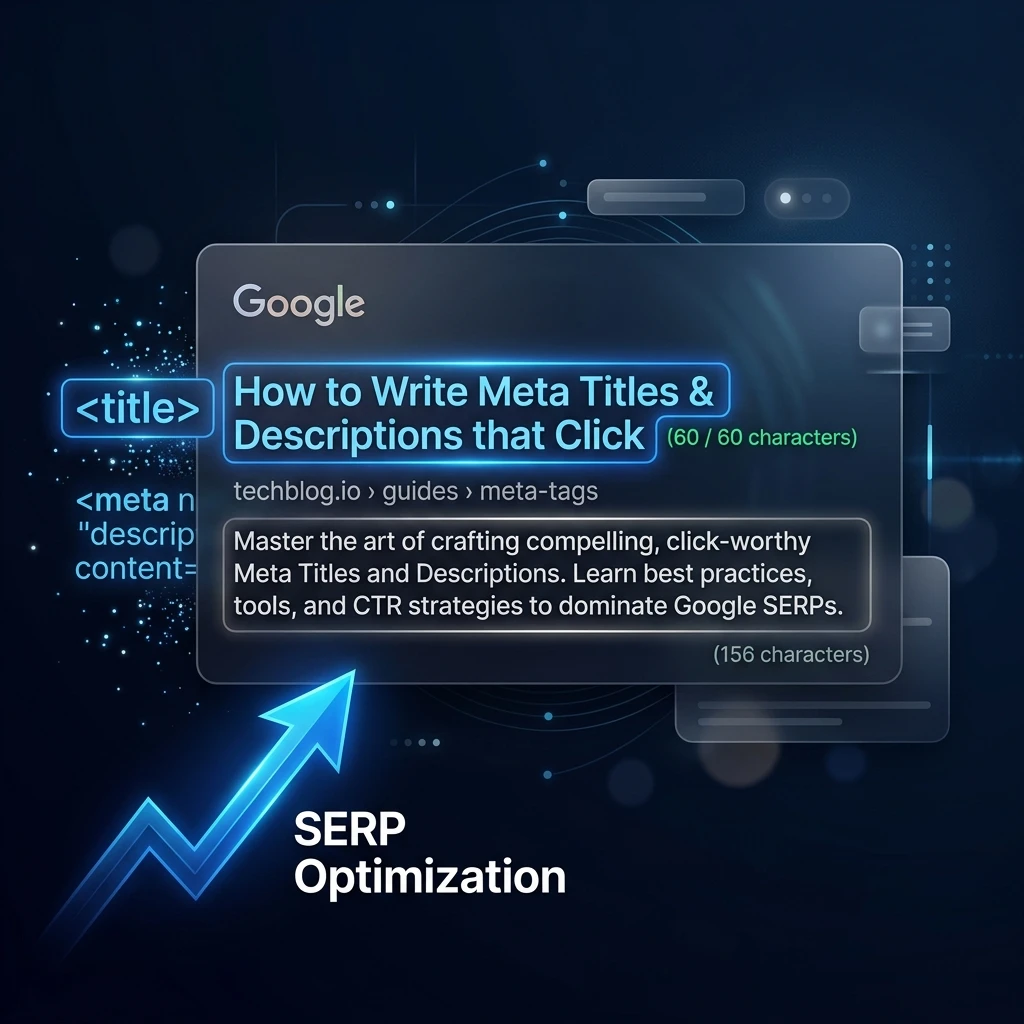
The title tag is the single most important on-page SEO element. It appears as the blue clickable headline in Google search results and in your browser tab. It is also a confirmed Google ranking factor.
Best practices:
- Length: 50–60 characters (Google truncates longer titles at ~580 pixels)
- Include your primary keyword as early as possible
- Make it compelling — it's an ad for your page
- Every page on your site must have a unique title
- Brand name at the end: "Keyword-Rich Title | Brand Name"
2. Meta Description
The meta description appears as the grey text beneath your title in search results. While not a direct ranking factor, it massively influences CTR — which IS a ranking signal.
Best practices:
- Length: 120–155 characters
- Include your focus keyword naturally
- Include a clear call-to-action ("Learn more", "Try free", "Get started")
- Accurately describe the page content (misleading descriptions hurt bounce rate)
- Every page needs a unique meta description
3. Meta Robots Tag
Tells search engines how to index and follow links on your page. Most pages should use index, follow. Use noindex for pages you don't want in search results (thank you pages, admin pages, duplicate content).
4. Meta Viewport Tag
Critical for mobile responsiveness. Without it, your page may render incorrectly on mobile devices:
<meta name="viewport" content="width=device-width, initial-scale=1.0">5. Open Graph Tags
Open Graph tags control how your content appears when shared on Facebook, LinkedIn, Twitter, and WhatsApp. Without them, social sharing looks unprofessional and gets poor engagement.
Key OG tags:
og:title— Title for social sharingog:description— Description for social sharingog:image— Thumbnail image for social sharing (1200×630px recommended)og:url— Canonical URL of the page
Use our free Open Graph Generator to create these tags instantly.
6. Canonical Tag
Prevents duplicate content issues by telling Google which version of a page is the "original" when multiple URLs show the same content:
<link rel="canonical" href="https://yourdomain.com/original-page/">Meta Tags That No Longer Matter (Stop Using These)
Many old-school SEO guides still recommend these — but they have zero impact in 2026:
- Meta Keywords: Google completely ignores this tag (has since 2009). Bing also ignores it. Remove it entirely.
- Meta Author: Doesn't affect rankings. The author information in your content and structured data matters far more.
- Meta Revisit-After: Search engines determine their own crawl frequency; this tag is ignored.
How to Use SM Developers' Free Meta Tag Generator
Our free meta tag generator creates all your essential meta tags with a live Google SERP preview, so you can see exactly how your page will look in search results before publishing.
Step-by-Step Instructions
- Go to the tool: smdevs.in/tools/seo/meta-tag-generator
- Enter your Page Title: The tool shows a live character count with a green/red indicator
- Enter your Meta Description: Character counter guides you to the 120–155 sweet spot
- Enter your Keywords: Comma-separated (primarily for record-keeping)
- Set Robots settings: Choose index/noindex and follow/nofollow
- Preview your SERP snippet: See exactly how Google will display your result
- Copy the generated HTML: Paste directly into your page's
<head>section
Writing Meta Titles That Get Clicks: 7 Proven Formulas
The best meta titles use psychological triggers to boost CTR:
- Number + Benefit: "7 Free SEO Tools That Replace Expensive Software"
- How-To + Keyword: "How to Generate Perfect Meta Tags for SEO (Free Tool)"
- Question: "Are Your Meta Tags Costing You Traffic?"
- Curiosity Gap: "The Meta Tag Mistake 90% of Websites Make"
- Year + Best: "Best Free SEO Meta Tag Generator (2026)"
- Tool/Resource: "Free Meta Tag Generator — Create & Preview in 60 Seconds"
- Ultimate Guide: "The Complete Guide to SEO Meta Tags for 2026"
Meta Tag Audit: 5-Minute Health Check
Run this quick check on your most important pages:
- ☐ Every page has a unique title tag (50–60 chars)
- ☐ Every page has a unique meta description (120–155 chars)
- ☐ Primary keyword appears in both title and description
- ☐ Open Graph tags are present for all shareable pages
- ☐ Canonical tag is set correctly
- ☐ No pages accidentally set to noindex that should be indexed
- ☐ Meta keywords tag is NOT present (clean it up)
For a complete technical audit, use our On-Page SEO Checker which validates all meta elements in one go.
Frequently Asked Questions
Does Google always use my meta description in search results?
Not always. Google rewrites meta descriptions approximately 62% of the time, particularly when it believes a different excerpt from your page better matches the user's search query. However, a well-written meta description is still displayed when it closely matches the search intent — so always write one.
What happens if my title tag is too long?
Google truncates title tags that exceed approximately 580 pixels (roughly 60 characters) in search results with an ellipsis (...). This cuts off your message and can reduce CTR. Always keep your most important information — including your primary keyword — within the first 55–60 characters.
Are meta keywords still important for SEO in 2026?
No. Google has officially ignored the meta keywords tag since 2009. Bing and other major search engines also disregard it. In fact, using meta keywords can signal to competitors exactly which keywords you're targeting. Remove it from your pages.
Do I need different meta tags for social media?
Yes! Open Graph tags (for Facebook, LinkedIn) and Twitter Card tags control how your content appears when shared on social media. Without them, social shares look unprofessional — usually showing a random image or none at all. Use our Open Graph Generator to create these separately.
Can I use the same meta description on multiple pages?
No — duplicate meta descriptions are flagged as an issue by Google Search Console. Every page on your site should have a unique, page-specific meta description that accurately describes the specific content of that page.
Conclusion: Meta Tags Are Free Real Estate in Google
Your meta tags are prime advertising space — completely free, completely within your control, and potentially seen by thousands of searchers every day. Treat them with the same care you give to the content itself.
With SM Developers' free meta tag generator, creating perfect, optimized meta tags takes less than 60 seconds. No SEO expertise required.