Key Takeaways
- One day your website is getting healthy organic traffic. The next day, your GSC shows a traffic cliff — impressions and clicks have fallen off a cliff overnight. For many website owners, this is their
What is a Google Penalty?
A Google penalty is a negative action taken against your website that results in lower rankings or removal from Google's search index. There are two types:
- Manual Action (Manual Penalty): Applied by a human Google reviewer when your site violates Google's Webmaster Guidelines. Visible in Google Search Console under Security & Manual Actions → Manual Actions.
- Algorithmic Penalty: Applied automatically by Google's core algorithms (Penguin for links, Panda/Helpful Content for content quality, Core updates). NOT visible as a manual action in GSC — detected only through traffic pattern analysis and update correlation.
10 Warning Signs Your Site Has a Google Penalty
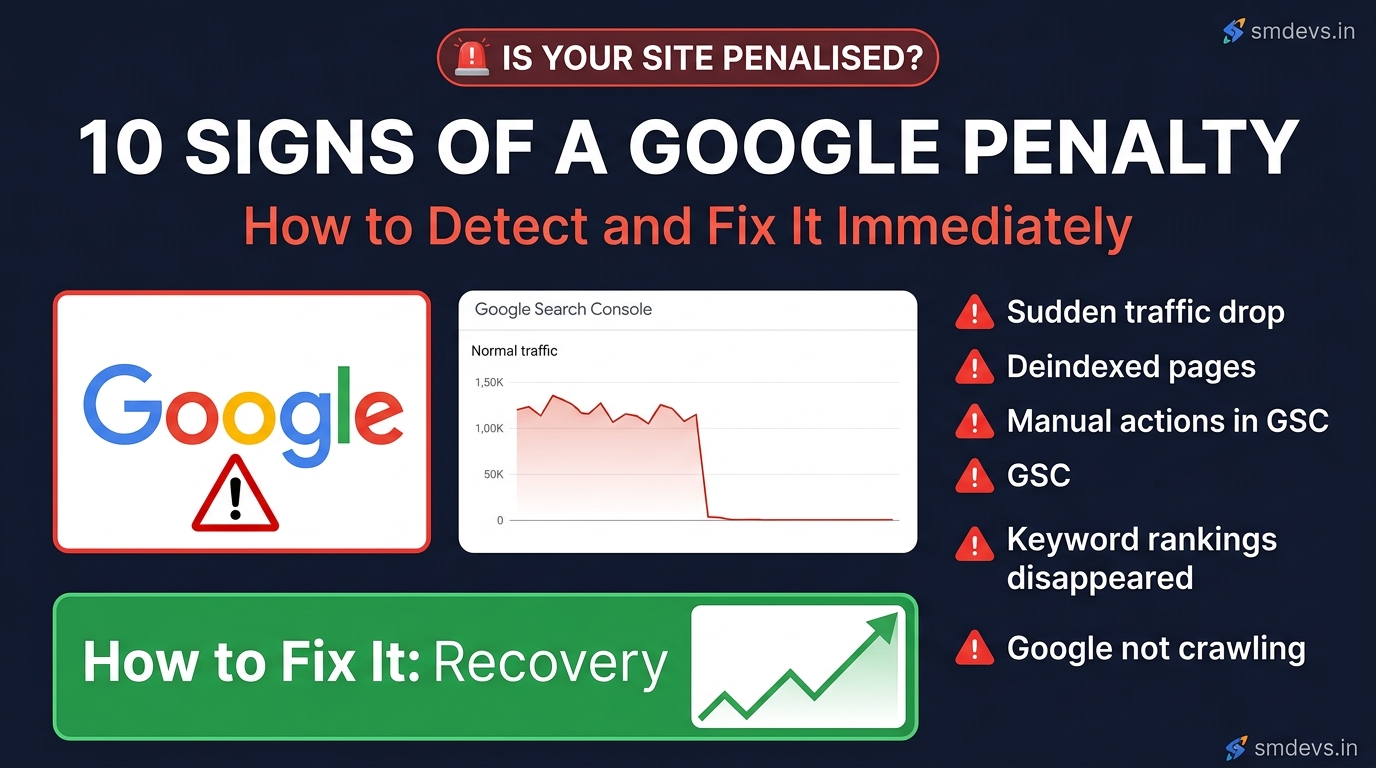
Sign 1: Sudden Cliff-Drop in Organic Traffic
The most obvious sign. Open Google Search Console → Performance → Total clicks. If you see a sudden, steep drop (40%+ within 1–2 days) rather than a gradual decline, this is a red flag. Gradual declines are usually technical or seasonal. Sudden drops correlate with either a manual action or an algorithm update.
How to investigate: Cross-reference the drop date with Google's algorithm update history (available on SearchEngineLand and Google's own updates page). If the drop aligns with a documented update, it's likely algorithmic.
Sign 2: Manual Action Notification in Google Search Console
Go to GSC → Security & Manual Actions → Manual Actions. If you see anything other than "No issues detected" — you have a confirmed manual penalty. Google will specify the reason (unnatural links, thin content, cloaking, etc.) and the scope (site-wide or partial).
This is the definitive confirmation of a manual penalty. If you see it, take it seriously — your site is being actively suppressed by Google's manual review team.
Sign 3: Keyword Rankings Disappear Overnight
Check your rankings for your top-performing keywords in Google Search Console Performance → Queries, or in a rank tracker (Ahrefs, SEMrush, or free tools like Google Search Console). If 20+ keywords that previously ranked on page 1–3 have suddenly dropped to page 5+ or disappeared completely — this is a penalty indicator, not a normal fluctuation.
Sign 4: Pages Getting Deindexed
Check your index coverage: in GSC → Index → Pages (formerly Coverage). If you see a sudden increase in "Not indexed" or "Excluded" pages that were previously indexed, Google may be deindexing your content. Do a quick index check: search Google for site:yourdomain.com — if far fewer pages appear than you have published, deindexing has occurred.
Sign 5: Impressions Drop But Average Position Stays the Same
This unusual pattern (impressions fall but position holds for the remaining impressions) often indicates Google has stopped showing your site for many of the queries where it previously appeared — but hasn't fully deranked you for the queries where it still shows. This is typical of algorithmic content quality assessments.
Sign 6: Spam or Security Issues Alert in GSC
Go to GSC → Security & Manual Actions → Security Issues. If Google has detected hacking, malware, or spam injected into your site, it will show here. A hacked site is automatically penalised until the security issue is resolved and you submit a review request. Hacked sites often show unknown pages or content injected by attackers.
Sign 7: Your Brand Name No Longer Shows Your Site
Google your own brand name. If your website doesn't appear in the top 3 results for your own brand name — something is very wrong. This level of suppression usually indicates a site-wide manual penalty for severe violations (doorway pages, cloaking, or manual spam).
Sign 8: Significant Link Profile Spike (Negative SEO)
In GSC → Links → Top linking sites — or in Ahrefs/SEMrush — check for a sudden spike in new backlinks from low-quality, spammy, or irrelevant sites. Competitors sometimes use negative SEO (pointing thousands of spam links at competitor sites) to trigger a Penguin algorithmic penalty. While Google has become better at ignoring bad links, a large-scale spam attack can still cause algorithmic suppression.
Sign 9: Core Web Vitals "Poor" URLs Increase Sharply
While Core Web Vitals issues alone rarely cause penalties, a site where most pages have "Poor" CWV scores after Google announced CWV as a ranking factor can see meaningful ranking drops — especially in mobile search. Check GSC → Experience → Core Web Vitals.
Sign 10: Traffic Drops Correlate with a Documented Google Algorithm Update
Google announces confirmed updates (Core Updates, Helpful Content updates, Link Spam updates) on its Search Status Dashboard and Google Search Central blog. If your traffic dropped on the exact date of a confirmed update — you were algorithmically affected. This is NOT a manual penalty — it's your site failing to meet the new algorithmic quality standards.
How to Recover from a Google Penalty: Step-by-Step
Step 1: Diagnose the Penalty Type
- Check GSC Manual Actions — if there's a manual action, you know exactly what to fix
- If no manual action, correlate the traffic drop date with Google's algorithm update timeline
- Use Google's Search Status Dashboard (status.search.google.com) to see confirmed update dates
Step 2: Fix Manual Action Issues
Google's manual action notification specifies the exact problem. Common fixes:
- Unnatural links: Use GSC's Disavow Links tool to disavow toxic backlinks pointing to your site. Create a disavow file and submit it. This can take 2–4 weeks to process.
- Thin content: Substantially improve or consolidate thin pages. Add depth, original information, and utility. Delete or noindex pages with no search value.
- Cloaking/hidden text: Remove any content shown to Googlebot but hidden from users, or vice versa.
- User-generated spam: Clean up spammy comments, forum posts, and UGC that violates guidelines.
Step 3: Submit a Reconsideration Request (Manual Actions Only)
After fixing all issues, go to GSC → Security & Manual Actions → Manual Actions → Request Review. Describe exactly what was wrong and what you've done to fix it. Be honest, specific, and comprehensive. Google typically responds within 2–4 weeks. If the review is rejected, fix additional issues and submit again.
Step 4: Address Algorithmic Issues
Algorithmic penalties have no formal "fix and submit" process — you must improve your site until the algorithm re-evaluates it positively at the next core update (typically every 3–6 months):
- Helpful Content update affected? Audit all content for "created for people, not search engines." Remove or substantially improve thin, AI-generated, or uninformative content. Strengthen E-E-A-T signals.
- Penguin (links) affected? Audit and disavow toxic backlinks. Build genuine, relevant backlinks through good content.
- Core update affected? Improve overall page quality, expertise, and user satisfaction for your most important pages.
Step 5: Monitor Recovery
Track weekly in GSC → Performance. Core update recoveries often don't show until the next confirmed core update — sometimes 3–6 months later. Manual action recoveries typically show within 2–4 weeks of a successful reconsideration request.
FAQs: Google Penalties
How long does a Google penalty last?
Manual action penalties last until you fix the issues and submit a successful reconsideration request — typically 2–12 weeks from submission. Algorithmic penalties are not "removed" like manual actions; your site improves as the algorithm re-crawls and re-evaluates it, which can take 3–6 months for core algorithm penalties. There is no set expiry — recovery depends entirely on the quality of your fixes.
How do I know if my site has a Google penalty?
The definitive check: Google Search Console → Security & Manual Actions → Manual Actions. If it says "No issues detected," you have no manual penalty. For algorithmic issues, look for sudden traffic drops that correlate with documented Google algorithm update dates on Google's Search Status Dashboard or SearchEngineLand's update history.
Can Google penalise a site for too many ads?
Yes — Google's Page Layout algorithm (part of its core algorithm) penalises pages where excessive ads push main content "below the fold" on page load. This affects pages with aggressive ad placements (full-page interstitials, large ad blocks above the fold) on mobile. Google's Better Ads Standards define the specific ad formats that trigger this penalty.


