How Google Crawls & Indexes Your Website — 6-Step Pipeline
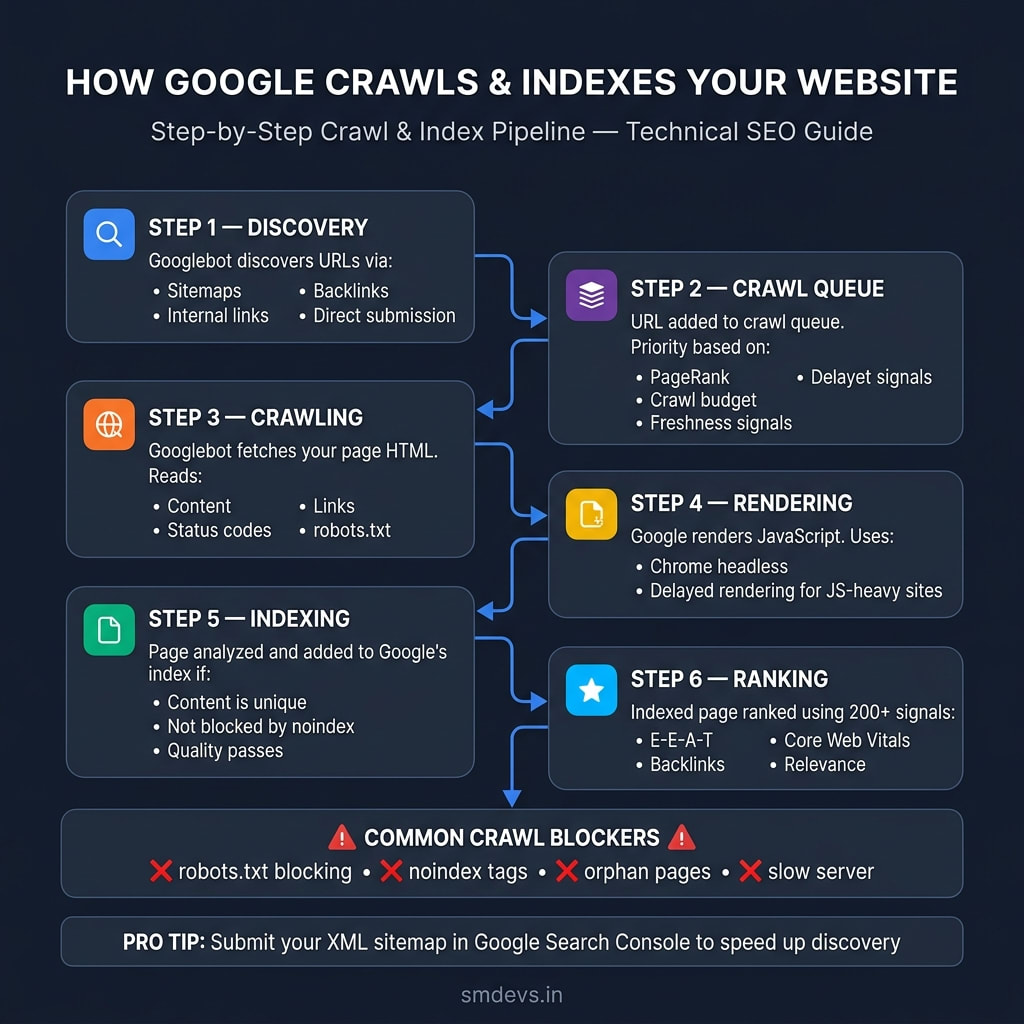
The complete step-by-step pipeline showing how Googlebot discovers, crawls, renders, and indexes your pages — plus the 4 common blockers that keep pages out of the index.
Click to open full-screen view · Free to share with attribution
About This Infographic
Understanding how Google actually crawls and indexes your website is the foundation of all technical SEO. Most site owners fix surface-level issues without understanding the full pipeline — which means they're often solving the wrong problem. This infographic maps Google's complete 6-step crawl and index pipeline: Step 1 — Discovery, where Googlebot finds new URLs through XML sitemaps, internal links, backlinks, and direct URL submission in Google Search Console; Step 2 — Crawl Queue, where discovered URLs are prioritized based on PageRank, crawl budget allocation, and freshness signals (new and frequently updated pages get priority); Step 3 — Crawling, where Googlebot fetches your page's raw HTML and reads content, links, status codes, and robots.txt instructions; Step 4 — Rendering, where Google's headless Chrome renders JavaScript — note that JS-heavy pages may face delayed rendering, making server-side rendering (SSR) important for critical content; Step 5 — Indexing, where the rendered page is analyzed and added to Google's index only if content is unique, not blocked by noindex tags, and passes quality thresholds; Step 6 — Ranking, where indexed pages are ranked using 200+ signals including E-E-A-T, backlinks, Core Web Vitals, and query relevance. A Common Crawl Blockers section highlights the 4 most frequent indexing issues: robots.txt blocking, noindex meta tags, orphan pages with no internal links, and slow server response times.
Related Infographics
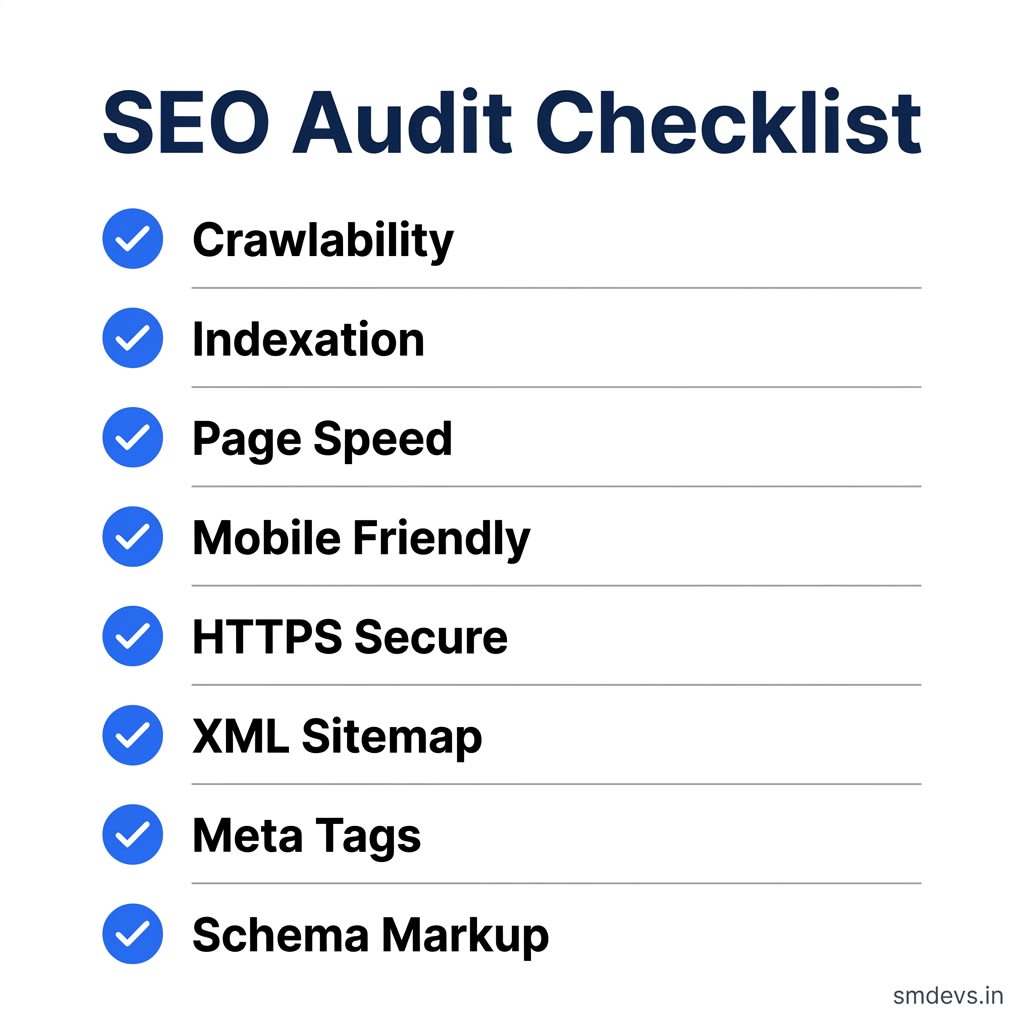
SEO Audit Checklist
8 essential checkpoints every website needs before launching an SEO campaign in 2026.
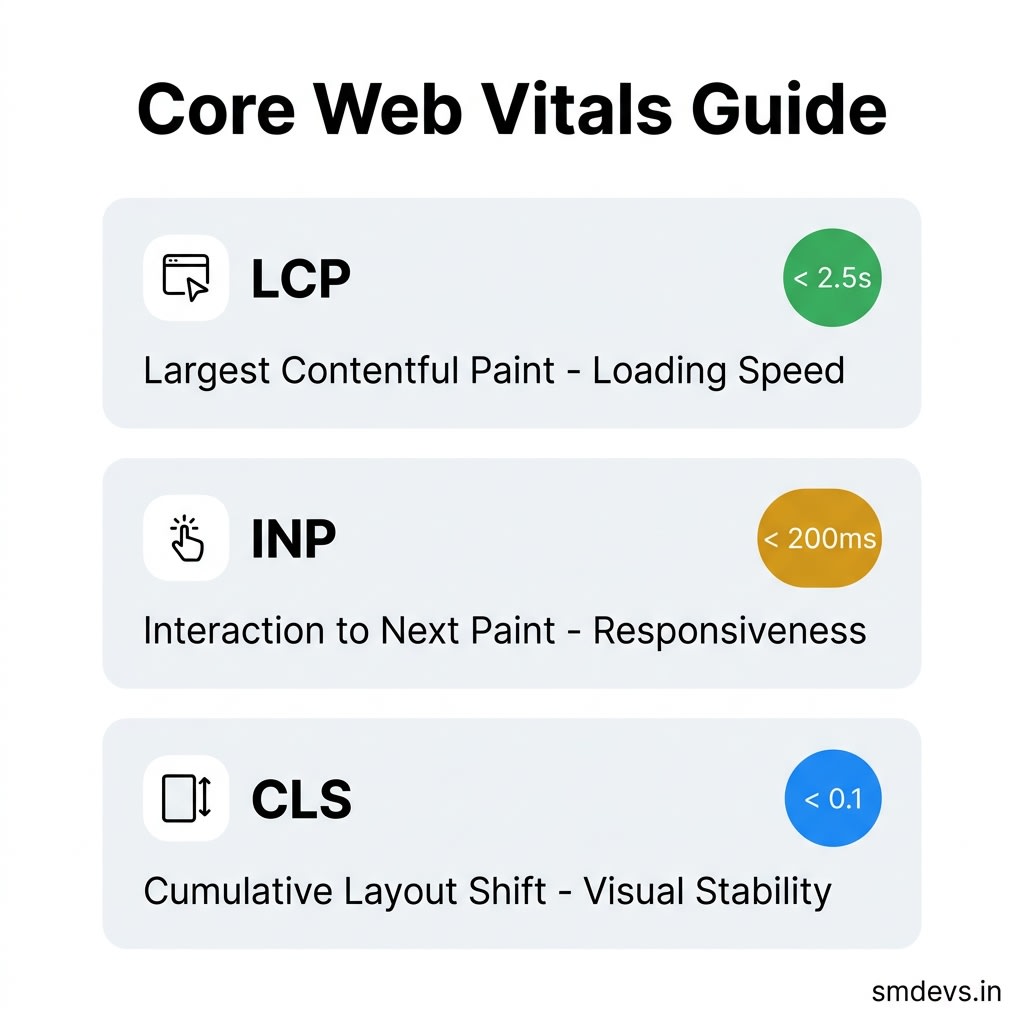
Core Web Vitals Guide
LCP, INP, and CLS explained — with exact Google benchmarks for each metric in 2026.
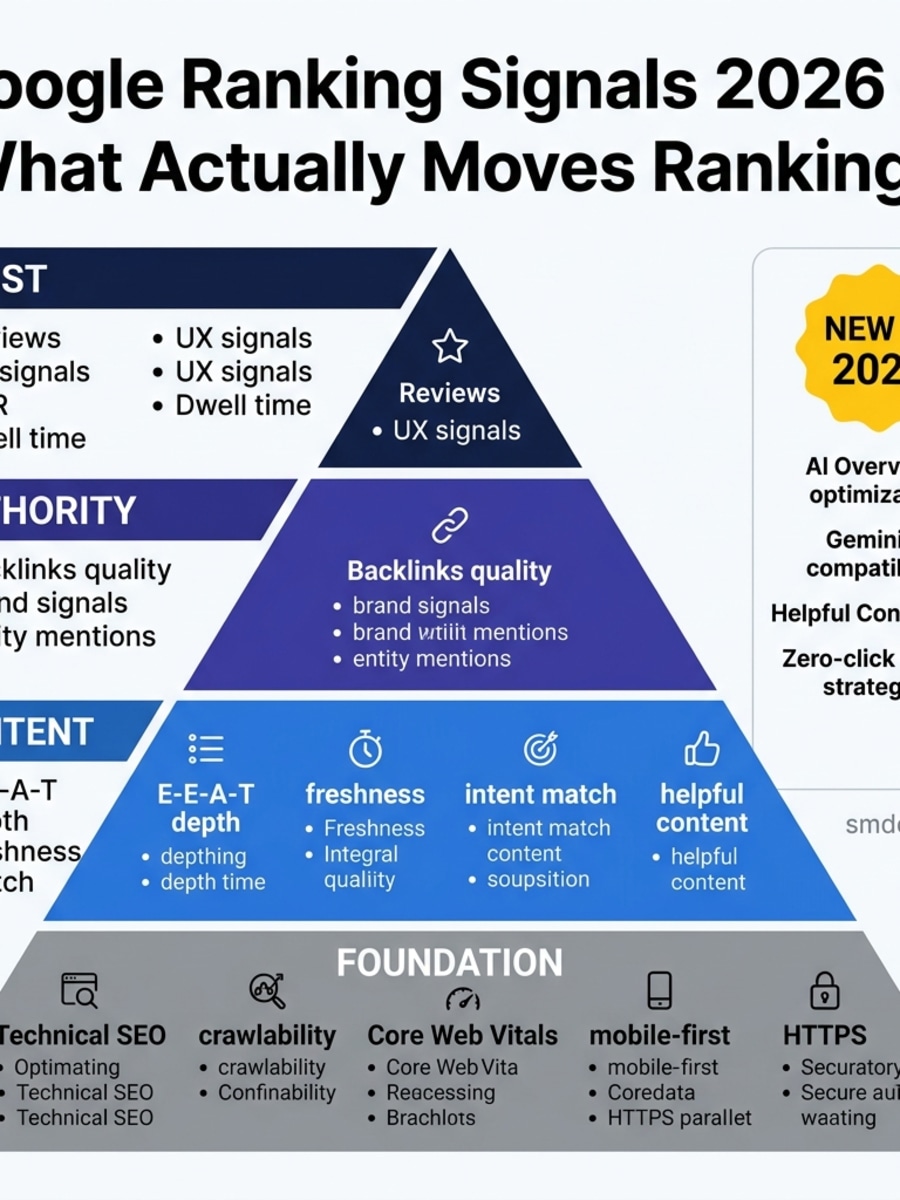
Google Ranking Signals 2026 — What Actually Moves Rankings
A complete pyramid of Google's ranking signals in 2026 — from technical foundation to E-E-A-T content, authority, and trust.
Need Help Growing Your Website?
Use our free SEO tools to audit and optimize your site — no signup required.